

What This App Is and Who It’s For
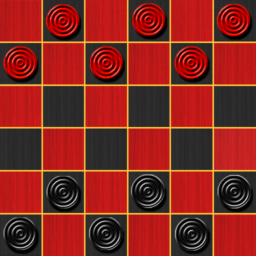
Checkers Online from CC Games is exactly what the name promises: a digital take on the classic board game with several rule variants baked in, including American Checkers, International Draughts, Spanish Damas, and Turkish Dama. You can play against a computer opponent across five difficulty levels, challenge a friend offline on the same device, or jump into online multiplayer with a profile, avatar, and country flag. There’s also a Blitz mode with fast time controls, tournament play through Blitz ARENA, and a puzzle mode called Challenges for players who want bite-sized tactical exercises. This app is aimed at casual players who grew up with checkers and want a low-friction way to play on a phone, as well as anyone who wants quick matches against real opponents without needing a dedicated gaming console.
Setup and Everyday Usability
One reviewer summed it up well, calling it easy to use with a simple process for changing options and just playing checkers. There are multiple checkerboard designs and piece styles to pick from, and switching between the five difficulty levels (Expert, Hard, Medium, Easy) is straightforward. Setting up an online profile takes just a few taps, choosing an avatar, flag, and nickname, so you can be in a multiplayer match quickly without a lengthy registration process. For anyone who just wants to relax with a familiar game, the core experience of tapping a piece and moving it works smoothly and looks colorful and polished.
The Currency and Move-Restriction Frustrations
Not everything runs cleanly, though. Multiple users pointed out that the app piles on different types of virtual currency, coins, hearts, and lightning bolts, without ever explaining what each one is for, which just feels redundant. More significantly, several reviewers described real gameplay friction: the app sometimes only highlights certain moves as available even when other legal moves should exist, and in mandatory-capture rule sets, players are forced into jumps they didn’t want to make, even when that jump exposes them to a worse capture in return. One player described it as feeling like the computer is playing against itself because the highlighted move was clearly a poor one while a better option sat unhighlighted on the board. This is a real strategic complaint, not just a preference issue, since it can take away meaningful decision-making in a game that’s supposed to reward foresight.
Ads, Timing, and Matchmaking Complaints
Ads are a recurring sore point. One reviewer counted up to three ads per game, calling it the most ad-heavy app they’d used, which is a serious complaint for a board game meant to be a quick, relaxing session. Timing mechanics also draw criticism: the default per-move clock has been described as too generous, letting opponents stall and claw back time late in a match, with one reviewer suggesting a much shorter cap would stop players from wasting each other’s time. Matchmaking fairness is another concern, since beginners can reportedly be paired against opponents with thousands of ranking points, which is discouraging rather than competitive. On top of that, the hint button’s placement was flagged as easy to hit by accident, right when precision matters most.
Who Should Actually Download This
If you want a free, visually decent checkers app with real rule variety and offline play against a friend or the computer, this covers the basics well and gives you five difficulty tiers to grow into. But if you’re hoping for a smooth, ad-light competitive multiplayer experience with fair matchmaking and full control over which legal moves you can make, the complaints here suggest you’ll hit friction fast. Casual solo players and those wanting quick practice against AI will likely get the most out of it, while competitive multiplayer grinders may find the ad load, timing quirks, and move restrictions wear thin over repeated sessions.