
T-Mobile Visual Voicemail

by T-Mobile USA

3.1 ★ 93K+ reviews
101M+ Installs
11/22/2010 Released
T-Mobile Visual Voicemail icon
Communication

T-Mobile Visual Voicemail

by T-Mobile USA

3.1 ★ 93K+ reviews
101M+ Installs
11/22/2010 Released
Advertisements
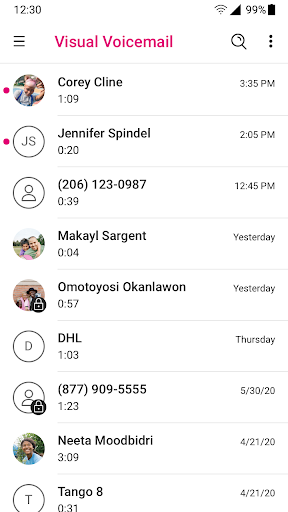
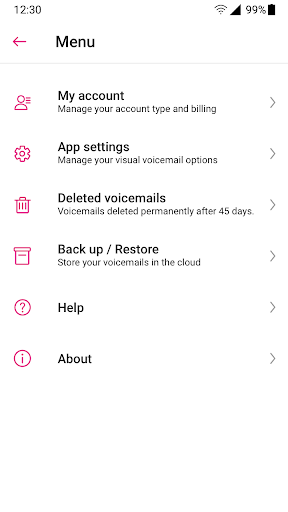
T-Mobile Visual Voicemail screenshot 1
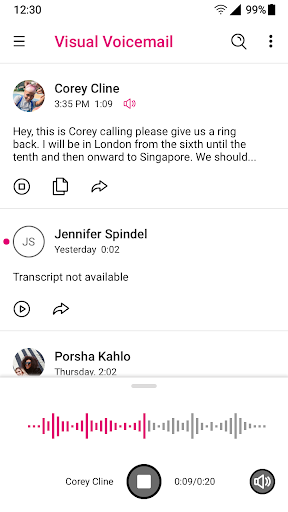
T-Mobile Visual Voicemail screenshot 2
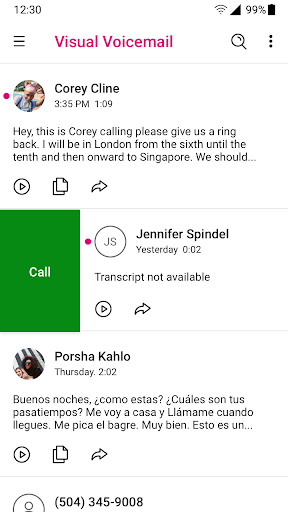
T-Mobile Visual Voicemail screenshot 3
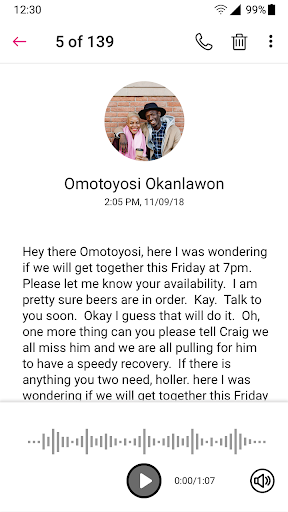
T-Mobile Visual Voicemail screenshot 4
T-Mobile Visual Voicemail screenshot 5
T-Mobile Visual Voicemail screenshot 6

Ratings Breakdown

3.1 ★★★★★ 93K+ ratings
5 ★ 42%
4 ★ 7%
3 ★ 6%
2 ★ 5%
1 ★ 40%

Data from Google Play at the time of writing.

What This App Is Supposed To Do

T-Mobile Visual Voicemail is the carrier’s built-in replacement for dialing into your voicemail box. Instead of calling a number and punching through a robotic menu, the app lists your messages visually so you can play them in any order, save them, or delete them with a tap. It also ties into T-Mobile’s Scam Shield bundle for identifying and blocking suspected spam calls, and offers a paid upgrade for voicemail-to-text transcription that can land in your inbox, as an SMS, or as an email. It’s aimed squarely at T-Mobile customers who don’t want to deal with the old-fashioned call-in voicemail system, including former Sprint users who were migrated onto this app after the merger.

Where It Actually Delivers

When it works, the core idea is solid: a visual list of voicemails you can tap through instead of sitting through a phone tree is a genuinely useful convenience, and the free activation on first launch (no need to change your voicemail number or reconfigure forwarding) removes a setup headache that used to trip people up. The Scam Shield integration is a real value-add for anyone dealing with a heavy volume of spam calls, and the option to have messages transcribed to text is the kind of feature that, in theory, saves time for people who can’t always listen to audio.

The Sync And Notification Problems That Won’t Go Away

In practice, the reviews paint a much rougher picture. The most common and highest-voted complaints are about syncing: users report the app simply not refreshing or pulling in new voicemails, with the refresh icon spinning endlessly and doing nothing. One reviewer switching to a new phone said the app worked fine on their old device but froze on refresh with the new one, leaving them unable to see any voicemails at all. Others describe being pushed back to ‘the old fashioned way’ of actually dialing into voicemail because the app provides, in their words, zero functionality. Notifications are just as inconsistent — multiple users say they aren’t alerted to new messages at all, while others say alerts come in late or won’t stop even after being disabled in settings. One review specifically mentions getting repeated emails from T-Mobile acknowledging the notification bug without it ever being fixed.

Battery Drain, Audio Bugs, And Update Regressions

Beyond syncing, there’s a cluster of more technical annoyances. One user reported the app repeatedly claiming it ‘can’t retrieve messages at this time,’ solvable only by force-closing it, while also forcing LTE to stay on even when connected to WiFi, which they say caused significant battery drain from both radios running simultaneously. Another described a post-update bug where voicemail audio was locked to the earpiece with a grayed-out, unchangeable volume slider tied to a Bluetooth icon, despite no Bluetooth device being connected. Several reviewers say a recent update broke the app outright, with persistent prompts to turn on cellular data even though it was already enabled, and no fix found after uninstalling and reinstalling. Mass-deleting voicemails is also flagged as broken by at least one user dealing with a voicemail box that fills up frequently due to spam calls.

Who Should Actually Install This

If you’re a T-Mobile customer, you don’t have much choice but to use some version of this app or the traditional dial-in system, and for light, occasional voicemail checking it may work fine for many people — the install numbers suggest the bulk of the user base isn’t leaving detailed complaints. But based on the specific, high-vote reviews here, anyone relying on it heavily for business calls or expecting dependable notifications should go in with tempered expectations: sync failures, missed alerts, audio routing bugs, and battery drain from stuck LTE connections are recurring, not isolated, complaints. If you’ve just switched phones or updated the app and it stops working, know that you’re not alone, and that force-closing, reinstalling, or falling back to dialing voicemail directly are the workarounds other users have resorted to while waiting for a permanent fix.


Pros

  • ✓Free activation with no reconfiguration needed
  • ✓Visual list beats dialing into voicemail
  • ✓Play messages in any order
  • ✓Scam Shield spam call blocking included
  • ✓Optional voicemail-to-text transcription available

Cons

  • ✕Frequent sync and refresh failures
  • ✕Unreliable or missing notifications
  • ✕Battery drain from stuck LTE connection

What Real Users Say

Chris Kowitz ★ 1/5

“I'm going to have to agree with everyone else, after the most recent update this app has completely stopped working. It tells me I need to turn my cellular data mode on, which it is, but everything i do just doesn't seem to work. Went through all my settings, I've uninstalled the app, I even waited a couple weeks after…”

👍 850 found this helpful
Sarah van den Arend ★ 1/5

“Awful. The app does not refresh and sync to upload new voicemails. Never would have imagined that I would have to go back to the old fashioned way of actually calling my voicemail to listen to my messages. It is awful! It allows for 0 functionality. I'm trying to operate a business, and not being able to pause my voicemails…”

👍 366 found this helpful
Paul Miller ★ 1/5

“Lots of problems, lots of very old problems that somehow no one bothers to fix. For example, my version never notifies me if I have new message. I've gotten numerous emails fron T-mobile telling me that they are aware of the problem. Yet nothing changes. Seems like being able to notify a user of a new message is a very…”

👍 323 found this helpful

Reviews sourced from Google Play, selected by helpfulness at the time of writing.

App Info & Permissions

Developer T-Mobile USA
Content rating Everyone
Contains ads No
Installs 101M+
Released 11/22/2010
Price Free

Permissions this app requests

👥 Contacts Read your contacts
📱 Device ID & call information Read phone status and identity
📍 Location Approximate location (network-based)
🎙️ Microphone Record audio
📞 Phone Read phone status and identity
🖼️ Photos/Media/Files Read the contents of your USB storage; modify or delete the contents of your USB storage
💾 Storage Read the contents of your USB storage; modify or delete the contents of your USB storage
📶 Wi-Fi connection information View Wi-Fi connections

Similar Apps

Frequently Asked Questions

1

What is T-Mobile Visual Voicemail?

It's T-Mobile's official app that replaces the traditional dial-in voicemail system with a visual inbox. You can view, play in any order, save, and delete voicemails directly from your phone instead of calling a number. It also includes Scam Shield features for identifying and blocking likely scam calls.

2

Is T-Mobile Visual Voicemail free?

The core app and basic visual voicemail activation are free for T-Mobile customers and set up automatically at first launch. However, the Voicemail-to-Text transcription feature, which converts and translates voicemails into text sent to your inbox, SMS, or email, requires a Premium upgrade for a small monthly fee.

3

Why does the app say it can't retrieve messages?

Multiple users report this error appearing persistently, often requiring a force-close of the app to temporarily resolve it. It appears linked to broader sync issues reported across many reviews, and there's no confirmed permanent fix mentioned by users. Reinstalling the app or checking cellular authentication has helped some, but not all, affected users.

4

Does the app work properly after switching to a new phone?

Not always. At least one user reported that after moving to a new device, the app failed to show any voicemails and the refresh function froze indefinitely, despite working fine on their previous phone. T-Mobile recommends authenticating on the T-Mobile cellular network the first time you use a new version, which may help but isn't guaranteed to resolve all issues.

5

Is the Scam Shield feature worth using?

Scam Shield is bundled into the app to help identify, block, and report likely scam calls, and it's a genuinely useful addition given how much spam call volume some users report. It doesn't appear in the negative reviews as a source of complaints, unlike the core voicemail syncing and notification features. It's included as part of the app rather than a separate download.