
Opera Mini: Fast Web Browser

by Opera

4.6 9.9M+ reviews
897M+ Installs
11/24/2014 Released
Opera Mini: Fast Web Browser icon
Communication

Opera Mini: Fast Web Browser

by Opera

4.6 9.9M+ reviews
897M+ Installs
11/24/2014 Released
Opera Mini: Fast Web Browser screenshot 1
Opera Mini: Fast Web Browser screenshot 2
Opera Mini: Fast Web Browser screenshot 3
Opera Mini: Fast Web Browser screenshot 4
Opera Mini: Fast Web Browser screenshot 5
Opera Mini: Fast Web Browser screenshot 6

Ratings Breakdown

4.6 ★★★★★ 9.9M+ ratings
5 85%
4 5%
3 3%
2 1%
1 6%

Data from Google Play at the time of writing.

What Opera Mini Actually Offers

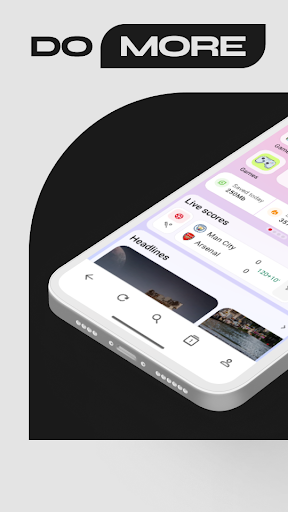
Opera Mini is a lightweight mobile browser built around the idea of saving data and loading pages fast, even on slow connections. Beyond basic browsing, it packs in a built-in ad blocker, private browsing with PIN-locked tabs, an AI chat assistant, football score tracking, a news feed, and a wallet feature called MiniPay. It’s aimed at users who want a no-frills, data-conscious browser rather than a bloated app, and it’s particularly useful for people on limited data plans or older, slower devices.

Where It Genuinely Shines

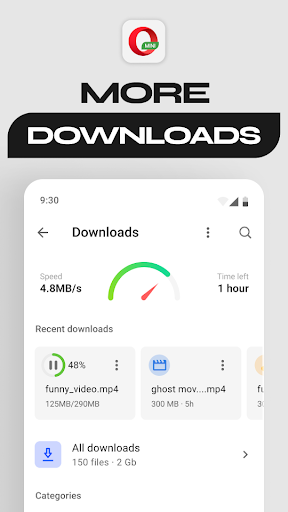
The standout strength, echoed repeatedly by long-time users, is the data compression and download reliability. One reviewer with nearly 28,000 helpful votes specifically praised how Opera Mini never interrupts downloads on large files the way Chrome does, and called its ad-blocking ‘truly astounding.’ Multiple other reviews back this up, crediting the compression feature for meaningfully cutting data usage, something that matters a lot for users outside unlimited-data situations. For people who’ve used Opera across desktop and mobile for years, this core browsing efficiency is clearly the reason they stick around despite other complaints.

The Cracks That Keep Showing Up

The most serious recurring complaint is that the data-saving modes themselves can break basic browsing. A review with over 9,000 helpful votes describes a ‘Web page not available’ error that hits repeatedly when Automatic, Extreme, or High data savings mode is switched on, essentially defeating the purpose of the feature. Other users report sites like Twitter becoming inaccessible or having broken formatting, and one long-time user noted ads now appearing during page loads even on sites like Wikipedia, something that didn’t happen in earlier versions. Crashes are also mentioned as a multiple-times-daily occurrence for at least one reviewer, alongside stuck update prompts that never actually resolve.

Interface Clutter and Missing Basics

Several reviews point to UI decisions that frustrate returning users rather than newcomers. The addition of a live football scores icon permanently placed in the bottom toolbar has annoyed people who don’t follow football and can’t find a way to remove it, despite digging through settings. Similarly, a newer update now displays trending Google searches every time the address bar is tapped, with no visible toggle to turn it off. Basic functionality gaps are called out too, including no way to search browsing history and a full-screen button that’s only available in landscape mode, not portrait, which one heavy user specifically asked to see fixed.

Cross-Device Syncing Is More Promise Than Reality

For users who want Opera as their default browser across phone, PC, and tablet, the cross-platform story is messier than expected. One reviewer explained that Opera has scattered the features they need across three or four different app versions, and that MyFlow’s QR code scanning for syncing data between devices repeatedly fails to work as intended. This matters because Opera’s desktop reputation is partly built on exactly this kind of seamless cross-device experience, so its absence in Mini is a real letdown for people trying to consolidate their browsing.

Final Verdict: Who Should Actually Download This

Opera Mini is worth installing if your priority is saving mobile data and you’re willing to tolerate occasional loading errors in exchange for genuinely effective compression and ad blocking. It’s a solid pick for budget data plans, older phones, or users who mainly want fast, private browsing without much fuss. It’s a weaker choice if you rely on desktop-to-mobile syncing, want a clean interface free of football widgets and trending search suggestions, or need rock-solid stability, since crashes and broken pages under data-saving modes are documented frustrations rather than rare glitches.


Pros

  • Strong ad blocking praised by users
  • Reliable large file downloads
  • Effective data compression for slow networks
  • Private browsing with PIN-locked tabs
  • Built-in AI chat and football scores

Cons

  • Data-saving modes can break pages
  • Ads now appear during page loads
  • No way to search browsing history

What Real Users Say

Sanemi 5/5

“This is the best browser I have used so far. Unlike Chrome, it never stops the downloading process for large files. Also does truly astounding job at blocking annoying advertisements. Though I would like to see the full screen button available also in portrait mode. Being able to hide the toolbar at will would be really great for browsing website…”

👍 28,198 found this helpfulDeveloper responded
Roni Gilbert 1/5

“Great concept, but it doesn't work in practice. Multiple people have complained of the following error when data savings mode (Automatic, Extreme, or High) is on. They receive the error message: "Web page not available. The page may have been deleted, the URL is incorrect or some other error occurred." The posted solution is to delete Mini and to reinstall…”

👍 9,475 found this helpful
A Google user 2/5

“I want to make Opera my default browser SO bad! But they've spread all the features I need across 3 or 4 versions. I want my phone, PC and tablet to sync, and to be able to send info between them...but Mini's MyFlow requires that you scan the QR code, and I've tried many times..taking a pic to scan, adjusting…”

👍 7,774 found this helpfulDeveloper responded

Reviews sourced from Google Play, selected by helpfulness at the time of writing.

App Info & Permissions

Developer Opera
Content rating Everyone
Contains ads Yes
Installs 897M+
Released 11/24/2014
Price Free

Permissions this app requests

📷 Camera Take pictures and videos
👥 Contacts Read your contacts
🕘 Device & app history Read your Web bookmarks and history
📱 Device ID & call information Read phone status and identity
📍 Location Approximate location (network-based); precise location (GPS and network-based)
🎙️ Microphone Record audio
📞 Phone Read phone status and identity
🖼️ Photos/Media/Files Read the contents of your USB storage; modify or delete the contents of your USB storage
💾 Storage Read the contents of your USB storage; modify or delete the contents of your USB storage
📶 Wi-Fi connection information View Wi-Fi connections

Similar Apps

Frequently Asked Questions

1

What is Opera Mini: Fast Web Browser?

Opera Mini is a mobile browser from Opera focused on fast, data-saving browsing. It includes an ad blocker, private browsing with PIN protection, AI chat, football score updates, and a MiniPay wallet feature. It's designed for users who want lighter, faster browsing on limited data or slower connections.

2

Is Opera Mini free to use?

Yes, Opera Mini is free to download and use, with optional extras like Opera Rewards points and MiniPay wallet bonuses built into the app. There are no mentions of a paid tier in the app's own description. Ads do appear within the browsing experience, which some longtime users note is a newer change.

3

Does Opera Mini actually save mobile data?

Yes, this is one of its most praised features, with users specifically highlighting the compression tools for cutting data usage. However, some reviewers report that turning on the stronger data-saving modes, like Extreme or High, can cause 'Web page not available' errors on certain sites. So while the feature works, it isn't always reliable in practice.

4

Can I sync Opera Mini across my phone, tablet, and computer?

Opera offers a MyFlow feature intended for cross-device syncing, but at least one detailed user review describes it as unreliable, particularly the QR code scanning step needed to link devices. Features are also split across different Opera app versions, so getting a fully synced setup across phone, tablet, and PC isn't straightforward. If seamless syncing is a priority, be prepared for some trial and error.

5

Is Opera Mini reliable and stable to use daily?

Reviews are mixed on this point. Many users report smooth, fast browsing and dependable downloads, but others describe crashes multiple times a day and persistent 'app ready to update' prompts that don't resolve after tapping. Stability seems to vary depending on device and network conditions, so your experience may differ from another user's.

