


Rakuten Viber Messenger

by Viber Media

4.1 ★ 16M+ reviews
1.2B+ Installs
07/19/2011 Released
Rakuten Viber Messenger icon
Communication

Rakuten Viber Messenger

by Viber Media

4.1 ★ 16M+ reviews
1.2B+ Installs
07/19/2011 Released
Advertisements
Rakuten Viber Messenger screenshot 1
Rakuten Viber Messenger screenshot 2
Rakuten Viber Messenger screenshot 3
Rakuten Viber Messenger screenshot 4
Rakuten Viber Messenger screenshot 5
Rakuten Viber Messenger screenshot 6

Ratings Breakdown

4.1 ★★★★★ 16M+ ratings
5 ★ 69%
4 ★ 8%
3 ★ 4%
2 ★ 3%
1 ★ 16%

Data from Google Play at the time of writing.

What Rakuten Viber Messenger Actually Offers

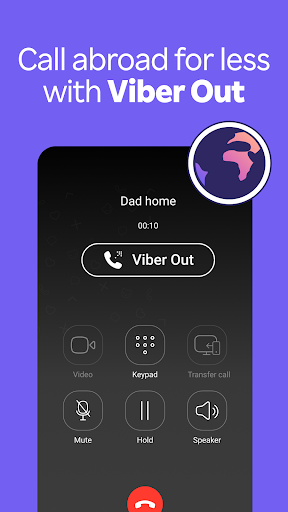
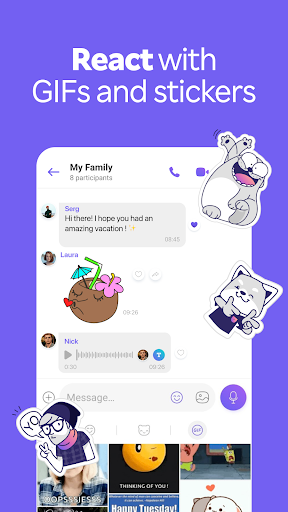
Viber has been around long enough to become one of the default messaging apps in certain countries, and its feature list reflects that maturity: free text, voice and video messages, group chats for up to 250 people, disappearing messages, stickers, GIFs, communities and channels, plus Viber Out for calling actual phone numbers at a low cost. It is aimed at anyone who needs to stay in touch with contacts abroad, especially in regions where Viber became the local standard rather than WhatsApp or Messenger. If your family, friends, or coworkers already live inside Viber, you probably don’t have much choice but to install it too.

The app also tries to double as a lightweight social platform through Communities and Channels, letting people follow topics like news or cooking rather than just messaging individuals. On paper, that’s a lot packed into one app, and for a chunk of its billion-plus install base, it clearly works well enough to keep them there.

Where It Genuinely Performs Well

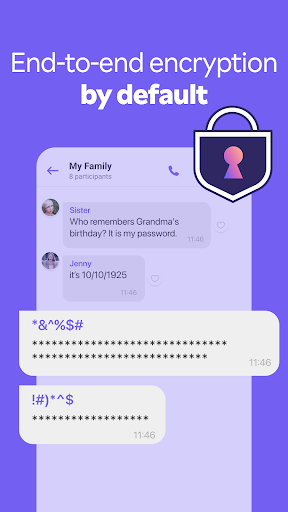
Long-term users who stick with Viber tend to praise its stability over time and its end-to-end encryption, which is on by default for one-on-one calls and chats. One reviewer with over a decade of use called it reliable ‘without any extra garbage to get in the way,’ and specifically liked the smooth sync across phone, laptop, and other devices. Another long-time user pointed out the double verification step required when adding new devices to an account, which is a genuine security plus most casual chat apps don’t bother with.

Voice and video calling across unstable connections also gets some real credit — one user calling contacts in the Philippines noted that Viber handles connection loss and reconnection better than expected on shaky mobile networks. For people calling internationally on inconsistent internet, that kind of resilience matters more than flashy features.

The Recurring Complaints That Are Hard to Ignore

The most common and heavily upvoted complaints center on basic reliability: crashing, glitchy calls, and an inability to even end a call properly once it’s been accidentally started. One reviewer flatly called it one of the worst texting apps they’d used, frustrated that it’s become unavoidable simply because so many contacts only use Viber. Another described a call where audio worked one direction only, followed by the app refusing to open at all after an update — surviving neither an uninstall/reinstall nor two phone restarts.

File sharing draws particularly sharp criticism. Multiple reviewers, across different phones and even the desktop app, describe it as essentially broken for sending attachments, with even small files struggling where competing apps send instantly. Regional performance issues also show up repeatedly, with users in Myanmar and Thailand describing slow or failed photo sending, missing incoming photos, and account activation codes that never arrive when switching devices — a serious problem for anyone trying to migrate their account.

Who Should Actually Install This

Viber makes the most sense for people who need to communicate with contacts in regions where it’s already the dominant app, or those who specifically want Viber Out’s cheap landline calling to countries where that matters. If your existing contacts are already there, encryption and cross-device sync are real strengths worth having.

If you’re choosing a messaging app from scratch with no regional pressure to use Viber, the complaints about crashing, file transfer failures, and unreliable calls are frequent and specific enough to take seriously. This isn’t an app that fails occasionally on obscure edge cases — core functions like ending a call or sending a photo are the things breaking. Go in expecting a mixed experience: solid for some, frustrating for others, largely depending on your region and network.


Pros

  • ✓Free voice, video, and text messaging
  • ✓End-to-end encryption on by default
  • ✓Smooth sync across multiple devices
  • ✓Handles unstable connections reasonably well
  • ✓Low-cost international calling via Viber Out

Cons

  • ✕Frequent crashes and call glitches
  • ✕Poor file and photo sharing reliability
  • ✕Inconsistent performance in some regions

What Real Users Say

Anast idk ★ 1/5

“this is like one of the worst texting apps ever I do not get why so many people use it (to the point it's impossible to communicate without it because most people only have this app). It crashes so much won't let me end a call when I accidentally call someone everything is glitchy and takes too long to send…”

👍 9,278 found this helpfulDeveloper responded
Belejebkaan A ★ 1/5

“This program is unreliable. My latest issue was trying to make a phone call. I could hear the recipient, but he could not hear me. **The program just updated.** The program will not open now. I uninstalled and reinstalled the program entirely and restarted the phone twice, no luck. I essentially started the whole sign procedure again like a new…”

👍 1,929 found this helpfulDeveloper responded
Sithu Naing ★ 1/5

“Worst file-sharing experience. Other messaging apps send files instantly, but Viber struggles with even the smallest attachments. I have used Viber across multiple smartphones and on my laptop, and the result is always the same: it’s essentially useless for file sharing. I have plenty of bandwidth and a stable connection, yet the app just sits there loading indefinitely. This isn't…”

👍 107 found this helpfulDeveloper responded

Reviews sourced from Google Play, selected by helpfulness at the time of writing.

App Info & Permissions

Developer Viber Media
Content rating Teen
Contains ads Yes
In-app purchases $0.99 - $99.99 per item
Installs 1.2B+
Released 07/19/2011
Price Free

Permissions this app requests

📷 Camera Take pictures and videos
👥 Contacts Find accounts on the device; read your contacts; modify your contacts
🕘 Device & app history Retrieve running apps; read sensitive log data
📱 Device ID & call information Read phone status and identity
🪪 Identity Find accounts on the device; add or remove accounts
📍 Location Approximate location (network-based); precise location (GPS and network-based)
🎙️ Microphone Record audio
📞 Phone Directly call phone numbers; read call log; read phone status and identity
🖼️ Photos/Media/Files Read the contents of your USB storage; modify or delete the contents of your USB storage
💬 SMS Send SMS messages
💾 Storage Read the contents of your USB storage; modify or delete the contents of your USB storage
📶 Wi-Fi connection information View Wi-Fi connections

Similar Apps

Frequently Asked Questions

1

What is Rakuten Viber Messenger?

It's a messaging and calling app owned by Rakuten Group that offers free texts, voice and video calls, group chats, stickers, and low-cost calls to landlines and mobiles via Viber Out. It supports up to 250-member group chats and includes Communities and Channels for following topics of interest. It's widely used internationally, particularly in regions where it's the dominant chat app.

2

Is Rakuten Viber Messenger free?

Core features like messaging, voice calls, and video calls between Viber users are free. Viber Out, which lets you call regular phone numbers and landlines, requires paid credit or a subscription. So the app itself is free to download and use, but international calling to non-Viber numbers costs extra.

3

Is Viber secure and private?

Viber uses end-to-end encryption by default for one-on-one chats and calls, meaning messages can't be read by outside parties, including Viber itself. It also requires verification when adding new devices to an account, adding an extra security layer. Group chat encryption is also enabled by default according to the app's own description.

4

Why does Viber crash or freeze so often?

Multiple user reports describe frequent crashes, glitchy calls, and instances where the app wouldn't reopen even after reinstalling and restarting the phone. These issues appear inconsistent, affecting some users heavily while others report stable long-term use. If you experience persistent crashes, reinstalling may not resolve it, based on user reports.

5

Is Viber good for sending photos and files?

This is one of the app's weaker areas according to user feedback, with multiple reports of slow uploads, failed sends, and corrupted files across phones and desktop versions. Users in certain regions like Myanmar also reported failures receiving new photos from contacts. If file sharing is your priority, test it with your specific contacts before relying on it heavily.

