HD Camera for Android

by Mobile_V5

4.7 720K+ reviews
110M+ Installs
08/26/2014 Released
HD Camera for Android icon
Photography

HD Camera for Android

by Mobile_V5

4.7 720K+ reviews
110M+ Installs
08/26/2014 Released
HD Camera for Android screenshot 1
HD Camera for Android screenshot 2
HD Camera for Android screenshot 3
HD Camera for Android screenshot 4
HD Camera for Android screenshot 5
HD Camera for Android screenshot 6

Ratings Breakdown

4.7 ★★★★★ 720K+ ratings
5 84%
4 7%
3 3%
2 1%
1 4%

Data from Google Play at the time of writing.

What This App Actually Is and Who Should Care

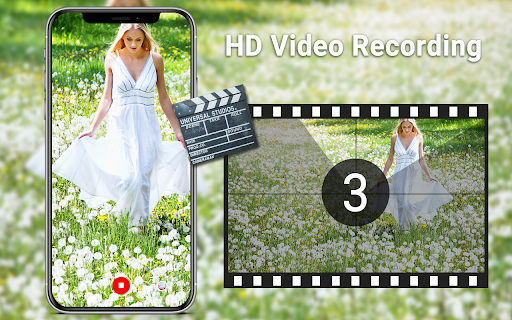
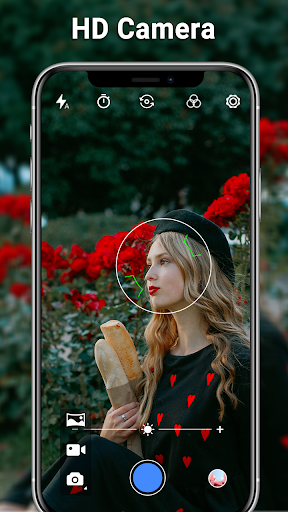
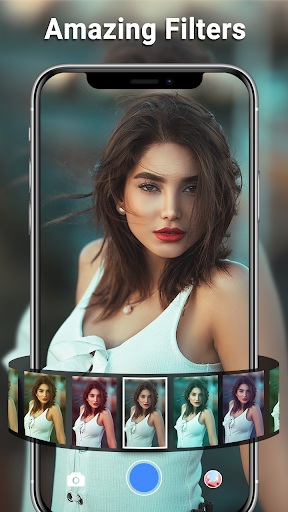
HD Camera for Android is a replacement camera app built on the old CyanogenMod native camera code, aimed at people whose stock camera app is missing, broken, or just clunky. It bundles three shooting modes (camera, video, panorama) with the kind of manual-ish controls you’d expect from a phone maker’s own app: white balance presets, exposure, scene modes like Action and Night, a countdown timer, and photo collage plus basic cropping and editing. With over 110 million installs, it’s clearly filling a real gap for a lot of Android owners rather than being a niche tool.

The target user is someone who wants a no-nonsense, fast-loading camera replacement, not someone hunting for RAW files or pro-level manual controls. It’s also a legitimate fix for a specific problem: several users mention their factory camera app crashed or stopped working entirely, and installing this app got their phone’s camera functional again.

Where It Genuinely Delivers

The most consistent praise across reviews is picture and video clarity. Multiple users specifically call out that photos come out clean and clear, with one reviewer saying the quality is ‘much better than my stock camera.’ Another long-time user highlighted the one-handed zoom-while-recording function after a developer update improved zoom speed, making it usable holding the phone in a single hand, which matters a lot for quick candid shots or video.

Simplicity is another recurring theme. One reviewer who described themselves as ‘technically challenged’ said they tried several camera apps before landing on this one because it wasn’t overloaded with confusing options but still took nice pictures. If your priority is opening the app and getting a decent shot in two seconds without wading through menus, that use case is well covered here.

The Annoyances That Show Up Repeatedly

Ads are the biggest recurring complaint. One user who paid for the premium version specifically to remove ads said they were still shown an ad every time the app launched, which also made an already slow startup feel worse. Even users who otherwise like the app mention ads interrupting the experience, though a few say they’re at least not too disruptive mid-session.

Stability is the other weak spot. One reviewer reported the app crashing two to three times in a row just from switching between the front and back camera, and said weeks later the crashing issue was still happening before the switch would finally work. That’s a meaningful reliability problem if you’re trying to capture a moment quickly. There’s also no way to turn off the shutter and video-recording sounds, which one user flatly called ‘obnoxious.’

Small Frustrations Worth Knowing Before You Download

File naming is rigid: you cannot rename or customize the image file text (it stays as the generic img_ filename format), though you can still edit files afterward, including adding watermarks. One catch is that the watermark setting doesn’t save between sessions, so you have to reselect it every time you reopen the app. Another user noted the app doesn’t tap into the phone’s wide-angle lens, which will matter if your device has one and you were hoping to use it here.

The app also requests location access and contacts access. Location tagging is optional and used to geotag your photos, but it’s worth knowing other apps can then read that saved location data. Contacts access is used purely to make sharing photos via email or SMS easier, not for anything more invasive, based on the developer’s own explanation.

Final Verdict on Downloading It

HD Camera for Android is a solid, no-frills pick if your stock camera app is broken, missing, or overly complicated, and you mainly want clear, reliable photo and video output without a steep learning curve. It’s not the app for you if you’re ad-averse even after paying, or if crash-free camera switching is a dealbreaker, since both issues show up repeatedly in real user feedback. For casual shooters and people patching a camera problem on their device, it’s worth trying; power users chasing a polished, ad-free experience should go in with tempered expectations.

Pros

  • Clear, sharp photo and video quality
  • Simple interface good for beginners
  • One-handed zoom while recording works well
  • Fixes camera issues on broken devices
  • Includes collage, crop, and editing tools

Cons

  • Ads persist even after paying to remove them
  • App can crash switching front and back cameras
  • Shutter sound cannot be disabled

What Real Users Say

Willa Jabir 4/5

“Awesome app. Can't edit the text on the file names(img_xxxxxx.jpg). But can edit the files for watermarks after they are downloaded. After closing the app, you do have to choose the watermark again as setting isn't saved. Doesn't use the wide angle camera. Would be better if the text had various fonts. The editing is good enough for on the…”

👍 4,193 found this helpful
Thomas King 5/5

“Edit: I am adding 4 stars! The programmer adjusted the zoom speed! Now this camera is really useful, because you can start recording and also zoom, all with just your thumb! That means you can operate your camera completely one handed, which is wonderful! I do wish the red dot record button would change to a black square. I miss…”

👍 3,637 found this helpfulDeveloper responded
Shannon Dohr-Andersen 5/5

“I just wanted a simple, no fuss no muss camera and so I tried several. All I wanted was a camera that is simple enough for the technically challenged (me) and provides nice pictures. That sounds easy enough, right? Wrong! But I found this and it suits my needs just right. There are more advanced options for everyone else, it's…”

👍 3,079 found this helpful

Reviews sourced from Google Play, selected by helpfulness at the time of writing.

App Info & Permissions

Developer Mobile_V5
Content rating Everyone
Contains ads Yes
Installs 110M+
Released 08/26/2014
Price Free

Permissions this app requests

📷 Camera Take pictures and videos
📍 Location Approximate location (network-based); precise location (GPS and network-based)
🎙️ Microphone Record audio
🖼️ Photos/Media/Files Read the contents of your USB storage; modify or delete the contents of your USB storage
💾 Storage Read the contents of your USB storage; modify or delete the contents of your USB storage
📶 Wi-Fi connection information View Wi-Fi connections

Similar Apps

Frequently Asked Questions

1

What is HD Camera for Android?

It's a native-style camera replacement app for Android phones and tablets, built on open-source CyanogenMod camera code. It offers camera, video, and panorama modes along with white balance settings, scene modes, exposure control, a countdown timer, and basic photo editing and collage tools. It's designed as an alternative or supplement to your device's built-in camera app.

2

Is HD Camera for Android free?

The app is free to install and use, though it displays ads. There is also a paid version intended to remove ads, but at least one user reported still seeing an ad on launch after purchasing it, so ad removal may not be fully reliable.

3

Does HD Camera for Android use my location?

Yes, if you allow it, the app can geotag your photos and videos with location data. This is optional, but the developer notes that other apps on your device may be able to access this saved location information, so consider disabling it if that's a privacy concern.

4

Why does the app need access to my contacts?

Contacts access is used only to make sharing easier, letting you send photos directly via email, SMS, or other apps to people in your contact list. According to the developer, it isn't used for any other purpose beyond enabling that sharing feature.

5

Does the app work well for switching between front and back cameras?

This is one of its weaker points based on user feedback. At least one reviewer reported repeated crashes, sometimes two to three times in a row, when switching from the back to the front camera, and said the issue persisted for weeks. If smooth camera switching is essential for you, test it on your specific device first.