
YouTube Studio

by Google LLC

4.3 ★ 2.3M+ reviews
371M+ Installs
06/26/2014 Released
YouTube Studio icon
YouTube Studio icon
Video Players & Editors

YouTube Studio

by Google LLC

4.3 ★ 2.3M+ reviews
371M+ Installs
06/26/2014 Released
Advertisements
YouTube Studio screenshot 1
YouTube Studio screenshot 2
YouTube Studio screenshot 3
YouTube Studio screenshot 4
YouTube Studio screenshot 5
YouTube Studio screenshot 6

Ratings Breakdown

4.3 ★★★★★ 2.3M+ ratings
5 ★ 72%
4 ★ 10%
3 ★ 5%
2 ★ 3%
1 ★ 9%

Data from Google Play at the time of writing.

What YouTube Studio Actually Does

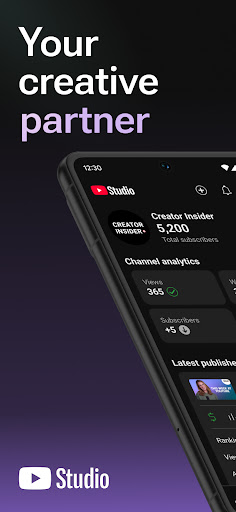
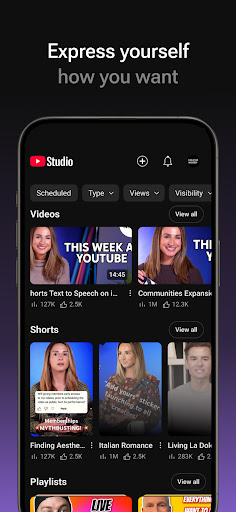
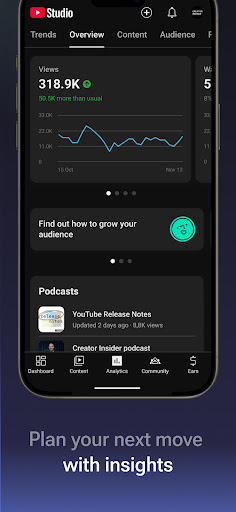
YouTube Studio is the companion management app for creators who run a YouTube channel, built by Google LLC. Instead of logging into a desktop browser every time you want to check numbers or reply to a comment, the app puts a Channel Dashboard, Analytics tab, comment moderation tools, and basic video/short/livestream editing right on your phone. It’s aimed squarely at people who already publish content on YouTube, from small hobby channels to creators running multiple channels at once, and who want to keep tabs on their community without sitting at a computer.

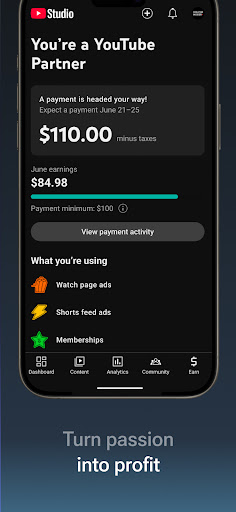
The core pitch is convenience: check performance, sort comments, tweak titles and descriptions, and apply for the Partner Program, all from the device you carry everywhere. For a lot of daily tasks that pitch holds up, but as reviewers below point out, it’s not a full replacement for the desktop Studio experience.

Where the App Genuinely Delivers

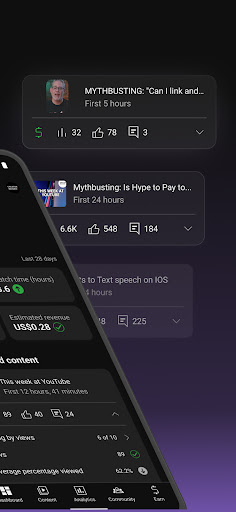
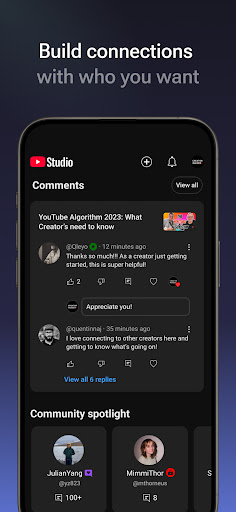
Users consistently praise the Analytics tab for being easy to access and genuinely useful for tracking how individual videos, shorts, and livestreams are performing. One long-time user called the analytics ‘very good’ and said the app made it easy to analyze video progress and comments in one place. The comment sorting and filtering tools also get credit for helping creators find the conversations that matter most, which is exactly what the store listing promises.

For creators managing day-to-day channel business, being able to make quick edits to video info, check dashboards, and respond to comments on the go is clearly valuable when you’re away from a computer. Several reviewers say they used the app ‘every day’ for years without major complaints, which speaks to its role as a reliable daily-use tool for a long stretch of its history.

The Notification Bug That Won’t Go Away

The single biggest complaint in recent reviews is a notification-clearing bug. Multiple users report that swiping away notifications or hitting ‘clear all’ does nothing permanent, the notifications reappear after a refresh. One user said it had been going on for days, making it hard to keep up with viewer responses, and another said they tried emailing the developer only to find the support address is no longer monitored. This isn’t a minor annoyance for high-volume channels, it directly undermines the app’s core promise of helping creators stay connected to their community.

Editing Reliability Is Inconsistent

Beyond notifications, several reviewers describe edits to titles, descriptions, and thumbnails simply not saving. One user described spending 15 minutes changing thumbnails and titles only to refresh and find nothing had changed, even after waiting. Another noted that description text saved in account settings doesn’t auto-populate on mobile the way it does on the computer version, which is a real time cost for anyone managing several channels at once. Thumbnail selection for Shorts is also missing entirely from the app, forcing a trip back to the main YouTube app to finish that one task.

Missing Features Creators Actually Need

The removal of playlist search stands out as a sore point. A user with many playlists called the old search-by-playlist feature ‘vital’ and said losing it made the app noticeably less convenient after using it for years. Others point out that some analytics data, like downvote counts, still isn’t surfaced in the app at all, forcing a return to desktop for the full picture. These aren’t dealbreakers individually, but together they chip away at the app’s promise of being a complete mobile command center.

Final Verdict: Who Should Install This

YouTube Studio is worth having on your phone if you run a channel and want quick access to analytics, comments, and basic edits between desktop sessions. It’s not, however, a tool you can rely on exclusively, current notification bugs, inconsistent edit-saving, and the loss of playlist search mean you’ll still need the desktop version for serious channel management. Casual creators checking in on performance will likely be satisfied; creators running multiple channels or high comment volume should expect friction and keep the desktop dashboard as backup.


Pros

  • ✓Detailed, easy-to-access video analytics
  • ✓Useful comment sorting and filtering tools
  • ✓Good for quick daily channel dashboard checks
  • ✓Handy for on-the-go video info edits
  • ✓Supports applying to Partner Program

Cons

  • ✕Notifications often fail to clear permanently
  • ✕Edits to titles or thumbnails don't always save
  • ✕Playlist search removed, missing key data

What Real Users Say

Callie Jacobson ★ 3/5

“This app was fantastic, used it for years, it was so helpful. Now recently there was a change that makes it very inconvenient 😥. They took away the ability to search for a playlist on your channel. I so many playlists, that search ability was vital. Now I can only search for videos, but no search results come back for…”

👍 3,485 found this helpful
Wolf Godwin ★ 3/5

“I use this app every day. Things were generally fine, but recently the notification area will not clear. Whenever I clear the notifications, then refresh the app, they all come back. It's been days since this started, and the notifications start to pile up, making it hard to respond to my viewers. If it continues to be a problem, I…”

👍 3,446 found this helpful
Advanced Mobile Promotions ★ 1/5

“I tried emailing the developer, it said that email address is no longer being monitored. Had no problems with YouTube studio app up until about a week and a half ago, am unable at present to clear my notifications, whether I swipe or hit clear all up in the top right of the application, they disappear the minute I go…”

👍 2,597 found this helpful

Reviews sourced from Google Play, selected by helpfulness at the time of writing.

App Info & Permissions

Developer Google LLC
Content rating Teen
Contains ads No
Installs 371M+
Released 06/26/2014
Price Free

Permissions this app requests

📷 Camera Take pictures and videos
🎙️ Microphone Record audio
🖼️ Photos/Media/Files Read the contents of your USB storage; modify or delete the contents of your USB storage
💾 Storage Read the contents of your USB storage; modify or delete the contents of your USB storage
📶 Wi-Fi connection information View Wi-Fi connections

Similar Apps

Frequently Asked Questions

1

What is YouTube Studio?

YouTube Studio is the official app from Google LLC that lets YouTube creators manage their channel from a mobile device. It includes a Channel Dashboard, Analytics tab, comment moderation tools, and options to edit video, short, and livestream details. It's designed for creators who want to monitor and manage their channel without needing a desktop computer.

2

Is YouTube Studio free to use?

Yes, YouTube Studio is free to download and use for anyone with a YouTube channel. There are no in-app purchases required to access analytics, comment tools, or basic editing features. Monetization through the YouTube Partner Program has its own separate eligibility requirements, but the app itself costs nothing.

3

Does YouTube Studio have bugs with notifications?

Yes, multiple recent reviewers report that notifications do not clear permanently, even after swiping them away or using the clear-all option. Refreshing the app often brings the same notifications back, which makes it hard for creators to track new comments. This appears to be an ongoing issue that has frustrated daily users for an extended period.

4

Can I edit video thumbnails and titles reliably in the app?

Editing can be inconsistent, several users report that changes to titles, descriptions, and thumbnails don't always save even after waiting and refreshing. Thumbnail selection for Shorts specifically isn't available in the app at all, requiring users to switch to the main YouTube app. If you rely heavily on quick edits, be prepared to double-check changes on desktop.

5

Is YouTube Studio suitable for managing multiple channels?

It can work for multiple channels, but some convenience features are missing compared to desktop, such as saved descriptions not auto-filling on mobile. One reviewer managing five channels specifically noted this extra manual work as a downside. It's usable for multi-channel management but expect more repetitive manual steps than on a computer.

