Downloader – Video Downloader

by Leap Fitness Group

4.7 ★ 561K+ reviews
157M+ Installs
07/19/2019 Released
Downloader – Video Downloader icon
Video Players & Editors

Downloader – Video Downloader

by Leap Fitness Group

4.7 ★ 561K+ reviews
157M+ Installs
07/19/2019 Released
Advertisements
Downloader – Video Downloader screenshot 1
Downloader – Video Downloader screenshot 2
Downloader – Video Downloader screenshot 3
Downloader – Video Downloader screenshot 4
Downloader – Video Downloader screenshot 5
Downloader – Video Downloader screenshot 6

Ratings Breakdown

4.7 ★★★★★ 561K+ ratings
5 ★ 86%
4 ★ 5%
3 ★ 2%
2 ★ 1%
1 ★ 5%

Data from Google Play at the time of writing.

What This App Actually Does

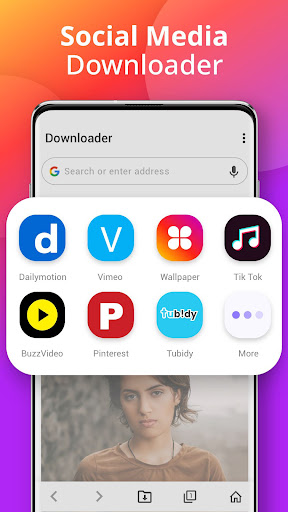
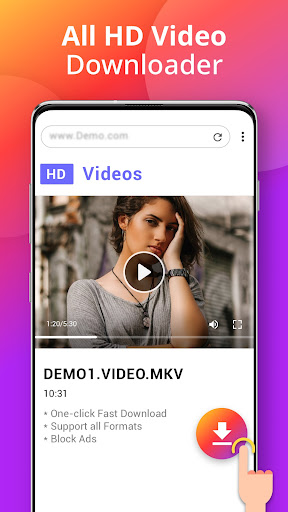
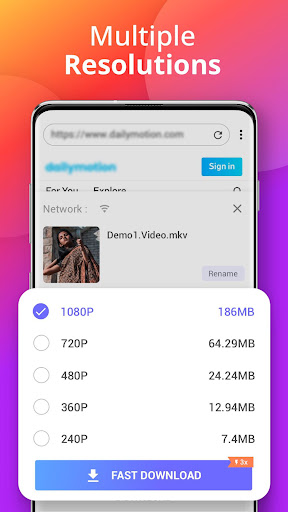
Downloader – Video Downloader, made by Leap Fitness Group, is a browser-plus-download-manager combo for Android. It has a built-in browser that auto-detects video on a page, or you can paste a link directly, and it will pull down the file in whatever format it can grab, including MP4, MOV, MP3, and more. It’s aimed at people who want to save clips from social media and websites for offline viewing without paying for a subscription-based tool.

Where It Genuinely Delivers

The most common praise in real reviews is that it’s straightforward to use and doesn’t lag as long as your connection is solid. Users highlight that it stores downloaded videos in internal storage and lets you replay them right inside the app, and several long-term users mention sticking with it for years, some citing as long as seven years of regular use. One reviewer called it the best free downloader currently available, pointing to good download speeds and a history feature that shows whether you’ve already grabbed a particular video before, which saves you from duplicate downloads. Another power user appreciated that it’s fully free, doesn’t demand much storage space, and can pull videos from sites that otherwise block downloading.

The Slowdown and Stability Complaints

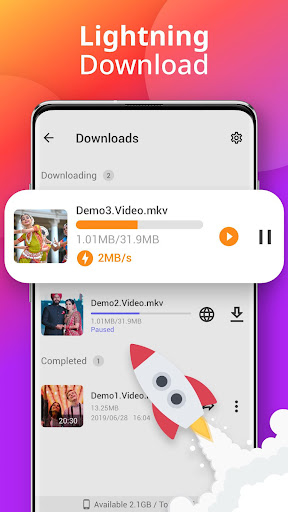
Not everyone is having a smooth experience lately. A long-time user reported that downloads have recently dropped to a crawl, describing speeds in the kilobytes-per-second range, and asked the developer to look into it. Another reviewer flagged poor performance more broadly, saying the phone slows down during downloads and that they keep hitting ANR (App Not Responding) errors, suggesting heavy work is happening on the main thread instead of in the background. There’s also a complaint about the app losing its state entirely if you switch away and come back, forcing a full reload rather than resuming where you left off.

Ads and a Troubling Redirect Issue

Ads are a recurring irritation. Multiple reviewers call them excessive, with one four-star review saying the app is otherwise excellent but that ads need to be dialed back in a future update. More seriously, one user reported the app automatically launching AliExpress on their phone without ever tapping an ad link, which is a red flag for anyone concerned about unwanted redirects or ad-network misbehavior baked into the app.

Platform Limitations Worth Knowing

Despite the store listing’s claim of supporting all social webs, at least one long-time user notes that Facebook and YouTube downloads are restricted, meaning the app’s real-world coverage is narrower than advertised for two of the biggest platforms people actually want clips from.

Who Should Actually Download This

If you mainly need to grab clips from smaller sites or platforms without built-in download blocks, and you can tolerate ads, this app still works for a lot of people, as its enormous install base and review count suggest. But if you need reliable YouTube or Facebook downloads, fast performance on every device, or you’re wary of apps that redirect to shopping apps unprompted, go in with tempered expectations and keep an eye on how it behaves after install.


Pros

  • ✓Easy to use for most people
  • ✓Downloads stored for offline replay
  • ✓Tracks previously downloaded videos
  • ✓Free with low storage footprint
  • ✓Long-term users report years of reliability

Cons

  • ✕Ads are frequent and intrusive
  • ✕Some report drastically slow download speeds
  • ✕YouTube and Facebook downloads restricted

What Real Users Say

E Kennedy Muzik ★ 5/5

“Easy to use, during the process of downloading. Doesnt lag unless you dont have access or powerful connection to the internet. The app carries storage so that you can view videos through the app. On top of that, the videos will be stored in your internal storage. In a addition to that, it will save directly on your phone. This…”

👍 2,335 found this helpfulDeveloper responded
w how ★ 5/5

“2025-2026 Review: Guaranteed at stage this is the best version of a free downloader app available and very easy to use. The app is very functional with good download speeds and saves your downloads so you know if you have already downloaded something before. Any improvements to the app would be to allow you to create folders in your favorits…”

👍 183 found this helpful
Amal Varghese ★ 5/5

“Best application. I've been using for a very long time and you will never find an alternate app as this is 100 % free, require very less space and we can download any video from any site that has restrictions downloading. I have a request not to make it paid version as I am using it for a very long…”

👍 102 found this helpful

Reviews sourced from Google Play, selected by helpfulness at the time of writing.

App Info & Permissions

Developer Leap Fitness Group
Content rating Everyone
Contains ads Yes
In-app purchases $3.99 per item
Installs 157M+
Released 07/19/2019
Price Free

Permissions this app requests

🖼️ Photos/Media/Files Read the contents of your USB storage; modify or delete the contents of your USB storage
💾 Storage Read the contents of your USB storage; modify or delete the contents of your USB storage
📶 Wi-Fi connection information View Wi-Fi connections

Similar Apps

Frequently Asked Questions

1

What is Downloader - Video Downloader?

It's an Android app from Leap Fitness Group that combines a built-in browser with a download manager, letting you auto-detect and save videos from websites or paste links directly. It supports formats like MP4, MP3, and MOV, and includes an offline player plus tools to pause, resume, and share downloads. It's positioned as an all-in-one video and file downloader for social media and general web content.

2

Is Downloader - Video Downloader free?

Yes, it's free to download and use, and reviewers confirm there's no paid tier blocking core features. The trade-off is ad support, which multiple users describe as frequent and sometimes annoying. One user specifically asked the developer not to introduce a paid version given how long they've relied on the free one.

3

Does it work with YouTube and Facebook?

Not reliably, according to at least one long-time user who notes both platforms are restricted for this app. If those two platforms are your main use case, this app may not meet your needs despite its broad marketing claims.

4

Why is the app running slowly for some users?

Several recent reviews mention download speeds dropping to kilobytes per second and general app slowness, with one user describing ANR errors and main-thread performance issues. This appears to be a recent regression for at least one long-time user rather than a consistent historical problem, so results may vary by device and update version.

5

Is the app safe regarding ads and redirects?

Most complaints are about ad volume rather than security, but one reviewer reported the app automatically opening AliExpress without any ad click, which is a legitimate concern. If you install it, it's worth monitoring background behavior and being cautious about unexpected app launches.