

WhatsApp Business

by WhatsApp LLC

4.6 ★ 23M+ reviews
2.1B+ Installs
01/18/2018 Released
WhatsApp Business icon
Communication

WhatsApp Business

by WhatsApp LLC

4.6 ★ 23M+ reviews
2.1B+ Installs
01/18/2018 Released
Advertisements
WhatsApp Business screenshot 1
WhatsApp Business screenshot 2
WhatsApp Business screenshot 3
WhatsApp Business screenshot 4
WhatsApp Business screenshot 5
WhatsApp Business screenshot 6

Ratings Breakdown

4.6 ★★★★★ 23M+ ratings
5 ★ 84%
4 ★ 7%
3 ★ 3%
2 ★ 1%
1 ★ 5%

Data from Google Play at the time of writing.

What This App Is Actually For

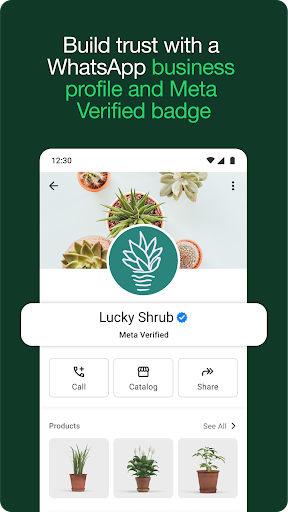
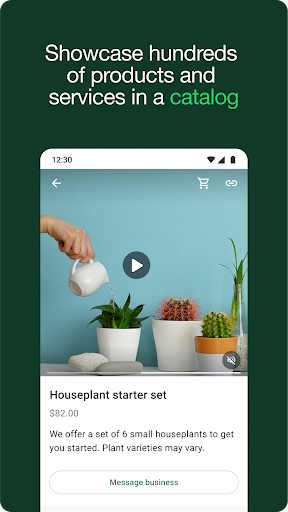
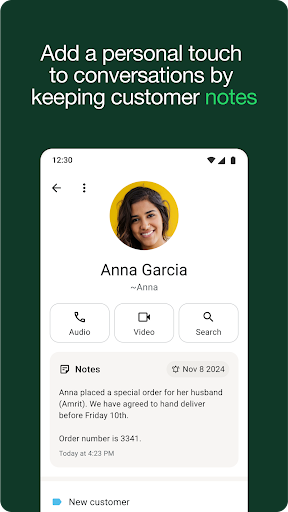
WhatsApp Business is the small-business sibling of regular WhatsApp, built for shop owners, freelancers, and service providers who want to talk to customers without mixing personal and professional chats. You get all the standard messaging, voice, and video call features layered with a business profile, automated greetings, quick replies, labels for organizing conversations, catalogs, and in-app ordering in some markets. It runs alongside a personal WhatsApp account as long as you have two phone numbers, which is a genuinely useful setup for solo entrepreneurs who don’t want a second device.

Where It Actually Works Well

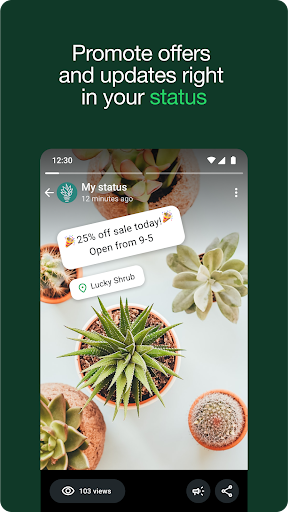
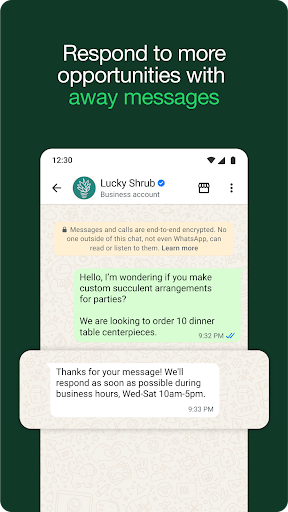
The core appeal is that it’s still WhatsApp underneath, so the learning curve is close to zero if you already use the personal app. Features like away messages and quick replies do save time for anyone fielding repetitive customer questions, and labeling conversations makes it easier to track who’s a lead, who’s a pending order, and who’s already been helped. Users also point out that status updates and everyday messaging remain a strong draw, with one reviewer even asking for more ways to interact with status content, like saving contacts’ videos or scrubbing back through them, which suggests people are actively engaged with the feature rather than ignoring it.

The Update Reliability Problem

The most damaging complaints in user reviews are about stability after updates, and they’re not minor. One reviewer said an update left them completely unable to send messages, with no response from support and no clear way to roll back. Another described the desktop app logging out every couple of days and crashing repeatedly even after installing the latest version. A third reported that calls lost audio entirely after an update, and that searching for unsaved numbers on WhatsApp stopped working. When a messaging app breaks basic sending or calling functionality after an update, especially for a business tool people rely on for income, that’s a serious trust problem, not a cosmetic bug.

Smaller Annoyances That Add Up

Beyond the big outages, there’s a steady stream of smaller gripes. Voice messages reportedly stopped playing through Bluetooth car speakers after an update, even though music and calls worked fine, pointing to a specific audio-routing bug rather than a hardware issue. Read receipts and status view lists have also been reported as unreliable, with one user unable to confirm who’d seen their messages or stories. Backup and chat transfer between phones is another sore spot: one reviewer described it as impossible to move chat history between devices even while connected to the same Google account, calling out wasted hours on something that should take minutes. For a business app where conversation history often equals customer records, that’s not a trivial complaint.

Feature Requests Worth Noting

Some feedback is less about bugs and more about missing polish. Users want real licensed songs for status updates instead of just instrumentals and beat tracks, especially across genres like R&B, hip-hop, and afrobeats. Others want a way to scrub back through a status video instead of losing content they missed the first time. These aren’t dealbreakers, but they show the app’s social-facing features lag behind what users expect from a platform this popular.

Who Should Actually Download This

If you’re running a small business and need a free, familiar way to separate work chats from personal ones, WhatsApp Business still makes sense, particularly for the labeling, quick replies, and catalog tools. Just go in aware that updates have a track record of introducing real functional breakage, from message sending failures to audio and login issues, and that support response times have been criticized as slow. Keep backups elsewhere, don’t rely solely on in-app read receipts for critical confirmations, and consider waiting a version or two after a major update before updating your own business-critical install. It’s a genuinely useful tool when it’s working, but the reliability issues are frequent enough that you shouldn’t treat it as bulletproof for mission-critical customer communication.


Pros

  • ✓Familiar WhatsApp interface, easy to learn
  • ✓Quick replies and labels save time
  • ✓Free messaging and calling features
  • ✓Works alongside personal WhatsApp account
  • ✓Useful catalog and business profile tools

Cons

  • ✕Updates frequently break core functionality
  • ✕Chat backup and transfer often fails
  • ✕Slow or unresponsive customer support

What Real Users Say

Clara Edomobi ★ 4/5

“1. There should be a feature for saving videos contacts save on status directly instead of always going to status saver or screen recording or begging please send😭😂 2. Another feature for having a play track for a video posted on status. so that if you didn't get one thing, you can go back instead of replaying from the beginning…”

👍 144,452 found this helpful
Jessica Fletcher ★ 1/5

“The app was great until the update this morning and now I can't send any messages. I've tried to contact Support but no one has responded. I can't even figure out how to roll back the update. I'm extremely unhappy and can't recommend the app to anyone if this is their standard practice. Update: 4 days later and I still…”

👍 2,207 found this helpful
Miki Z ★ 1/5

“IMPOSSIBE BACKUP TRANSFER! The App makes it impossible to transfer your chats from one phone to another even though you are connected to your Google deive and same account on both devices! Nothing works! Wasted hours on something that should be simple and take no more then maximum 5 minutes!!! And still I haven't been able to transfer my backup!”

👍 27 found this helpful

Reviews sourced from Google Play, selected by helpfulness at the time of writing.

App Info & Permissions

Developer WhatsApp LLC
Content rating Everyone
Contains ads No
In-app purchases $0.29 - $2,799.99 per item
Installs 2.1B+
Released 01/18/2018
Price Free

Permissions this app requests

📷 Camera Take pictures and videos
👥 Contacts Find accounts on the device; read your contacts; modify your contacts
🕘 Device & app history Retrieve running apps
📱 Device ID & call information Read phone status and identity
🪪 Identity Find accounts on the device; add or remove accounts; read your own contact card
📍 Location Approximate location (network-based); precise location (GPS and network-based)
🎙️ Microphone Record audio
📞 Phone Directly call phone numbers; read call log; read phone status and identity
🖼️ Photos/Media/Files Read the contents of your USB storage; modify or delete the contents of your USB storage
💬 SMS Send SMS messages
💾 Storage Read the contents of your USB storage; modify or delete the contents of your USB storage
📶 Wi-Fi connection information View Wi-Fi connections

Similar Apps

Frequently Asked Questions

1

What is WhatsApp Business?

It's a free version of WhatsApp designed for small business owners, adding tools like automated replies, labels, catalogs, and business profiles. It runs separately from personal WhatsApp as long as you use a different phone number. It's aimed at freelancers and small shops that want to manage customer chats professionally without a separate app.

2

Is WhatsApp Business free to use?

Yes, the app itself is free to download and use for core messaging and calling features. However, some advanced tools like Meta Verified subscriptions, advertising, and certain payment features come with additional costs. Data charges from your carrier may also apply for calls and messages.

3

Can I keep my personal and business WhatsApp accounts separate?

Yes, as long as you have two different phone numbers, you can run both a personal WhatsApp account and a WhatsApp Business account on the same device. This lets you keep customer conversations separate from personal chats without needing two phones.

4

Does WhatsApp Business have reliability issues?

Based on user feedback, yes, particularly after app updates. Reports include messages failing to send, the desktop app crashing or logging out repeatedly, call audio dropping out, and Bluetooth voice message playback breaking. Backup and chat transfer between phones has also been described as unreliable.

5

Is WhatsApp Business worth downloading for a small business?

It's worth trying if you want free, familiar messaging tools with basic automation and organization features for customer chats. Just be cautious around major app updates, keep your own backups of important conversations, and don't rely solely on read receipts or status view data for critical business decisions.

