Weather & Clock Widget

by Interactive Saudi Arabia

4.2 2.4M+ reviews
82M+ Installs
11/25/2011 Released
Weather & Clock Widget icon
Weather

Weather & Clock Widget

by Interactive Saudi Arabia

4.2 2.4M+ reviews
82M+ Installs
11/25/2011 Released
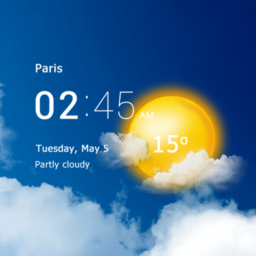
Weather & Clock Widget screenshot 1
Weather & Clock Widget screenshot 2
Weather & Clock Widget screenshot 3
Weather & Clock Widget screenshot 4
Weather & Clock Widget screenshot 5
Weather & Clock Widget screenshot 6

Ratings Breakdown

4.2 ★★★★★ 2.4M+ ratings
5 64%
4 17%
3 8%
2 4%
1 8%

Data from Google Play at the time of writing.

What This App Actually Offers

Weather & Clock Widget is exactly what the name says: a weather app built around home screen widgets rather than a flashy standalone experience. It pulls from multiple weather providers to show current conditions, hourly and 10-day forecasts, humidity, pressure, UV-Index, wind, dew point, and moon phase, all wrapped in customizable widgets that also display the time, date, next alarm, and battery level. It’s aimed at people who want a quick-glance weather and clock combo on their home screen rather than those who need a deep dive into radar maps or storm tracking.

The Widget Is the Whole Point

Long-time users clearly stick around for the widget itself. Multiple reviewers say they’ve had this installed on every phone for years, and one specifically called the 5×2 layout, with its 5-day view and clickable alarm trigger, ‘the best widget one can add to a phone.’ Another reviewer praised the large clock paired with a ‘feels like’ temperature as a standout feature. When it works, it sounds like it genuinely replaces the need for a separate clock widget entirely.

The Clock Sync Problem That Won’t Go Away

The most consistent complaint across reviews is that the widget’s clock and the actual system time drift apart, sometimes by a full hour, with no clear fix. One user described the widget freezing and breaking, forcing a reset. Another said the issue came back after a few weeks even after uninstalling and reinstalling. This isn’t a one-off bug; it shows up across multiple reviews spanning different years, suggesting it’s a persistent, unresolved issue rather than something patched out.

Location and Forecast Accuracy Issues

Beyond the clock, several users reported the app failing to update the forecast for days at a time, showing sunny skies when it was actually raining, with manual refresh not reliably fixing it. One reviewer’s widget locked onto a location a fifth of a mile off and wouldn’t correct itself even after uninstalling, despite a tablet on the same WiFi showing the right address. These aren’t minor annoyances since they undermine the core function of a weather app: telling you the actual weather where you are.

Customer Support Is a Sore Spot

One detailed review noted emailing the developers directly through the app about a problem and getting no response after two weeks, adding pointedly that ‘without customers, their app wouldn’t be used.’ Given how many reviewers describe recurring bugs that require workarounds like uninstall-reinstall cycles, a lack of responsive support makes these issues feel more frustrating than they’d otherwise be.

Who Should Actually Download This

If you want a genuinely elegant, feature-rich widget for your home screen and can tolerate occasional glitches, this app has earned real loyalty from long-term users for good reason. But if you need dead-reliable time display or forecast accuracy without babysitting the app, the recurring clock drift and stale-forecast complaints are worth taking seriously before you commit. It’s a solid pick for widget enthusiasts, less so for anyone who can’t stand troubleshooting.

Pros

  • Highly customizable, elegant home screen widgets
  • Displays alarm, battery, and calendar info
  • Multiple weather providers for forecasts
  • Loyal long-term users across many years
  • Detailed data like UV-Index and dew point

Cons

  • Widget clock frequently drifts out of sync
  • Forecasts can go stale for days
  • Slow or absent developer support responses

What Real Users Say

A Google user 3/5

“I really love having this widget with a very large clock and the real temperature with a "feels like" listed as well. But too frequently, the weather clock, the big clock, and the real time are all different. The two clocks on the widget freeze and break and the only thing I can do to reset it is restart my…”

👍 66 found this helpful
Dana Walker 4/5

“App is more accurate than my old one in regard to temperature, and the widgets are nice. What sucks about this one, is that Devs don't respond when you contact them about a problem - it's been 2 weeks since I sent them an email directly from the app. WITHOUT CUSTOMERS, THEIR APP WOULDN'T BE USED, and when we have…”

👍 49 found this helpful
Tony Leadholm 3/5

“Really like the app. Worked flawlessly for years. But over the past few months the time would suddenly be off by an hour...with no real way to fix it. I uninstalled then reinstalled and that worked. For about 3 weeks. And now its back being off by an hour. Again, seemingly with no way to fix it without losing all…”

👍 26 found this helpful

Reviews sourced from Google Play, selected by helpfulness at the time of writing.

App Info & Permissions

Developer Interactive Saudi Arabia
Content rating Everyone
Contains ads Yes
Installs 82M+
Released 11/25/2011
Price Free

Permissions this app requests

📅 Calendar Read calendar events plus confidential information
📍 Location Approximate location (network-based); precise location (GPS and network-based)

Similar Apps

Frequently Asked Questions

1

What is Weather & Clock Widget?

It's a weather app for Android focused on customizable home screen widgets that combine current conditions, hourly and 10-day forecasts, moon phase, and a large clock with date, alarm, and battery info. It uses multiple weather providers and supports automatic location detection or manual search by name or zip code. It's designed for users who want an at-a-glance weather and clock widget rather than a full-featured standalone weather app.

2

Is Weather & Clock Widget free to use?

The app is free to install and use, based on its wide install base of over 82 million downloads. The store listing doesn't mention a paid tier or subscription in the feature list provided. As with most free weather apps, it likely includes ads, though this isn't detailed in the available data.

3

Why does the clock on the widget show the wrong time?

Multiple users report the widget's clock drifting out of sync with the actual system time, sometimes by a full hour. Uninstalling and reinstalling the app has worked as a temporary fix for some users, but the problem tends to return after a few weeks. There's no confirmed permanent fix mentioned by reviewers.

4

Is the weather forecast accurate?

Some users find it more accurate than other weather apps they've tried, but others report the forecast failing to update for days, showing conditions that don't match reality. Manual refresh doesn't always resolve this. Accuracy seems inconsistent rather than uniformly poor.

5

Does the app support multiple locations and widget layouts?

Yes, it lets you follow weather for multiple locations and offers various widget sizes and layouts, including a popular 5x2 layout with a 5-day forecast view. Some users have reported specific layouts disappearing after updates, which required reinstalling to try to restore. Overall, widget customization is one of the app's core strengths despite occasional layout bugs.