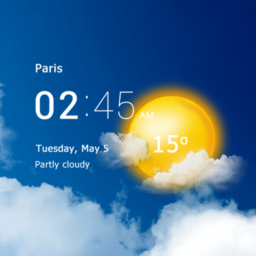
Transparent clock and weather

by MACHAPP Software Ltd

4.2 982K+ reviews
68M+ Installs
08/23/2012 Released
Transparent clock and weather icon
Weather

Transparent clock and weather

by MACHAPP Software Ltd

4.2 982K+ reviews
68M+ Installs
08/23/2012 Released
Transparent clock and weather screenshot 1
Transparent clock and weather screenshot 2
Transparent clock and weather screenshot 3
Transparent clock and weather screenshot 4
Transparent clock and weather screenshot 5
Transparent clock and weather screenshot 6

Ratings Breakdown

4.2 ★★★★★ 982K+ ratings
5 66%
4 13%
3 6%
2 5%
1 10%

Data from Google Play at the time of writing.

What This App Actually Does

Transparent Clock & Weather is a widget-first weather app for Android that layers a customizable clock and weather display directly on your home screen, with the underlying app providing radar, hourly forecasts, UV index, humidity, pressure, wind speed, sunrise/sunset, and air quality data. It’s built for people who want glanceable weather info without opening an app, and who like tinkering with widget colors, sizes, and layouts to match their wallpaper. Long-time users describe it as their ‘go-to weather/clock widget,’ with some sticking with it for five years or more.

Where It Genuinely Shines

The standout strength, repeated across reviews, is widget customization: users can change font colors, widget size, style, and even switch between weather data source providers. One reviewer with two years on the free version reported zero problems. Another praised its usefulness running quietly in the background, pulling next-5-hour temperatures, 24-hour highs/lows, date, and time without interrupting other apps, since the widget is genuinely transparent over the wallpaper. The ability to track multiple locations and dig into deeper radar and barometric pressure data when you open the full app was also called out as a real advantage over simpler weather widgets.

The Recurring Annoyances

Not everything has aged well. Multiple users flagged that portrait mode layout is smushed and hard to read, and that this hasn’t been fixed despite being a long-known issue. A bigger complaint is location accuracy: one user reported the app repeatedly showing weather for a town 59 miles away and being unable to force it to update to their actual location. Another reviewer described clicking the widget expecting a quick forecast glance, only to be told to go download the app instead, which defeats the point of a widget in the first place. Font color customization also appears to have broken for at least one long-time user after an update.

The Premium Purchase Problem

The most serious complaint in the review set involves the paid version. One user paid $10.99 to go premium specifically to remove ads and support the developers, only to have ads return after a single ad-free day. That’s a meaningful trust issue for anyone considering the upgrade, since the entire pitch of paying is an ad-free experience, and it apparently didn’t hold.

Who Should Actually Download This

If you want a deeply customizable weather widget and don’t mind occasional rough edges, this app has earned genuine loyalty from long-term users who value the transparent, low-footprint display and multi-location tracking. If you rely on portrait-mode phone use, need pinpoint automatic location updates, or are considering paying to remove ads, temper your expectations based on the complaints above. Stick to the free version, verify your location settings manually, and treat the premium ad-removal claim with some skepticism until you’ve tested it yourself.
Pros

  • Highly customizable widget colors and sizes
  • Multiple weather data source options
  • Tracks multiple locations at once
  • Transparent, battery-friendly background display
  • Detailed radar and barometric pressure data

Cons

  • Portrait mode layout is smushed and illegible
  • Location often fails to update correctly
  • Premium version reportedly still shows ads

What Real Users Say

M 5/5

“Great weather app. U can change the colors on the widget which I really appreciate, u can change weather source providers, widget size and style. Fully customizable. Edit.. I have had this app for 2 years or so now, and have not had 1 problem with it. I use the free version. I like the fact that they can make…”

👍 52 found this helpful
Tim Moses 4/5

“Have used this for a long time, I like the design however it's got weaknesses that haven't been fixed in a long time. Portrait mode is smushed and illegible. Most frustrating is the location never updates. I can be home and I still have the weather from a town 59 miles away and I can't get it to change to…”

👍 45 found this helpfulDeveloper responded
Cat Galloway 1/5

“My go-to weather/clock widget. Have used for a Long time with few problems and love it! Looks great, all the info I need, very versatile, multiple widget styles, doesn't take up much space. Love being able to adjust font colors to fit my wallpapers. Edit - 20022 Haven't been able to change font colors for years. Only black r white.…”

👍 38 found this helpfulDeveloper responded

Reviews sourced from Google Play, selected by helpfulness at the time of writing.

App Info & Permissions

Developer MACHAPP Software Ltd
Content rating Everyone
Contains ads Yes
In-app purchases $4.49 - $14.99 per item
Installs 68M+
Released 08/23/2012
Price Free

Permissions this app requests

📅 Calendar Read calendar events plus confidential information
📷 Camera Take pictures and videos
📍 Location Approximate location (network-based); precise location (GPS and network-based)
🖼️ Photos/Media/Files Read the contents of your USB storage; modify or delete the contents of your USB storage
💾 Storage Read the contents of your USB storage; modify or delete the contents of your USB storage

Similar Apps

Frequently Asked Questions

1

What is Transparent clock and weather?

It's an Android weather and clock widget app from MACHAPP Software Ltd that displays live weather data, radar, and forecasts directly on your home screen. It combines a customizable clock widget with weather details like temperature, humidity, UV index, and wind speed. The app also offers a full in-app view with storm radar, alerts, and multi-location tracking.

2

Is Transparent Clock & Weather free?

Yes, the app is free to download and use, with an optional premium purchase to remove ads. However, at least one reviewer reported paying $10.99 for premium and still seeing ads return after just one day. If you're considering the paid upgrade specifically for an ad-free experience, be aware this has been a reported issue.

3

Does the widget update location automatically?

It's supposed to, but this is one of the app's most cited weaknesses. At least one long-time user reported the widget stuck showing weather for a town 59 miles from their actual location with no way to force a correction. If accurate automatic location tracking is essential for you, test this carefully before relying on the app.

4

Can I customize the widget's appearance?

Yes, this is the app's biggest strength according to reviewers. Users can adjust widget colors, size, and style, and choose between different weather data source providers. Some users have used it for years specifically because of this flexibility, though one reviewer noted font color customization broke after a recent update.

5

Is this app good for tracking storms and severe weather?

The app includes live storm radar, severe weather alerts, and layered radar maps for tracking rain and storm systems in real time. Reviewers who focus on general daily weather checking didn't specifically flag storm tracking as a problem area. That said, the review set provided doesn't include detailed firsthand feedback on storm alert accuracy, so treat this feature as untested by the sampled reviews.