

What This App Does and Who It’s For
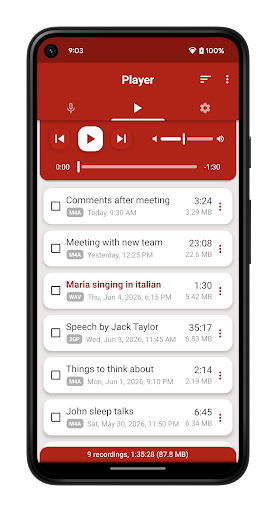
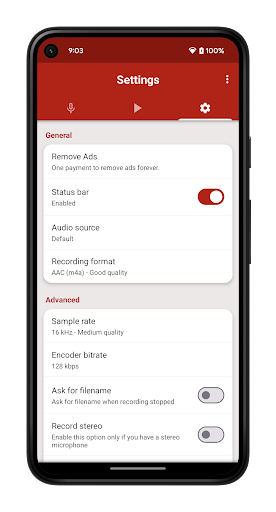
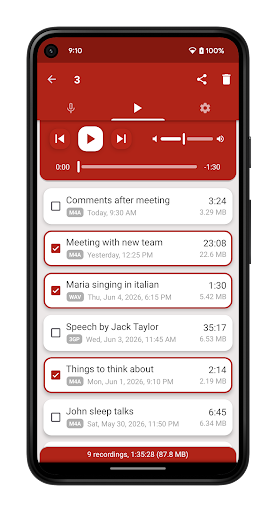
Voice Recorder Pro from Splend Apps is a straightforward audio recording tool for Android that handles voice memos, meeting notes, lectures, interviews, and music idea capture. It supports four formats (MP3, WAV, AAC, AMR), adjustable sample rates and bitrates, stereo/mono recording, and background recording with screen off. It’s aimed at anyone who needs a no-frills dictaphone replacement rather than a full audio editing suite, and with over 153 million installs it’s clearly become a default choice for a lot of Android users.
Recording Quality Is the Real Standout
The most consistent praise from users centers on audio clarity. One reviewer called it the best recorder they’d tried after testing many others for capturing hard rock music, saying playback quality finally sounded right. Another noted the recordings stayed clear and balanced even when speakers were at different distances from the mic, without even using the highest quality setting. That kind of reliability in mixed real-world conditions, including recording room conversations while connected to Bluetooth earbuds, is a genuine strength and explains why so many people keep coming back to it for music sketches and verbal notes.
The Interface Is Simple, Which Some People Love
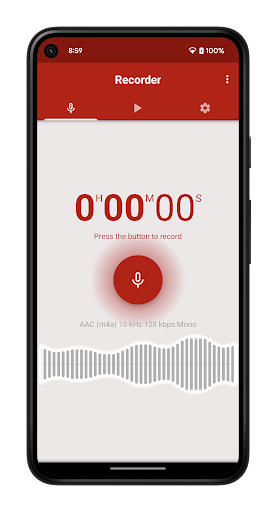
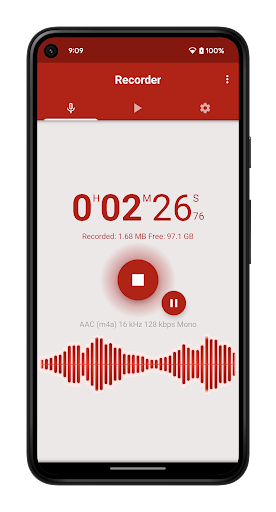
Multiple reviewers highlight how easy the app is to pick up, describing the interface as clean with a big red record button that even a technophobic relative could figure out. For voice notes, sleep talk experiments, or quick singing practice, this simplicity is a real selling point. There’s no learning curve, which matters if you just want to hit record and go without digging through menus.
Ads and Phone Call Limitations Are Real Annoyances
The app is not without friction. Several users report a jarring update that introduced a large ad covering roughly half the screen, appearing every time the app opens and timed to show up right as you’re about to hit record. That’s a significant usability complaint from real users, not a minor gripe. Separately, the app is explicitly not built as a dedicated call recorder, and it will stop recording entirely if you take or make a call mid-session, something one user confirmed happened even though they weren’t trying to record calls. There’s also a documented complaint about the pro (paid, ad-free) version reverting to an ad-filled state after reinstalling, with support allegedly unresponsive for weeks. File sizes for sharing recordings via text or email have also been flagged as inconveniently large in some cases.
One Sound Per Ringtone Slot Is Limiting
Another specific complaint worth noting: you can’t assign different recordings to ringtone, notification, and alarm slots independently. Once you pick a file for one purpose, the app defaults to reusing that same file or falling back to system defaults for the others, which is a minor but persistent inconvenience for anyone wanting personalized sounds across the board.
Verdict: Who Should Actually Download This
If you need a simple, high-clarity recorder for notes, music ideas, or lectures and don’t mind occasional ads (or are willing to pay to remove them), this app performs well where it counts most: recording quality. Just don’t expect reliable phone call recording, and be prepared for possible ad-related frustration or reinstall issues if you’ve paid for the pro version before.



