

Video Player All Format

by InShot Inc.

4.8 ★ 1.8M+ reviews
148M+ Installs
02/10/2017 Released
Video Player All Format icon
Video Players & Editors

Video Player All Format

by InShot Inc.

4.8 ★ 1.8M+ reviews
148M+ Installs
02/10/2017 Released
Advertisements
Video Player All Format screenshot 1
Video Player All Format screenshot 2
Video Player All Format screenshot 3
Video Player All Format screenshot 4
Video Player All Format screenshot 5
Video Player All Format screenshot 6

Ratings Breakdown

4.8 ★★★★★ 1.8M+ ratings
5 ★ 90%
4 ★ 5%
3 ★ 1%
2 ★ 1%
1 ★ 3%

Data from Google Play at the time of writing.

What This App Actually Does

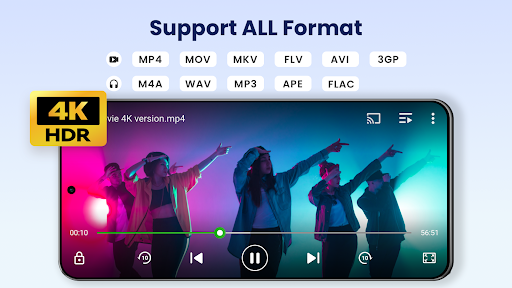
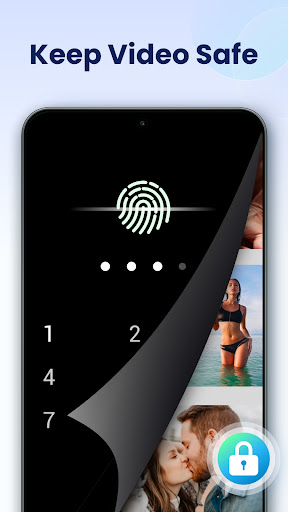
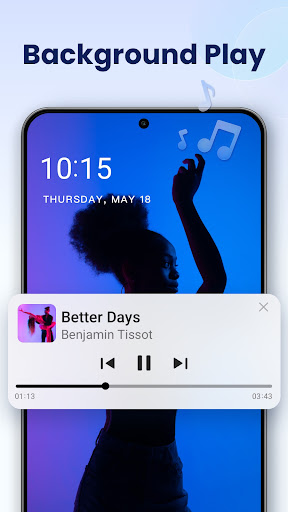
Video Player All Format, also branded XPlayer, is a local media player from InShot Inc. built to handle just about any video file you throw at it, MKV, MP4, AVI, MOV, FLV, WMV, and more, including 4K sources. It automatically scans your device and SD card for video files, adds a private folder with password protection, and layers on extras like Chromecast support, background playback, and a floating pop-up player. It’s aimed at Android users who have a mixed bag of downloaded or transferred video files and want one app that just plays them without conversion, rather than people looking for a full editing suite.

Where It Performs Well in Daily Use

The core playback experience is what keeps people coming back. Users consistently point to the variable playback speed options (0.25x up to 8.0x in some reports) and the resizable picture-in-picture mode as genuinely useful, not gimmicky. The app also remembers settings like screen size, brightness, and volume between sessions, which reviewers appreciate for not having to reconfigure things every time. Several long-term users say it’s been their default player for years without major failures, and the interface is described as fast and intuitive, with settings that can be tailored rather than locked down.

The Ad Situation Is a Real Sticking Point

This is the most common complaint across reviews, and it’s not minor. Multiple users report that ad frequency and intrusiveness have worsened over time, some specifically flagging full-screen ads that are hard to close, and newer ‘talkie’ ads that play automatically. One user had to force-quit the app just to get past an ad. Others note that returning to the app after switching away now triggers a wait, which interrupts the flow of watching something in segments. It’s worth noting some reviewers still call the ads infrequent and non-intrusive, so the experience may vary by version or region, but the trend in feedback leans toward ads becoming more aggressive.

Smaller Bugs Worth Knowing About

A few functional quirks show up in feedback. One user found that using the sleep timer while playing audio-only content causes playback to stop the moment the screen turns off, rather than continuing until the timer ends, even after adjusting settings. Another reviewer wished for frame rate or quality variation options during playback and found smoothness inconsistent on first use, though this seems tied to specific local files rather than a universal issue.

Who Should Actually Download This

If you have a folder of oddly formatted video files, downloaded content, or 4K clips that your default gallery app chokes on, this covers that need well, and the lifetime purchase option exists for people who want to support the developer or skip ads entirely. If you’re ad-averse and unwilling to pay, go in expecting some friction, since full-screen ads are the single biggest recurring frustration. It’s a solid, feature-dense local video player, just not a completely frictionless free experience anymore.


Pros

  • ✓Supports nearly all video formats
  • ✓Variable playback speed up to 8.0x
  • ✓Resizable picture-in-picture mode
  • ✓Remembers brightness and volume settings
  • ✓Background and floating window playback

Cons

  • ✕Full-screen ads can be hard to close
  • ✕Ads have grown more frequent over time
  • ✕Sleep timer stops playback prematurely

What Real Users Say

Randal Barnes ★ 5/5

“I've had this as my default video player/video downloader for years now and it's never let me down. Tons of settings to make just about anyone happy and I for one enjoy not just the variable playback speeds of .25, .50, .75, and 1.00, but even more so their variable size picture in picture function ON TOP of all other…”

👍 4,784 found this helpful
benjamin Jaquith ★ 5/5

“Fast, really intuitive UI that can also be configured to your liking. Ads for "free" version aren't intrusive and infrequent, ( I might see a few a week if that). I purchased the lifetime key to support the developer, more than to eliminate ads. I didn't feel pestered into it by excessive ads or pop-ups, (which there aren't any of…”

👍 3,856 found this helpful
Aala Johnson ★ 4/5

“Very easy to use and decent placement of ads so it's not too clunky. Only used it for 5 mins so far. So this is just my first impression. Wish that the playback of the video was more smoother. Didn't see an option to vary the frame rate for video quality. EDIT: The videos are local. I know that varying…”

👍 2,759 found this helpfulDeveloper responded

Reviews sourced from Google Play, selected by helpfulness at the time of writing.

App Info & Permissions

Developer InShot Inc.
Content rating Everyone
Contains ads Yes
In-app purchases $0.99 - $39.99 per item
Installs 148M+
Released 02/10/2017
Price Free

Permissions this app requests

🖼️ Photos/Media/Files Read the contents of your USB storage; modify or delete the contents of your USB storage
💾 Storage Read the contents of your USB storage; modify or delete the contents of your USB storage
📶 Wi-Fi connection information View Wi-Fi connections

Similar Apps

Frequently Asked Questions

1

What is Video Player All Format?

It's a local video playback app from InShot Inc., also known as XPlayer, that supports nearly all video formats including MKV, MP4, AVI, and 4K files. It adds extras like a password-protected private folder, Chromecast casting, floating pop-up playback, and background audio-style playback. It's designed for Android phones and tablets rather than for editing video.

2

Is Video Player All Format free?

Yes, it's free to download and use, supported by ads. A lifetime purchase option is available for users who want to remove ads or support the developer. Some reviewers note the free version's ads have become more frequent and harder to dismiss over time.

3

Does it support 4K and HD video playback?

Yes, the app is built to handle 4K and ultra HD files with hardware acceleration for smoother playback. Most reviewers report solid performance with high-resolution local files. One user did note inconsistent smoothness on first use, though this appeared tied to specific files rather than a general limitation.

4

Can I use it to play videos in the background or in a pop-up window?

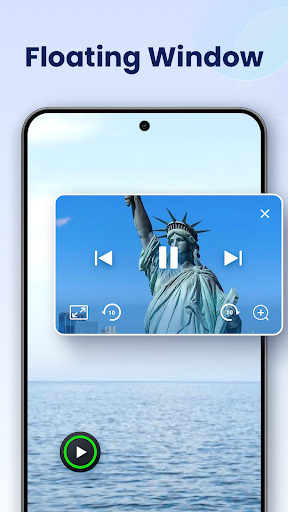
Yes, it includes both a floating pop-up player that can be resized and moved over other apps, and a background playback mode similar to an audio player. Reviewers specifically highlight the pop-up window feature as one of the app's strongest, most-used tools. This makes it useful for multitasking while watching video.

5

What are the biggest complaints about this app?

The most repeated complaint is around ads, specifically full-screen ads that are difficult to close and have become more frequent according to long-term users. A smaller number of reviewers also mention a bug where the sleep timer stops playback as soon as the screen turns off instead of continuing until the timer ends. Despite this, core playback functionality is still rated highly.

