


TikTok – Videos, Shop & LIVE

by TikTok Pte. Ltd.

4.0 ★ 69M+ reviews
4.5B+ Installs
07/09/2015 Released
TikTok – Videos, Shop & LIVE icon
Social

TikTok – Videos, Shop & LIVE

by TikTok Pte. Ltd.

4.0 ★ 69M+ reviews
4.5B+ Installs
07/09/2015 Released
Advertisements
TikTok – Videos, Shop & LIVE screenshot 1
TikTok – Videos, Shop & LIVE screenshot 2
TikTok – Videos, Shop & LIVE screenshot 3
TikTok – Videos, Shop & LIVE screenshot 4
TikTok – Videos, Shop & LIVE screenshot 5
TikTok – Videos, Shop & LIVE screenshot 6

Ratings Breakdown

4.0 ★★★★★ 69M+ ratings
5 ★ 65%
4 ★ 9%
3 ★ 5%
2 ★ 4%
1 ★ 18%

Data from Google Play at the time of writing.

What TikTok Actually Is at This Point

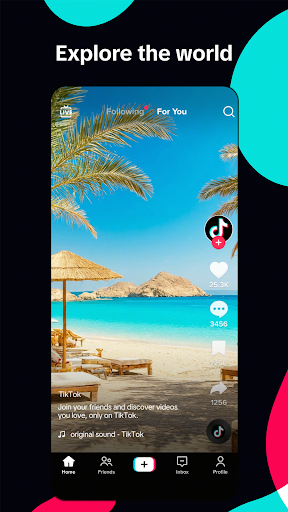
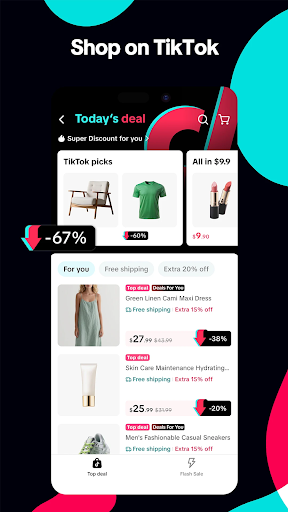
TikTok has grown well past its short-video roots into a combined entertainment, livestreaming, and shopping platform. The For You feed is still the core draw, pulling in clips based on what you watch and like, but the app now pushes just as hard on TikTok Shop, LIVE streams, and creator commerce. If you’re coming for quick, algorithm-driven video discovery, that’s still here, but you’ll now wade through shopping prompts and livestream nudges to get to it.

It’s built for anyone who wants passive, endless entertainment rather than a curated follow list, and for creators who want accessible editing tools without needing separate software. Families and teens are also explicitly targeted through the app’s safety and parental control features.

The For You Feed Still Works, Mostly

When it’s running well, the personalization is genuinely sharp, surfacing niche content you didn’t know you wanted. The bookmarking and collections feature gets specific praise from users for organizing saved videos, though reviewers note it hasn’t kept pace with how much people now save, with requests for subfolders inside collections like splitting a ‘beauty’ folder into makeup, nails, and skincare.

The editing toolkit, clipping, pausing and resuming, trimming, merging, text and stickers, remains a real strength for casual creators who don’t want to leave the app to make something presentable.

The Algorithm Has Gotten Worse, Not Better

Multiple reviewers report the recommendation system feels degraded compared to earlier versions. One recurring complaint: watching a single video half a second too long floods the feed with similar content, crowding out what users actually want to see, while ad volume in the feed has visibly increased. Another persistent frustration is the inability to permanently mute specific sounds, users say clicking ‘not interested’ on a song does nothing, and the same audio keeps resurfacing constantly.

This matters because the entire pitch of TikTok is that the feed ‘reflects you.’ When users feel it’s actively working against their stated preferences, that core promise breaks down.

Stability Problems Are the Biggest Red Flag

This is where the app runs into real trouble. A significant number of high-visibility reviews describe serious technical breakdowns: audio getting stuck and continuing to play even after closing the app or switching videos, sometimes overlapping with new video sound entirely. Others describe the app becoming ‘borderline unusable,’ with constant freezing between videos, heavy lag, and repeated ‘app isn’t responding’ errors that reappear seconds after dismissing them.

Creators are hit particularly hard: reviewers report captions failing to work, being unable to adjust or save clip edits, and essentially giving up on posting because the editing flow is broken. Crashing is also mentioned as progressively worsening, with standard fixes like clearing cache, restarting, and even reinstalling failing to resolve it. For an app whose core function is smooth video playback and editing, these aren’t minor gripes, they strike at the basic functionality.

Who Should Actually Download This

If you want a low-effort scroll-and-discover entertainment app and are willing to tolerate an increasingly ad-heavy, shopping-integrated feed, TikTok still delivers on entertainment value, when it’s not glitching. Casual viewers who just watch and like content will likely have a smoother experience than active creators, who face more friction from editing bugs and export issues.

If you rely on the app for consistent content creation, or you’re sensitive to bugs like stuck audio and freezing, go in with tempered expectations and be prepared for troubleshooting. The safety and Family Pairing tools make it a reasonable option for parents wanting some control, but even that audience should watch for the same crashing and performance issues affecting general users. This is an app with real strengths in content and creation tools, dragged down by real, frequently reported technical instability.


Pros

  • ✓Strong personalized For You feed
  • ✓Solid built-in video editing tools
  • ✓Useful bookmarking and collections feature
  • ✓Extensive safety and parental controls
  • ✓Free music and sound library

Cons

  • ✕Frequent freezing and app crashes
  • ✕Audio gets stuck or overlaps
  • ✕Can't permanently mute repeated sounds

What Real Users Say

Alicia Lucero ★ 1/5

“I am so sick of TT getting stuck on a video and despite moving onto another video and closing the app the sound continues to play! I can close the app and lock my phone and the sound will continue to play. If I reopen the app new videos will be playing but the sound continues to play overlapped. Also,…”

👍 297,761 found this helpful
Madison Walker ★ 1/5

“They should have the option to block certain sounds because no matter how many times I click that I'm not interested in videos with the sound, I still get videos with the same sound constantly. It's incredibly frustrating. If I hear Anxiety by Doechii again, after clicking not interested on the sound for the 30th time, I'm gonna crash out.”

👍 39,855 found this helpful
Teri Van Horn ★ 3/5

“TikTok has changed. The algorithm is LAME. I see way more ads in the feed now too. If you watch one video for half a second too long, all of a sudden there are a bunch of it in the feed, but I barely see the other stuff that I actually WANT to see. The changes are horrible. *** update…”

👍 34,357 found this helpful

Reviews sourced from Google Play, selected by helpfulness at the time of writing.

App Info & Permissions

Developer TikTok Pte. Ltd.
Content rating Teen
Contains ads Yes
In-app purchases $0.05 - $8,000.00 per item
Installs 4.5B+
Released 07/09/2015
Price Free

Permissions this app requests

📷 Camera Take pictures and videos
👥 Contacts Read your contacts
📍 Location Approximate location (network-based); precise location (GPS and network-based)
🎙️ Microphone Record audio
🖼️ Photos/Media/Files Read the contents of your USB storage; modify or delete the contents of your USB storage
💾 Storage Read the contents of your USB storage; modify or delete the contents of your USB storage
📶 Wi-Fi connection information View Wi-Fi connections

Similar Apps

Frequently Asked Questions

1

What is TikTok - Videos, Shop & LIVE?

It's a social video app centered on a personalized For You feed, offering short-form video discovery, LIVE streaming, and integrated shopping through TikTok Shop. Users can watch, create, and edit videos using built-in tools, sounds, and effects. It also includes safety and parental control features aimed at teens and families.

2

Is TikTok free to use?

Yes, TikTok is free to download and use for watching, creating, and sharing videos. Some features, like TikTok Shop purchases or LIVE gifting, involve optional spending. The core browsing and creation experience does not require payment.

3

Why does TikTok keep freezing or crashing?

Multiple users report worsening freezing, lag, and 'app isn't responding' errors, sometimes even after reinstalling. This appears to be an ongoing technical issue rather than a device-specific problem, based on widespread complaints. Clearing cache and restarting the app don't consistently fix it for affected users.

4

Can I stop TikTok from showing the same sound repeatedly?

Not reliably. Users report that marking a video 'not interested' because of its sound doesn't stop similar audio from reappearing in the feed. There's currently no dedicated option to block specific sounds outright.

5

Is TikTok good for creators who want to edit videos in-app?

The built-in editing tools, clipping, trimming, merging, text, and stickers, are generally solid for casual content creation. However, some reviewers report serious bugs like captions failing or being unable to save edits, which has stopped some creators from posting entirely.