

What Pi Browser Actually Does
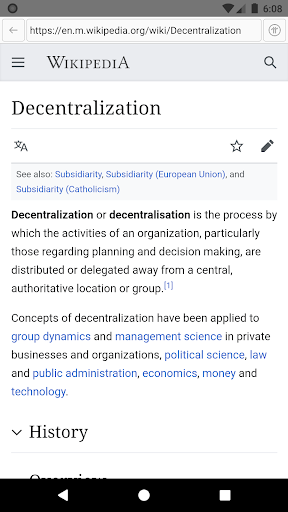
Pi Browser is the companion browser for the Pi Network ecosystem, built by Pi Community Company to let Pi holders interact with decentralized apps (dApps) while also functioning as a regular Web2.0 browser. It’s aimed squarely at existing Pi Network members who need a gateway to their Pi wallet, KYC verification, and various mining-related tasks rather than at general users looking for a new default browser. If you have no involvement with Pi Network, there’s little reason to install this app.
Where It Delivers for Pi Users
For the target audience, the core value proposition is straightforward: it’s the only sanctioned way to access your Pi wallet and the dApps built on top of the network. Users who get through setup without issues report that it ‘works fine, as far as a layman can tell,’ handling basic browsing and wallet access adequately. It also serves as the required checkpoint for KYC verification, which is a mandatory step for anyone hoping to eventually convert mined Pi into something usable.
The Integration Problems That Frustrate Users
The most cited complaint is how disconnected Pi Browser feels from the rest of the Pi ecosystem. One reviewer pointed out it doesn’t appear as an option in default browser settings, the wallet isn’t attached to any other account, and it even has a different app publisher than its companion Pi Network app — a clear sign of scattered project management. This lack of cohesion shows up repeatedly: referrals fail to log, browser access is inconsistent even when the app shows as installed, and navigating away from a page can wipe out everything you were working on, as one user discovered after losing an entire review submission to a bug.
KYC Verification Is a Recurring Sticking Point
A significant chunk of one-star feedback centers on the KYC camera function. Multiple users, including one on a Galaxy S20, report the app forces use of the widest-angle camera lens when photographing a driver’s license, making it nearly impossible to capture a clear, legible image. One user says they’ve taken over a dozen photos outside the app that were sharp and readable, yet the in-app camera still can’t produce an acceptable result, and there’s no option to switch lenses or upload an external photo instead.
Other Everyday Glitches
Beyond KYC, users describe video content in the feed that won’t respond to play, pause, or rewind controls even after clearing cache and reinstalling twice. Others mention checklist buttons that redirect to an external browser listing instead of opening the intended function, and confusion around wallet passcodes that are supposedly saved but can’t be located later. There’s also no built-in way to change an account name or username after signup, which has caused lasting frustration for people who made an entry mistake early on.
Who Should Actually Download This
Pi Browser is a mandatory tool if you’re already mining Pi and need wallet access or KYC completion — there’s no alternative path. But go in with tempered expectations: budget extra time for the KYC photo process, expect some bugs around video playback and checklists, and don’t assume your progress will always save. Anyone not already invested in Pi Network has no real reason to install it.



