
Phoenix – Fast & Safe

by Colorful Point

4.3 4.9M+ reviews
1.1B+ Installs
09/01/2016 Released
Phoenix – Fast & Safe icon
Communication

Phoenix – Fast & Safe

by Colorful Point

4.3 4.9M+ reviews
1.1B+ Installs
09/01/2016 Released
Phoenix – Fast & Safe screenshot 1
Phoenix – Fast & Safe screenshot 2
Phoenix – Fast & Safe screenshot 3
Phoenix – Fast & Safe screenshot 4
Phoenix – Fast & Safe screenshot 5
Phoenix – Fast & Safe screenshot 6

Ratings Breakdown

4.3 ★★★★★ 4.9M+ ratings
5 73%
4 8%
3 6%
2 3%
1 9%

Data from Google Play at the time of writing.

What Phoenix Actually Does

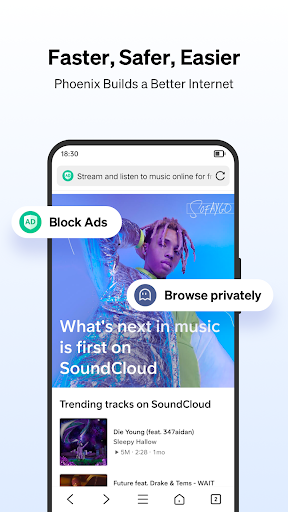
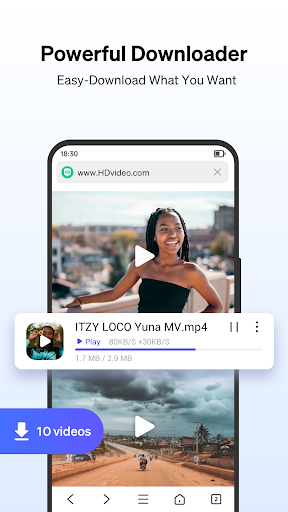
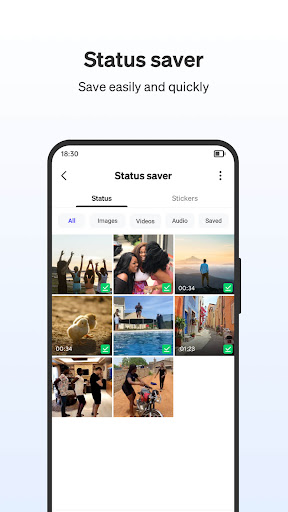
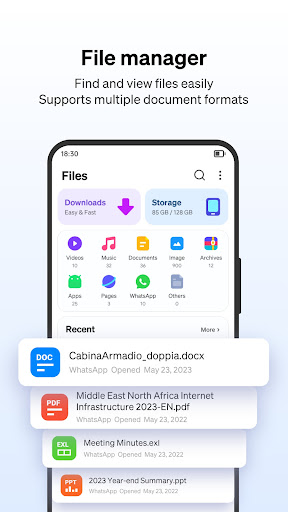
Phoenix is an Android browser built around three pitches: faster page loads on weak connections, a built-in video downloader that grabs content from sites like Facebook and Instagram, and a data-saving mode that compresses traffic before it hits your phone. It also bundles a file manager, a WhatsApp Status Saver plugin, an ad blocker, and an incognito mode. This isn’t a browser aimed at power users who want tab syncing across five devices and a dozen extensions. It’s aimed at people on limited data plans, older phones, or slower networks who want to browse quickly and pull down videos without a separate app.

The download situation is worth being upfront about: YouTube downloading is explicitly blocked due to Google’s policy, so if that’s your main use case, look elsewhere. For other social platforms, the smart detection feature does what it promises according to users, flagging downloadable videos with an icon as you browse.

Where It Genuinely Delivers

The ad blocker gets specific praise from long-time users, with one reviewer calling its efficiency ‘just about unrivaled’ after switching over from the discontinued Cheetah Browser. Data savings also show up as a real strength rather than marketing fluff — one user directly compared Phoenix against Brave and Opera and found those competitors used noticeably more cellular data, while Phoenix kept consumption down. For anyone paying per gigabyte, that’s not a small thing.

The multi-tab manager and quick access shortcuts for sites like Facebook and Amazon work as basic quality-of-life additions, and the built-in video player means you don’t have to bounce between apps to watch what you’ve downloaded. For a free browser with this feature list, the core promise of speed plus savings seems to land for a meaningful chunk of its user base.

The Navigation Quirks That Frustrate Users

Several recurring complaints center on browsing behavior that deviates from what people expect. One reviewer flagged that the back button preserves page state exactly as you left it — so if you sorted a product list, going back keeps that sort instead of reverting to default, which isn’t how most browsers behave. Another persistent issue is the address bar auto-hiding with no way to disable it, which one user called out specifically while otherwise praising the browser’s navigation button layout compared to Firefox, Chrome, and Brave.

There’s also a reported bug involving a small colored site icon that appears during page load and, instead of disappearing, stays fixed in the middle of the screen pulsing and blocking interaction. That’s the kind of bug that undermines trust in an app marketed on speed and smoothness.

Reliability and Permission Concerns

A recurring complaint is a ‘Down for Maintenance 429’ error that intermittently blocks pages from loading for unpredictable stretches of time before resolving itself, which is a serious issue for a browser whose entire selling point is fast access. On the permissions side, the developer’s own description acknowledges requesting All Files Access (MANAGE_EXTERNAL_STORAGE), and at least one user reported this went further than expected — the app reportedly began interfering with cleanup processes in unrelated apps during uninstalls. For a browser, that’s a legitimate red flag worth weighing against the convenience of its file manager.

Missing Customization Options

Beyond bugs, users are asking for basic personalization that isn’t there yet: a toggle to remove the ‘most visited’ tile grid from the homepage, the ability to set a custom background image, a quick-switch dropdown for search engines instead of digging through settings, and an option to force the browser to always prompt for a download location rather than choosing automatically. None of these are dealbreakers individually, but together they suggest a browser that nailed its core compression and download engine before polishing the everyday interface.

Final Verdict

Phoenix makes the most sense for users on tight data plans or slower connections who mainly want fast page loads, solid ad blocking, and easy downloading from non-YouTube social platforms. It’s less suited to anyone who wants precise control over storage permissions, a bug-free navigation experience, or heavy customization. Given the mixed reliability reports, it’s worth trying with realistic expectations rather than assuming it’ll be flawless out of the gate.


Pros

  • Strong ad blocking praised by long-time users
  • Noticeable cellular data savings vs competitors
  • Smart video downloader for social platforms
  • Built-in video player avoids app-switching
  • Quick shortcuts and multi-tab management

Cons

  • Address bar auto-hides with no toggle
  • Intermittent 'maintenance' errors block pages
  • Broad file access permissions concern users

What Real Users Say

Charles Smith 2/5

“It's almost there. Unlike Firefox, Chrome, or Brave it has simple back and forward navigation buttons in the address bar. Like a browser should. Unfortunately there is no way to prevent the address bar from auto-hiding. It's also not possible to set the browser to always ask for a download location, but that is less of an issue. Make it…”

👍 9,555 found this helpfulDeveloper responded
Trygle007 4/5

“I do sincerely love Phoenix Browser. Ever since Cheetah Mobile went down the drain and took Cheetah Browser with it, I've been using Phoenix since and watched as it progressively improved by leaps and bounds. Truly amazing work. I've loved the just about unrivaled efficiency of the ad blocker. But there's only been one small quirk I was wondering if…”

👍 2,366 found this helpful
五土地 2/5

“It asked for access to storage for downloading files. Sure. But then suddenly, it had access to all of my files and storage information, and it took over cleaning up leftovers when I was uninstalling some things in a completely different app. That's way too much access for a web browser to have, especially when I did not consent to…”

👍 2,213 found this helpful

Reviews sourced from Google Play, selected by helpfulness at the time of writing.

App Info & Permissions

Developer Colorful Point
Content rating Everyone
Contains ads Yes
Installs 1.1B+
Released 09/01/2016
Price Free

Permissions this app requests

📷 Camera Take pictures and videos
👥 Contacts Find accounts on the device
🪪 Identity Find accounts on the device
📍 Location Approximate location (network-based); precise location (GPS and network-based)
🎙️ Microphone Record audio
🖼️ Photos/Media/Files Read the contents of your USB storage; modify or delete the contents of your USB storage
💾 Storage Read the contents of your USB storage; modify or delete the contents of your USB storage
📶 Wi-Fi connection information View Wi-Fi connections

Similar Apps

Frequently Asked Questions

1

What is Phoenix - Fast & Safe?

It's an Android web browser from Colorful Point focused on fast page loading, data compression, and downloading videos from social platforms like Facebook and Instagram. It also includes a file manager, ad blocker, incognito mode, and a WhatsApp Status Saver plugin. It's built for users who want quick browsing on slower or limited data connections.

2

Is Phoenix Browser free to use?

Yes, Phoenix is free to download and use, supported by its ad-blocking and data-saving features rather than a paid subscription model. There's no indication in user feedback of a paywall blocking core features.

3

Can Phoenix download videos from YouTube?

No, the developer explicitly states YouTube downloads are unavailable due to Google's policy. It does work with other platforms like Facebook and Instagram, according to the smart detection feature.

4

Does Phoenix Browser drain a lot of storage permissions?

It requests All Files Access (MANAGE_EXTERNAL_STORAGE) to power its file manager, and the developer states it doesn't access unrelated permissions. However, at least one user reported the app interfering with file cleanup in unrelated apps, so cautious users should monitor permission behavior.

5

Is Phoenix Browser reliable for everyday browsing?

Mostly, though multiple users report an intermittent 'Down for Maintenance 429' error that temporarily blocks pages from loading. There are also reports of a stuck loading icon bug and an address bar that can't be kept from auto-hiding. It's usable day-to-day but not free of glitches.

