PENUP – Drawing-sharing SNS

by Samsung Electronics Co., Ltd.

4.5 220K+ reviews
217M+ Installs
09/07/2013 Released
PENUP – Drawing-sharing SNS icon
Art & Design

PENUP – Drawing-sharing SNS

by Samsung Electronics Co., Ltd.

4.5 220K+ reviews
217M+ Installs
09/07/2013 Released
PENUP – Drawing-sharing SNS screenshot 1
PENUP – Drawing-sharing SNS screenshot 2
PENUP – Drawing-sharing SNS screenshot 3
PENUP – Drawing-sharing SNS screenshot 4
PENUP – Drawing-sharing SNS screenshot 5
PENUP – Drawing-sharing SNS screenshot 6

Ratings Breakdown

4.5 ★★★★★ 220K+ ratings
5 79%
4 10%
3 4%
2 2%
1 6%

Data from Google Play at the time of writing.

What PENUP Actually Offers

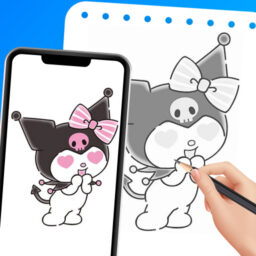
PENUP is Samsung’s drawing-focused social network, built for anyone who wants to sketch, color, or paint on a phone or tablet and then share the result with other artists. It comes preloaded on many Samsung devices, which explains why several long-time users mention finding it already installed rather than seeking it out themselves. The app bundles coloring book pages, drawing templates, Live Drawing tutorials that let you follow along with a video, and Photo Drawing which uses a photo as a tracing aid, alongside a Trending Works feed where people post finished pieces and comment on each other’s work.

This makes it best suited to beginners and hobbyists who want structure, not professional illustrators who need advanced production tools. The social layer, where you can follow artists, get feedback, and take part in seasonal challenges, is really the heart of the app, and it shows in how people describe their experience with it.

Where It Genuinely Shines

The strongest praise centers on how approachable PENUP is for people learning digital art. Reviewers repeatedly describe it as useful for beginners trying to learn digital drawing, with one user calling the coloring pages, challenges, and step-by-step guidance a big draw. Another reviewer specifically highlighted the paint tool’s color-mixing behavior, saying it creates a nice fade of colors and that the pen feels smooth with plenty of options for coloring and drawing.

There’s also a notable emotional thread running through the reviews. One user described picking the app up again after Bell’s palsy affected their mobility and ability to draw, saying it helped them feel like their skills were returning. Others mention using it on and off for years, following artists, and finding the community encouraging rather than negative, with one reviewer explicitly praising it as ‘social media the way it should’ be, free of typical platform negativity.

The Recurring Complaints

Despite the goodwill, the same frustrations show up across multiple reviews. The auto-fill/bucket fill tool is a common pain point: one reviewer noted that most of the time it doesn’t fill all the way to the lines, forcing tedious manual touch-ups afterward. Users also want more variety in coloring categories, describing the current selection as repetitive or boring with too few options per theme.

On the tool side, more experienced users want deeper customization. A reviewer who called themselves genuinely inspired by the app still asked for more brushes with more ways to modify them, plus better layer controls. Another wanted the ability to erase the background of an imported gallery image directly within the app, a feature that currently seems to require workarounds.

Technical Quirks Worth Knowing

At least one review pointed to a strange rendering bug where pen strokes appeared as untextured black ink regardless of which pen type or color was selected, though the user noted this resolved itself after a factory reset of their phone. This suggests occasional device-specific glitches rather than a widespread issue, but it’s worth knowing about if your brushes suddenly stop behaving as expected.

The app also requires optional storage and notification permissions depending on your Android version, mainly to support uploading and downloading drawings and alerting you to followers and comments. None of this stood out as a complaint in user feedback, but it’s part of the setup process worth being aware of.

Who Should Actually Download This

PENUP makes the most sense for beginners and casual hobbyists who want a guided, community-driven way to practice digital drawing without paying for a dedicated illustration app. The coloring pages, challenges, and follow-along tutorials give structure that’s genuinely appealing to newer artists, and the community aspect adds accountability and encouragement that many reviewers clearly value.

If you’re a more advanced digital artist who wants extensive brush customization, robust layer management, or background removal built in, you’ll likely hit the app’s ceiling fairly quickly based on recurring user requests for exactly these features. For everyone else, especially Samsung device owners who already have it installed, it’s a low-risk way to get back into drawing or build a habit around it.

Pros

  • Great for digital drawing beginners
  • Active, encouraging artist community
  • Smooth pen with nice color mixing
  • Helpful Live Drawing tutorials
  • Free coloring pages and challenges

Cons

  • Auto-fill tool misses line edges
  • Limited variety in coloring categories
  • Lacks advanced brush and layer controls

What Real Users Say

Sarah Gibson 5/5

“I love this app! It was automatically on my tablet and now I use it so much. It is so useful for beginners that are trying to learn how to draw digitally. It has coloring pages, challenges, and more! Although it us a great app, it does have it faults. One of the ones that I found annoying is that…”

👍 246 found this helpfulDeveloper responded
Adrian Boyle 5/5

“I've been using this app for years, on and off. I love following artists and experimenting with how to do this digital art stuff. The amazing work I see from everyone else is encouraging. I have always found it easier to draw or sketch on paper, but this app has made digital drawing more comfortable than I ever thought it…”

👍 113 found this helpfulDeveloper responded
Jacklyn Gutierrez 5/5

“it's nice 👍 I'm very happy that this one thing where the ink in the pen would be untextured black pen no matter what pen type and colors you'd use didn't happen. It might've been that one factory reset I did. My phone was funky before the factory resetting I put on it, but now it's okay. I think it…”

👍 81 found this helpfulDeveloper responded

Reviews sourced from Google Play, selected by helpfulness at the time of writing.

App Info & Permissions

Developer Samsung Electronics Co., Ltd.
Content rating Teen
Contains ads No
Installs 217M+
Released 09/07/2013
Price Free

Permissions this app requests

👥 Contacts Find accounts on the device
🪪 Identity Find accounts on the device
🖼️ Photos/Media/Files Read the contents of your USB storage; modify or delete the contents of your USB storage
💾 Storage Read the contents of your USB storage; modify or delete the contents of your USB storage

Similar Apps

Frequently Asked Questions

1

What is PENUP – Drawing-sharing SNS?

PENUP is a Samsung-developed drawing app and social network where users create digital art using pens, coloring pages, and templates, then share their work with other artists. It includes features like Live Drawing tutorials, Photo Drawing aids, and a Trending Works feed for community feedback. It's designed for casual creators and beginners rather than professional illustrators.

2

Is PENUP free to use?

Yes, PENUP is free to download and use, offering coloring pages, drawing templates, and social features at no cost. It comes preinstalled on many Samsung devices, and reviewers don't report paywalls blocking core drawing or sharing functionality. Optional permissions like storage and notifications support uploading drawings and alerting you to community activity.

3

Is PENUP good for beginners learning to draw digitally?

Yes, this is where the app gets its strongest praise, with multiple reviewers calling it useful for people just starting digital art. Features like Live Drawing follow-alongs, Photo Drawing, and simple coloring pages give structure that helps newcomers build confidence. Experienced digital artists, however, may find the toolset too basic for advanced work.

4

What are the biggest complaints about PENUP?

The most common complaint is that the auto-fill tool often doesn't reach all the way to the lines, requiring tedious manual corrections. Users also want a wider variety of coloring page categories, saying current options can feel repetitive. Some more advanced users additionally ask for more brush customization and better layer editing tools.

5

Does PENUP have a strong community aspect?

Yes, community is one of the app's biggest draws, with users following favorite artists, commenting on drawings, and joining seasonal challenges. Several reviewers specifically praised the community as encouraging and free from the negativity often found on other social platforms. This social layer, built around Trending Works and shared feedback, is central to the overall experience.