

Opera GX: Gaming Browser

by Opera

4.6 ★ 344K+ reviews
49M+ Installs
06/14/2021 Released
Opera GX: Gaming Browser icon
Communication

Opera GX: Gaming Browser

by Opera

4.6 ★ 344K+ reviews
49M+ Installs
06/14/2021 Released
Advertisements
Opera GX: Gaming Browser screenshot 1
Opera GX: Gaming Browser screenshot 2
Opera GX: Gaming Browser screenshot 3
Opera GX: Gaming Browser screenshot 4
Opera GX: Gaming Browser screenshot 5
Opera GX: Gaming Browser screenshot 6

Ratings Breakdown

4.6 ★★★★★ 344K+ ratings
5 ★ 80%
4 ★ 9%
3 ★ 4%
2 ★ 2%
1 ★ 5%

Data from Google Play at the time of writing.

What Opera GX Mobile Actually Offers

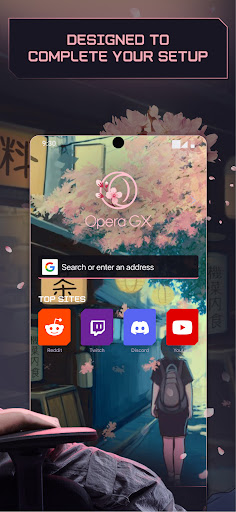
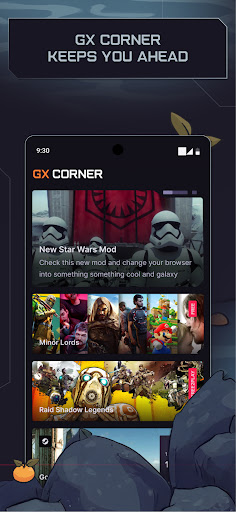
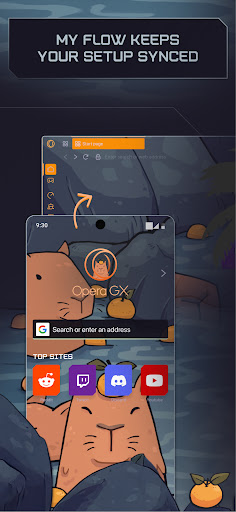
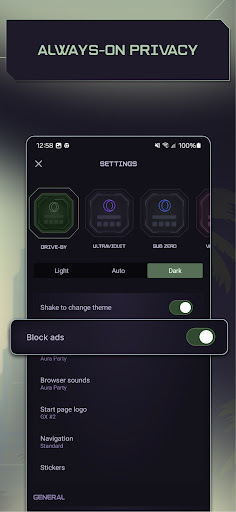
Opera GX: Gaming Browser is the mobile companion to Opera’s desktop gaming browser, aimed at users who want a browser with more personality than Chrome or Safari. It brings the gamer-styled interface, custom themes like GX Classic, Ultra Violet, Purple Haze and White Wolf, plus GX Corner for gaming news, release calendars and deals. The standout feature is Flow, which lets you send links, notes and files between phone and desktop just by scanning a QR code, no account needed. It’s built for gamers and anyone who already uses the desktop GX browser and wants a matching mobile experience.

Where It Genuinely Impresses

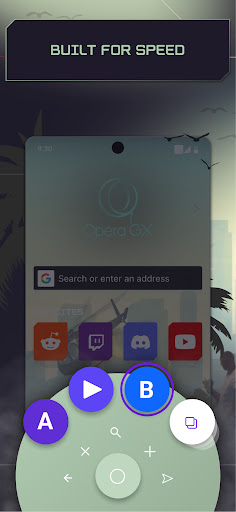
Reviewers consistently praise the speed and the ad blocker, with one user calling the browsing ‘incredibly fast’ while noting the cookie dialog blocker and cryptojacking protection work well in daily use. The customization options get repeated praise too, several reviewers who switched from Chrome or Firefox say the personalization and overall control while browsing sold them on it. Flow is also singled out as a feature people haven’t seen anywhere else, useful for quickly moving links or notes between devices without logging into anything.

The Gaps Compared to Desktop

The most common complaint is that the mobile app feels stripped down next to the desktop version. Multiple reviewers point out missing bookmarks support, which one called a dealbreaker after switching from Chrome. Others want tab grouping or folders to organize open tabs, a feature the desktop version handles better. One long-time desktop user flat out said the mobile app is ‘lacking big time’ and hopes Opera builds it out further to match.

Annoyances That Show Up in Daily Use

Interface issues come up repeatedly: one reviewer couldn’t see or tap text boxes at the bottom of the screen, and got ‘Intent to open app’ errors when trying to open links in other apps. Another wanted mobile extensions, saying the built-in ad blocker isn’t strong enough on its own and that without extension support they’re hesitant to fully switch from Firefox. These are the kinds of friction points that don’t ruin the app but chip away at the experience for power users.

Who Should Actually Download This

If you already use Opera GX on desktop and want Flow to sync links and notes across devices, this is a natural add-on and the QR-code pairing works smoothly. Gamers who want a browser that looks and feels different from the default options, with real customization and a fast ad blocker, will likely enjoy it too. But if you rely heavily on bookmarks, tab organization, or browser extensions, you’ll hit walls quickly since those features either don’t exist yet or lag behind the desktop version. It’s a solid, fast browser with a distinct identity, just not yet a full replacement for a mature mobile browser if you need those specific tools.


Pros

  • ✓Fast browsing speed and strong ad blocker
  • ✓Deep visual customization with multiple themes
  • ✓Flow makes syncing links across devices easy
  • ✓No login or account required for Flow
  • ✓GX Corner adds handy gaming news and deals

Cons

  • ✕No bookmarks support on mobile version
  • ✕Missing tab folders or grouping options
  • ✕No support for mobile browser extensions

What Real Users Say

Cat Pack6 ★ 4/5

“Great browser, but the interface may need some working on. There's also no way to see and click text boxes at the bottom of the screen. Also, it can't open other applications without getting an "Intent to open app" error. Thank you, OperaGX, for making a great mobile gaming browser. Thanks for your reply! I meant when you interact with…”

👍 215 found this helpfulDeveloper responded
Gladius ★ 4/5

“This app and Browser is amazing! I have used it on PC and Android for a couple months now and its a great experience. The mobile version has some issues though. Its missing many features from the PC version. The main one that I can't live without is bookmarks! I switched from Chrome and I need to be able to…”

👍 202 found this helpfulDeveloper responded
Lucien Knight ★ 5/5

“Has someone who was recommended this browser, I can easily say I prefer over every other browser. I get so much more control while I am browsing, and it has some impressive details for personalization. I've always hated Google Chrome, I was a Firefox user as long as I can remember. And sure the other browsers have easier compatibility with…”

👍 183 found this helpful

Reviews sourced from Google Play, selected by helpfulness at the time of writing.

App Info & Permissions

Developer Opera
Content rating Everyone
Contains ads Yes
Installs 49M+
Released 06/14/2021
Price Free

Permissions this app requests

📷 Camera Take pictures and videos
📍 Location Approximate location (network-based); precise location (GPS and network-based)
🎙️ Microphone Record audio
🖼️ Photos/Media/Files Read the contents of your USB storage; modify or delete the contents of your USB storage
💾 Storage Read the contents of your USB storage; modify or delete the contents of your USB storage
📶 Wi-Fi connection information View Wi-Fi connections

Similar Apps

Frequently Asked Questions

1

What is Opera GX: Gaming Browser?

It's the mobile version of Opera's gaming-themed desktop browser, featuring custom gamer-styled themes, a built-in ad blocker, and GX Corner for gaming news and deals. It also includes Flow, a tool for syncing links, notes and files between your phone and computer without an account. It's designed for gamers and anyone who wants a more customizable alternative to standard mobile browsers.

2

Is Opera GX: Gaming Browser free to use?

Yes, the app is free to download and use, with no account or subscription required for its core features. Flow works without any login or password, just a QR code scan to pair devices. Opera makes its money elsewhere, so the mobile browser itself carries no listed fees.

3

Can I sync my desktop Opera GX with the mobile app?

Yes, this is one of the app's strongest features. Using Flow, you scan a QR code to securely link your phone and computer, then send links, videos, files and notes between them instantly. Reviewers specifically call out Flow as something they haven't found in other browsers.

4

Does Opera GX mobile have bookmarks?

This is one of the most common complaints in user reviews, multiple users report that bookmarks are missing or very limited compared to the desktop version. If bookmark management is essential to your workflow, this gap is worth considering before switching your default browser.

5

Does Opera GX mobile support browser extensions?

No, based on user reviews, the mobile app does not currently support extensions the way the desktop version does. This has stopped at least one Firefox user from fully switching, since they felt the built-in ad blocker alone wasn't strong enough without extension support.

