
Nest

by Nest Labs Inc.

3.8 ★ 446K+ reviews
18M+ Installs
06/17/2015 Released
Nest icon
Nest icon
Lifestyle

Nest

by Nest Labs Inc.

3.8 ★ 446K+ reviews
18M+ Installs
06/17/2015 Released
Advertisements
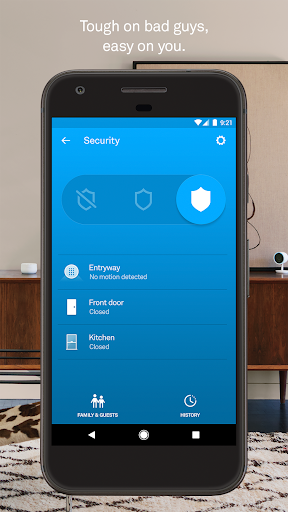
Nest screenshot 1
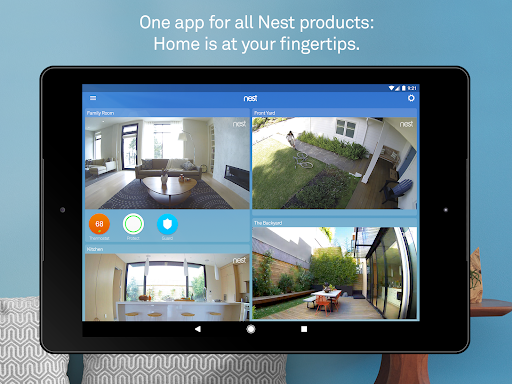
Nest screenshot 2
Nest screenshot 3
Nest screenshot 4
Nest screenshot 5
Nest screenshot 6

Ratings Breakdown

3.8 ★★★★★ 446K+ ratings
5 ★ 55%
4 ★ 12%
3 ★ 8%
2 ★ 8%
1 ★ 17%

Data from Google Play at the time of writing.

What Nest Does and Who It’s For

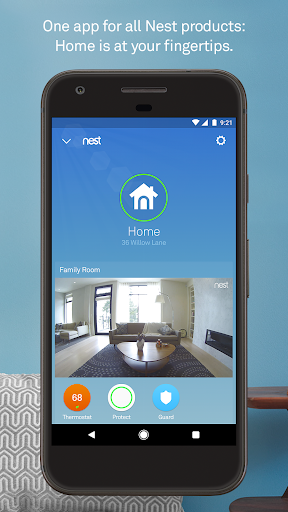
The Nest app is the control hub for Google Nest’s connected home hardware: thermostats, the Nest Secure alarm system, Nest Protect smoke/CO alarms, Nest Cam cameras, Nest Hello video doorbell, and the Nest x Yale lock. It’s meant for people who already own or plan to buy this hardware ecosystem, letting them adjust temperature, view camera feeds, arm alarms, and get push notifications all from one app. If you don’t own any Nest devices, there’s no reason to install it, since the app is purely a remote control and monitoring layer for the physical products.

Where the App Actually Delivers

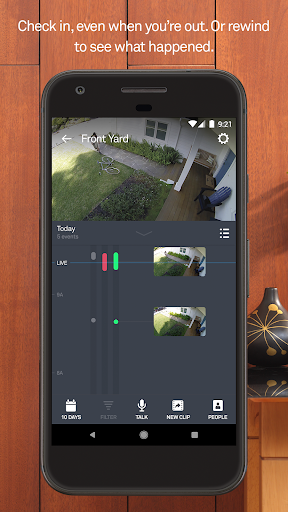
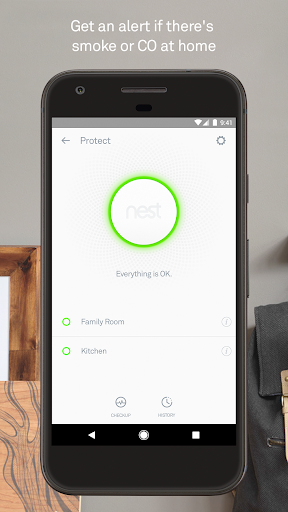
For people already invested in the ecosystem, the basic functions work ‘more or less,’ as one reviewer put it. You can check camera feeds, view energy reports on the thermostat, and get alerts synced with Google Home. One long-term user specifically praised how it integrates with Google Home and appreciated the concept behind smoke alarm monthly checks and cooking-smoke detection, even while asking for better timing on both features. When the presence sensing and home/away automation work as intended, they’re genuinely convenient, automatically switching the camera on and the thermostat to eco mode when you leave.

The Scheduling and Learning Mode Problems

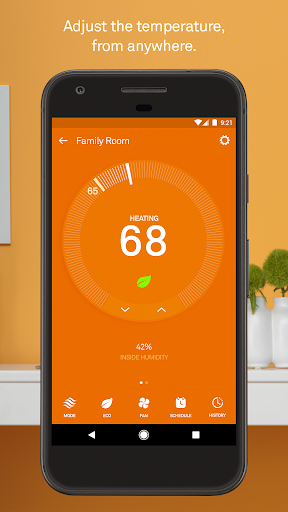
This is where the complaints pile up hardest. Multiple reviewers describe the ‘Learning Thermostat’ as failing at its one core job: learning and following a schedule. One user set heat to 68 and consistently woke up to it running at 70-71 degrees, even after disabling learning mode. Another reported temperature settings changing themselves overnight with no schedule set at all. The scheduling interface itself is a recurring target — described as clearly designed for a browser rather than mobile, with tiny, overly sensitive touch targets that make editing a schedule on a phone genuinely frustrating.

Reliability and Detection Lag Issues

Beyond scheduling, users report the home/away presence detection has degraded over time rather than improved — cameras now turn on when leaving but often fail to turn back off, and eco mode inconsistently engages. Geofencing failures show up in more recent reviews too, with one user saying the app couldn’t detect they’d left the house even with location permissions fully enabled and battery optimization disabled. Camera motion alerts have also been reported as arriving several seconds late, sometimes only notifying you after a visitor is already at the door, which undercuts the security value of the whole system.

Stability and Company Follow-Through

The most damning pattern across reviews isn’t any single bug — it’s the sense that the app hasn’t meaningfully improved in years. Owners who’ve used it since early on describe it as the ‘same glitchy app,’ citing frequent internet disconnects and a UI that never got fixed. When developers do respond to complaints, at least one user found the reply ‘inadequate at best’ and unhelpful for troubleshooting.

Verdict: Who Should Actually Download This

If you already own Nest hardware, you don’t have much choice — this is the only official way to control it, and it does work for basic tasks like viewing cameras or nudging the thermostat. But go in with tempered expectations around the ‘smart’ scheduling and learning features, since long-term users consistently say those are the weakest parts of the experience. Anyone shopping for a new smart home ecosystem and weighing options should treat the stagnant update history and scheduling complaints as a real factor.


Pros

  • ✓Works with Google Home ecosystem
  • ✓Central hub for multiple Nest devices
  • ✓Useful energy usage reporting
  • ✓Remote camera viewing and alarm control
  • ✓Smoke and cooking-alert integration exists

Cons

  • ✕Scheduling UI is tiny and unreliable
  • ✕Learning mode ignores set temperatures
  • ✕Presence detection and geofencing often fail

What Real Users Say

Enrique Garcia ★ 1/5

“Owned for years and not a single improvement has ever been made. Same glitchy app it's been since day one. This company doesn't care. Bad UI, frequently disconnects from the internet, ridiculously poorly designed scheduling. "Learning thermostat" can't even follow a schedule properly. And now for LITERALLY no reason at all it keeps putting itself into eco mode and not…”

👍 275 found this helpfulDeveloper responded
Gina Kegel ★ 3/5

“Learning mode does NOT work well! I have it set to 68 for heat, and it turns itself on and heats to 70. I'll turn it off at night because I don't like to be hot and I don't trust it to keep the right temp - and I'll STILL wake up to it running and heating my place to…”

👍 138 found this helpfulDeveloper responded
Brian Walker ★ 2/5

“I only use this for the thermostat. It works more or less and I like the reporting, but the scheduling UI is terrible on mobile. i think it was designed for a browser. Its way too small and sensitive for the average mobile user. Initially 3 stars, but it has been this way for YEARS, so dropping to 2. Not…”

👍 133 found this helpfulDeveloper responded

Reviews sourced from Google Play, selected by helpfulness at the time of writing.

App Info & Permissions

Developer Nest Labs Inc.
Content rating Everyone
Contains ads No
Installs 18M+
Released 06/17/2015
Price Free

Permissions this app requests

📷 Camera Take pictures and videos
👥 Contacts Find accounts on the device; read your contacts
🪪 Identity Find accounts on the device
📍 Location Approximate location (network-based); precise location (GPS and network-based)
🎙️ Microphone Record audio
🖼️ Photos/Media/Files Read the contents of your USB storage; modify or delete the contents of your USB storage
💾 Storage Read the contents of your USB storage; modify or delete the contents of your USB storage
📶 Wi-Fi connection information View Wi-Fi connections

Similar Apps

Frequently Asked Questions

1

What is Nest?

Nest is the companion app for Google Nest smart home devices, including thermostats, the Nest Secure alarm, Nest Protect smoke/CO alarms, Nest Cam cameras, Nest Hello doorbell, and the Nest x Yale lock. It lets you monitor and control these devices remotely from an Android phone or tablet. It also handles notifications, scheduling, and automation based on your phone's location.

2

Is the Nest app free?

The app itself is free to download and use for controlling your Nest devices. However, advanced features like 30 days of video history and familiar face alerts require a separate Nest Aware subscription. The core hardware (thermostats, cameras, locks) is also sold separately and isn't included with the app.

3

Does the Nest thermostat scheduling actually work well?

Based on user feedback, this is one of the app's weaker areas. Multiple reviewers report the learning mode overriding manually set temperatures, and the scheduling interface being cramped and overly sensitive on mobile screens. Some long-term users say this issue has persisted for years without improvement.

4

How reliable are Nest camera and motion alerts?

Users report mixed reliability, with some noting alerts arrive several seconds after activity occurs, sometimes only notifying them after a visitor has already reached the door. Presence-based automation, like turning cameras on when you leave, has also been described as inconsistent in recent reviews.

5

Who should download the Nest app?

The app makes sense only if you own or plan to buy Nest hardware, since it's required to control those devices. If you're relying heavily on precise thermostat scheduling or fast camera alerts, be aware that long-term users report ongoing frustrations in exactly those areas.