
Life360: Stay Connected & Safe

by Life360

4.5 ★ 2.2M+ reviews
216M+ Installs
04/07/2010 Released
Life360: Stay Connected & Safe icon
Lifestyle

Life360: Stay Connected & Safe

by Life360

4.5 ★ 2.2M+ reviews
216M+ Installs
04/07/2010 Released
Advertisements
Life360: Stay Connected & Safe screenshot 1
Life360: Stay Connected & Safe screenshot 2
Life360: Stay Connected & Safe screenshot 3
Life360: Stay Connected & Safe screenshot 4
Life360: Stay Connected & Safe screenshot 5
Life360: Stay Connected & Safe screenshot 6

Ratings Breakdown

4.5 ★★★★★ 2.2M+ ratings
5 ★ 76%
4 ★ 11%
3 ★ 4%
2 ★ 3%
1 ★ 7%

Data from Google Play at the time of writing.

What Life360 Actually Does and Who It’s For

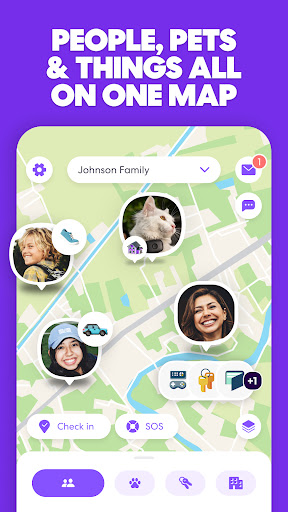
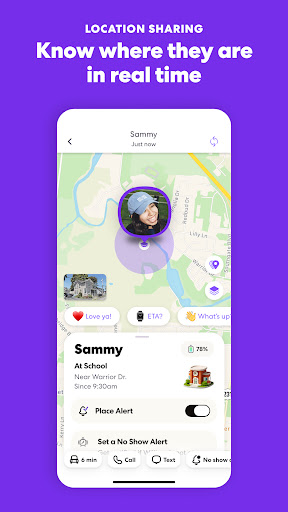
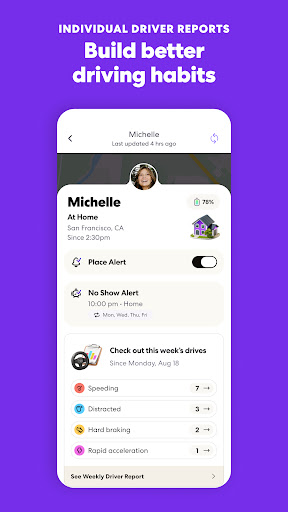
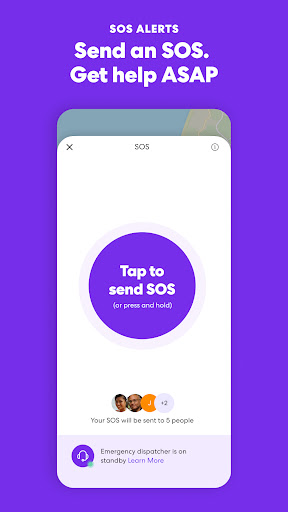
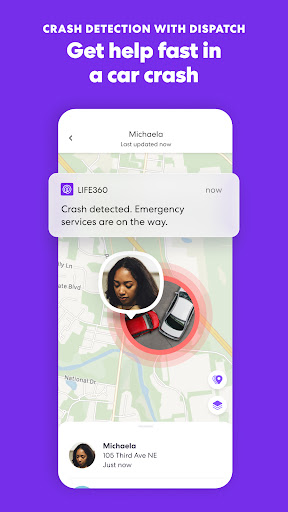
Life360 is a family location-sharing app built around Circles, private groups where members can see each other’s real-time location, get alerts when someone arrives or leaves a place, and access safety extras like crash detection and SOS alerts. It’s aimed squarely at parents tracking kids, families keeping tabs on each other during commutes and trips, and anyone who wants to stop sending ‘where r u’ texts. The free tier covers basic location sharing, while paid Silver, Gold, and Platinum memberships layer on location history, driver reports, roadside assistance, and identity theft protection.

Where the App Genuinely Delivers

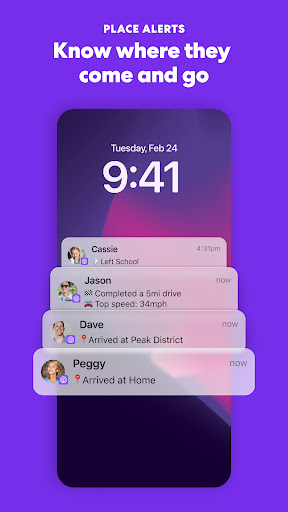
When it works, users say it works well: multiple reviewers describe real peace of mind from being able to see family members’ locations while traveling, and one reviewer specifically praised the breadth of features on offer. The Place Alerts system, notifying you when someone arrives at or leaves home, school, or work, is clearly the core value proposition, and for many households it becomes a daily habit worth paying for.

The Accuracy Problem That Keeps Coming Up

The most consistent complaint across reviews is location accuracy. Multiple users report locations off by as much as half a mile, or the app showing a family member still at home or at an earlier location when they’ve actually moved on. One reviewer noted the app can’t be trusted ‘if it updates a person’s location at all.’ Others describe false arrival and departure notifications, phantom overnight movement around a property, or inflated driving speeds, undermining the exact reassurance the app is supposed to provide.

Battery Saver Nagging and Login Headaches

A second recurring frustration is the app’s relationship with battery saver mode. Several reviewers say Life360 requires battery saver turned off for accurate tracking, calling this a ‘horrible design feature,’ and one long-time user is tired of getting hourly notifications nagging them about it even after acknowledging the tradeoff. On top of that, other reviewers report the app losing connection entirely, showing blank screens, requiring force-stops to reconnect, or getting stuck buffering at login for 10-20 minutes with no working support agent to help when things break.

Support and Reliability Gaps

When the app glitches, getting help seems to be its own ordeal. One reviewer said they couldn’t reach a support agent at all because the in-app support flow was broken, leaving them stuck after a crash and reinstall locked them out of their own account. For an app whose entire pitch is safety and reliability during emergencies, these reported outages and support dead-ends are a real credibility problem, not just a minor inconvenience.

Should You Download Life360?

Life360 is worth trying if you want a straightforward, free way to see family members’ locations and get arrival or departure alerts, and you’re willing to tolerate occasional inaccuracies. It’s less appealing if you need pinpoint precision for time-sensitive situations, want to keep battery saver on without pushback, or expect responsive support when the app misbehaves. Families with lighter expectations and backup communication habits will likely get the most value; those wanting a flawless real-time tracker may end up frustrated.


Pros

  • ✓Real peace of mind for family tracking
  • ✓Useful Place Alerts for arrivals/departures
  • ✓Broad feature set across membership tiers
  • ✓Crash detection and SOS alert options
  • ✓Popular with millions of active users

Cons

  • ✕Location accuracy frequently off by miles
  • ✕Requires disabling battery saver to work well
  • ✕Support hard to reach when app breaks

What Real Users Say

Amber Woiwode ★ 2/5

“So untrustworthy and inaccurate. The location can be "accurate" within a distance of about half a mile. Not helpful in many situations. That's if the app updates a person's location at all. Often, it shows my husband or one of my kids still at our home or at a place they were much earlier in the day and it stays…”

👍 570 found this helpful
Michelle L. Olson ★ 4/5

“I appreciate this app for all its features, but I would like it to stop being whiny about battery saver mode. I use battery saver mode for my phone, I understand it impacts my real-time location tracking. I'm ok with that. but I'd like option to not get notifications about it every hour or so. I shouldn't have to block…”

👍 546 found this helpful
LISA DAVID ★ 2/5

“For the most part, I love the app as it gives me peace of mind in knowing where my family is, especially when they are traveling. However, it's not always accurate. My family member can be in one place (verified) but the app will show otherwise (and no their phones were not left behind). There are delays (lagging) in the…”

👍 500 found this helpful

Reviews sourced from Google Play, selected by helpfulness at the time of writing.

App Info & Permissions

Developer Life360
Content rating Everyone
Contains ads Yes
In-app purchases $1.49 - $249.99 per item
Installs 216M+
Released 04/07/2010
Price Free

Permissions this app requests

📷 Camera Take pictures and videos
👥 Contacts Read your contacts
📍 Location Approximate location (network-based); precise location (GPS and network-based)
🎙️ Microphone Record audio
📞 Phone Directly call phone numbers
🖼️ Photos/Media/Files Read the contents of your USB storage; modify or delete the contents of your USB storage
💾 Storage Read the contents of your USB storage; modify or delete the contents of your USB storage
📶 Wi-Fi connection information View Wi-Fi connections

Similar Apps

Frequently Asked Questions

1

What is Life360: Stay Connected & Safe?

Life360 is a family safety and location-sharing app that lets members of a private Circle see each other's real-time location, receive place arrival and departure alerts, and access safety features like crash detection and SOS alerts. It also offers paid tiers with extras like identity theft protection, roadside assistance, and stolen fund reimbursement. It's designed for families, couples, and friend groups who want an easier way to stay aware of each other's whereabouts.

2

Is Life360 free to use?

Life360 has a free tier that includes basic location sharing and driving crash detection. Paid memberships, Silver, Gold, and Platinum, unlock extras like longer location history, unlimited place alerts, roadside assistance, and identity theft protection with increasing coverage limits at higher tiers. Whether the paid version is worth it depends on how much you value the added safety and history features.

3

Is Life360's location tracking accurate?

Based on user reviews, accuracy is inconsistent. Multiple reviewers report locations off by up to half a mile, delayed updates, or the app showing someone at home or an earlier location when they've actually moved. This appears to be one of the app's most common complaints rather than an isolated issue.

4

Does Life360 drain my phone's battery?

The app relies on frequent location updates, which can conflict with battery saver mode; reviewers note that Life360 wants battery saver turned off for accurate tracking and sends repeated notifications about it. Users who keep battery saver on report reduced tracking accuracy as a result.

5

What should I do if Life360 stops working or crashes?

Some users report the app losing connection, showing a blank screen, or getting stuck at login for extended periods. Force-stopping and reopening the app has helped some users temporarily, though several reviewers also said reaching customer support for persistent issues was difficult.