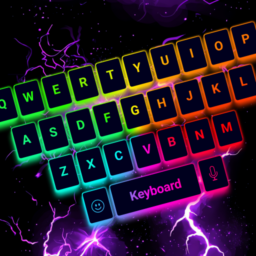
LED Keyboard: Colorful Backlit

by Zayzik : LED Keyboard Studio

4.5 580K+ reviews
94M+ Installs
01/09/2019 Released
LED Keyboard: Colorful Backlit icon
Personalization

LED Keyboard: Colorful Backlit

by Zayzik : LED Keyboard Studio

4.5 580K+ reviews
94M+ Installs
01/09/2019 Released
LED Keyboard: Colorful Backlit screenshot 1
LED Keyboard: Colorful Backlit screenshot 2
LED Keyboard: Colorful Backlit screenshot 3
LED Keyboard: Colorful Backlit screenshot 4
LED Keyboard: Colorful Backlit screenshot 5
LED Keyboard: Colorful Backlit screenshot 6

Ratings Breakdown

4.5 ★★★★★ 580K+ ratings
5 82%
4 4%
3 3%
2 2%
1 8%

Data from Google Play at the time of writing.

What This Keyboard App Actually Does

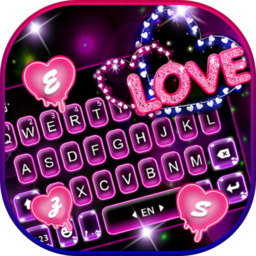
LED Keyboard: Colorful Backlit is a replacement Android keyboard built around personalization rather than typing efficiency alone. It bundles RGB and neon lighting animations, custom key sounds, hundreds of fonts, emoji and GIF packs, and a full DIY editor where you can set your own photo as a background and tweak color gradients, stroke effects, and lighting speed. It’s aimed squarely at users who want their phone to look and feel unique, not power users chasing the fastest possible typing setup.

The Customization Is the Real Draw

Users consistently single out the visual side as the app’s strength. Reviewers praise the colored keyboards, background images, and how easy the settings are to navigate, with one calling the rainbow theme ‘beautiful’ and the overall design ‘well put together.’ The ability to upload your own picture as a keyboard background gets specific praise, and several people mention being pleasantly surprised by how much there is to explore and customize beyond what they expected from a keyboard app.

Typing Accuracy Is Where Complaints Pile Up

The recurring frustration is swipe typing accuracy. One reviewer flatly calls it ‘awful,’ noting it inserts strings that aren’t real words, and points out there’s no custom dictionary option to train it. Another echoes that the core utility of a keyboard falls short despite good font and sound customization. This is a real problem for anyone who types a lot, since no amount of neon lighting fixes a keyboard that guesses wrong. A couple of five-star reviewers also mention autocorrect frustrations before ultimately warming to the app, suggesting the issue is inconsistent rather than universal.

Missing Instructions and Small Gaps

Beyond typing accuracy, users report smaller usability gaps. One reviewer couldn’t find a way to change the color of the key letters themselves. Another wanted to use the GIF feature but found no settings or how-to instructions anywhere explaining how it works. A third wished for more control over navigation key placement. None of these are dealbreakers on their own, but together they point to a UI that’s rich in options but thin on guidance, leaving users to hunt for features that may or may not exist.

Ads and the Premium Option

The free version runs ads, though one reviewer described them as brief and only appearing when switching settings, not something that interrupts typing itself. For those bothered even by occasional ads, a one-time premium purchase removes them; one buyer reported paying around five dollars and seeing zero ads afterward for several days, calling it money well spent. That suggests the ad-free tier is worth considering if the lighting effects and themes hook you.

Who Should Actually Download This

If you want a keyboard that looks genuinely different from stock Gboard or SwiftKey, with RGB lighting, custom sounds, and photo backgrounds, this app delivers on that promise and multiple long-time users say it replaced their old keyboard entirely. If accurate swipe typing and a reliable autocorrect are non-negotiable for heavy daily typing, weigh the accuracy complaints carefully before committing, since there’s no custom dictionary fix available yet.

Pros

  • Extensive RGB and neon theme customization
  • Custom photo backgrounds for keyboard
  • Large font, emoji, and GIF library
  • Adjustable key sounds and vibration
  • One-time purchase removes ads

Cons

  • Swipe typing inserts inaccurate words
  • No custom dictionary option available
  • GIF feature lacks clear instructions

What Real Users Say

Isaiah Trimpey 5/5

“I have seen some reviews saying that the autocorrect is not good, but in my opinion, both the suggestions, swipe typing, and correction are all great. I love the feature where you can add your own picture as a background. However, there doesn't seem to be a way to change the color of the key letters themselves, unless it's a…”

👍 1,853 found this helpful
Donna Alexander 5/5

“I've been enjoying the app, especially the fun choices of colored keyboards and background images. I am disappointed however that, even though there are icons for gifs, I have not figured out how to use the gifs nor can I find any options under settings or, "how to" instructions anywhere. Could it be a matter of needing to pay for…”

👍 1,313 found this helpful
Carrie Schiotz 2/5

“The keyboard itself is beautiful (especially the rainbow one) and the settings are easy to navigate. However, the accuracy of the swipe feature is awful (it inserts "words" that aren't even actual words) and there is no option for a custom dictionary to overcome this. I live on my phone and the aesthetic alone is not enough to keep me…”

👍 532 found this helpful

Reviews sourced from Google Play, selected by helpfulness at the time of writing.

App Info & Permissions

Developer Zayzik : LED Keyboard Studio
Content rating Everyone
Contains ads Yes
In-app purchases $2.49 - $139.99 per item
Installs 94M+
Released 01/09/2019
Price Free

Permissions this app requests

🎙️ Microphone Record audio
🖼️ Photos/Media/Files Read the contents of your USB storage; modify or delete the contents of your USB storage
💾 Storage Read the contents of your USB storage; modify or delete the contents of your USB storage
📶 Wi-Fi connection information View Wi-Fi connections

Similar Apps

Frequently Asked Questions

1

What is LED Keyboard: Colorful Backlit?

It's an Android keyboard replacement app focused on personalization, offering RGB lighting animations, custom themes, fonts, emojis, GIFs, and a DIY editor for backgrounds and key sounds. It's designed for users who want a visually distinctive typing experience rather than just a functional keyboard. The app also includes standard features like swipe typing, word suggestions, and multi-language support.

2

Is LED Keyboard: Colorful Backlit free to use?

Yes, the app is free to download and use, with ads shown periodically, mainly when changing settings according to user reports. A one-time premium purchase, reported by one user at around five dollars, removes ads entirely. Most core customization features appear accessible without paying.

3

Does the swipe typing feature work well?

This is the app's weakest point according to reviews. Multiple users report the swipe feature inserting words that aren't real, and there's currently no custom dictionary to correct this over time. If accurate swipe typing is essential for your daily use, this is worth testing carefully before relying on it.

4

Can I use my own photos as a keyboard background?

Yes, and this is one of the most praised features in user reviews. You can set a personal picture as the keyboard background and adjust colors, gradients, and lighting effects on top of it. Reviewers specifically called this out as a standout personalization option.

5

How do the GIF and sticker features work?

The app includes icons for GIFs, emojis, and stickers, but at least one reviewer reported difficulty figuring out how to actually use the GIF feature, finding no settings or how-to guidance. If you're interested in this feature, expect some trial and error since in-app instructions are limited.