
What This App Is Built To Do
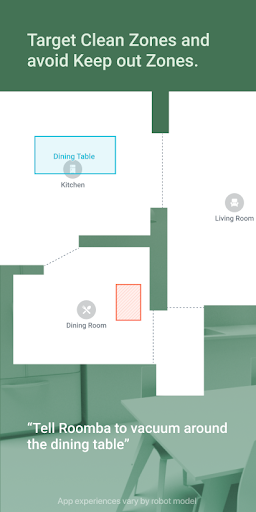
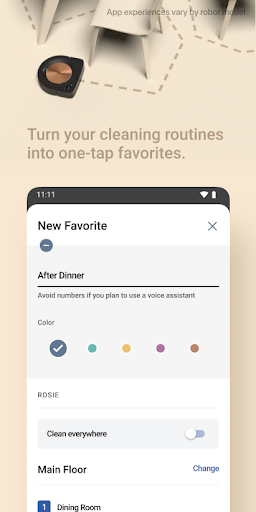
iRobot Home (Classic) is the control app for older Roomba, Braava, and Klaara robot models, including the e, i, s, m, and j series along with Essential and 10 Max lines. It’s meant for people who already own one of these robots and want to schedule cleanings, set up room and zone-specific jobs, view cleaning maps, and hook the robot into Alexa, Siri, or Google Assistant routines. If you bought a newer Roomba model, note that iRobot now pushes a separate ‘Roomba Home’ app instead, so this classic version is really for existing owners of legacy hardware.
Setting Up Your Robot The First Time
Initial setup is where a lot of users hit a wall. One reviewer described it as ‘a nightmare,’ needing many attempts to get an i1 model onto WiFi, eventually resorting to isolating the robot on a separate 2.4GHz network with a matching SSID just to complete pairing. Another owner trying to reconnect an older i3 after switching phones found the app simply couldn’t detect the WiFi network, even though router logs confirmed the robot had connected. If you’re setting up for the first time or reconnecting after a gap, budget extra patience.
The Connection Problems Are the Real Story
The most consistent complaint across reviews is unreliable connectivity. Users report the app taking ‘FOREVER’ to connect to a Roomba, sometimes never connecting at all, with one person managing three robots and ruling out their own internet as the cause. Another called it possibly ‘the single worst app’ they’ve used, saying it won’t stay connected for more than about 30 seconds, which blocks basic tasks like updating routines, building maps, or changing settings. A separate review described the Roomba getting stuck mid-connection, stuck in a corner, and cancellation taking minutes.
Bugs That Undermine Everyday Use
Beyond connectivity, there are functional glitches that get in the way of actual cleaning. One user’s Braava jet mop was reported as offline with a dead battery immediately after finishing a 30-minute job while sitting on the dock, fully charged. Another described a persistent ‘bin full’ error appearing before the dock even attempts to empty the robot, calling it a recurring time sink. Several reviewers noted these issues appeared or worsened after recent app updates, suggesting backend or server-side changes rather than just device quirks.
How Well It Handles Actual Cleaning Performance
Feedback on the robots themselves (as opposed to just the app) is mixed too. One owner who bought a unit specifically for pet hair found it fine on bare floors but essentially useless on carpet, even after trying anti-static spray. That same review noted the robot losing connection mid-run and failing to register that it had stopped, tying hardware frustration directly back to app reliability.
Final Verdict on Downloading This App
iRobot Home (Classic) delivers useful features on paper, room-specific cleaning, scheduling, smart home integration, but the real-world experience is dragged down by connection instability, slow pairing, and bugs like false bin-full alerts. It’s worth installing if you own a compatible legacy Roomba or Braava and have no alternative, but go in expecting some setup frustration and occasional app flakiness rather than a polished experience.