

HD Video Player All Formats

by ASD Dev Video Player for All Format

4.4 ★ 351K+ reviews
116M+ Installs
08/01/2016 Released
HD Video Player All Formats icon
Video Players & Editors

HD Video Player All Formats

by ASD Dev Video Player for All Format

4.4 ★ 351K+ reviews
116M+ Installs
08/01/2016 Released
Advertisements
HD Video Player All Formats screenshot 1
HD Video Player All Formats screenshot 2
HD Video Player All Formats screenshot 3
HD Video Player All Formats screenshot 4
HD Video Player All Formats screenshot 5
HD Video Player All Formats screenshot 6

Ratings Breakdown

4.4 ★★★★★ 351K+ ratings
5 ★ 72%
4 ★ 10%
3 ★ 6%
2 ★ 4%
1 ★ 8%

Data from Google Play at the time of writing.

What This App Is and Who It’s For

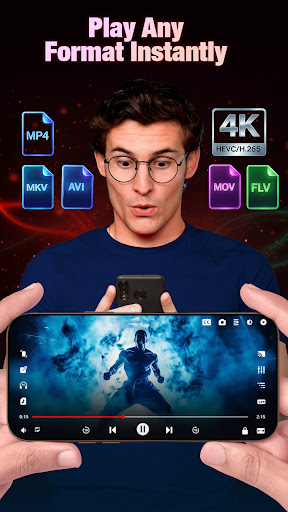
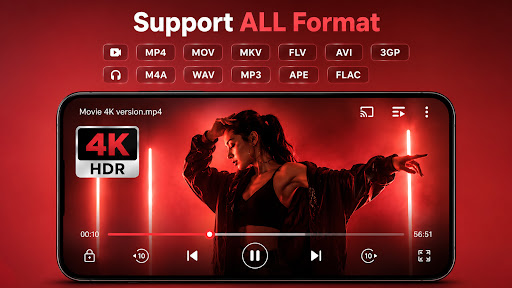
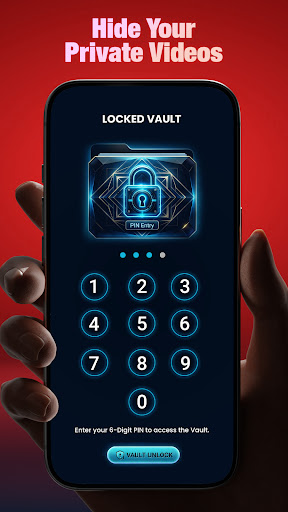
HD Video Player All Formats is a local media player for Android built to handle just about every video and audio file format you’d throw at it, including MKV, MP4, MOV, FLV, WMV, and 3GP, plus 4K and Full HD playback. It’s aimed at people who have a phone full of downloaded videos, home recordings, or media transferred from a PC and just want something that plays everything without conversion hassles. On top of core playback, it bundles a file manager, gallery, video downloader, subtitle downloader, and privacy features like a video/photo hider. With well over 100 million installs, it’s clearly one of the go-to options for anyone who’s been burned by a default player that chokes on certain formats.

Playback Quality and Format Support in Real Use

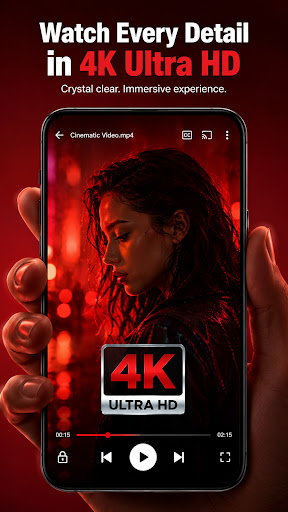
The core promise holds up: users consistently report smooth HD playback and quick loading of media files without crashing. One reviewer specifically praised the beautiful video quality and reliable performance opening files fast every time. Another long-time user noted that the app has improved significantly over three years, with easier-to-navigate settings and better folder detection for locating video files on the device. If your main need is a dependable format-agnostic player, that basic job gets done well.

The Background and Floating Playback Features

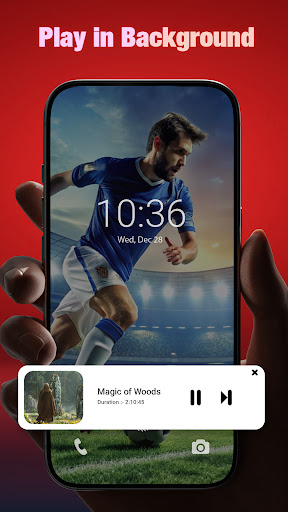
The play-in-background and floating player options are genuinely useful extras, letting you listen to a video’s audio with the screen off or keep watching in a small window while using other apps. One user specifically liked being able to play music with the screen off, though they ran into a bug where audio kept playing after disconnecting from Bluetooth, with no obvious way to stop it. It’s a small but annoying gap in an otherwise handy feature.

Ads, Casting, and Download Reliability Issues

Ads are the most common complaint, and while several reviewers say they’re tolerable or stop once video plays as audio, at least one user reported an ad actually corrupting playback of a video that wouldn’t resume until the app was restarted. Casting to a TV is advertised as a feature, but reviews describe it as broken or entirely missing the ability to cast directly to smart TVs or streaming devices, which one user called a massive shortcoming. The built-in video downloader is also inconsistent, with one reviewer managing to successfully download only one video despite many repeated attempts. Another significant frustration: the app has reportedly hijacked links meant to open in other default apps, forcing itself open instead.

Final Verdict on Whether to Install

HD Video Player All Formats delivers on its core job of playing nearly any video format smoothly, and features like background playback and the floating player add real convenience for multitaskers. But it’s held back by unreliable casting, a shaky downloader, disruptive ads, and default-app link-hijacking that’s more than a minor annoyance. If you just need a solid local file player and can live with ads, it’s worth trying, especially since a one-time payment removes them. If Chromecast support or a dependable downloader is a dealbreaker, look elsewhere first.


Pros

  • ✓Plays nearly all video and audio formats
  • ✓Smooth HD and 4K playback performance
  • ✓Handy background and floating player modes
  • ✓Improved settings and folder navigation over time
  • ✓One-time payment removes ads

Cons

  • ✕Casting to TV is unreliable or missing
  • ✕Video downloader often fails repeatedly
  • ✕App sometimes opens links meant for other apps

What Real Users Say

Barry Foxworth ★ 4/5

“A lot has changed in 3 years, thank you! The settings are now easy to control; the phone's video folders are easy to find and the overall experience is much better. Last time I gave it 1 star. The lifetime ad removal of less than $10.00 is reasonable. The only thing needing fixing is the Chromecast TV viewing that looses…”

👍 7,394 found this helpfulDeveloper responded
William Cortes ★ 5/5

“This app is great for listening music while the screen is off and I REALLY like that feature. However i do have a question. How do you stop the app from continuing to play music after you disconnect from bluetooth? I hope there is an option for this so that music doesn't start playing whenever i disconect form bluetooth. Overall,…”

👍 4,625 found this helpful
Cathy Colquitt Woolbright ★ 1/5

“I am beyond fed up with this app. It opens up for non-video links all of the time, even though I have a specific app marked as default. For example, I will select a link that is supposed to open in Amazon. I not only have the Amazon app, but prefer to view on Chrome from an email link. I…”

👍 4,445 found this helpfulDeveloper responded

Reviews sourced from Google Play, selected by helpfulness at the time of writing.

App Info & Permissions

Developer ASD Dev Video Player for All Format
Content rating Everyone
Contains ads Yes
In-app purchases $0.49 - $35.99 per item
Installs 116M+
Released 08/01/2016
Price Free

Permissions this app requests

🖼️ Photos/Media/Files Read the contents of your USB storage; modify or delete the contents of your USB storage
💾 Storage Read the contents of your USB storage; modify or delete the contents of your USB storage
📶 Wi-Fi connection information View Wi-Fi connections

Similar Apps

Frequently Asked Questions

1

What is HD Video Player All Formats?

It's an Android video and audio player designed to support nearly every common media format, including MKV, MP4, MOV, FLV, and 4K files. Beyond playback, it includes a file manager, gallery, subtitle downloader, video downloader, and privacy tools like a video hider. It's built for users who want one app to handle any video file without worrying about compatibility.

2

Is HD Video Player All Formats free?

Yes, the app is free to use with ads, and reviewers note a one-time payment of less than $10 removes ads permanently. Most core playback features are available without payment. Ads are generally described as tolerable, though some users report them occasionally interfering with playback.

3

Can I cast videos to my TV with this app?

Casting is advertised as a feature, but real user reviews describe it as unreliable or, in some cases, entirely unable to cast directly to a smart TV or streaming device. One reviewer called this a major shortcoming for a video player. If reliable Chromecast support is essential for you, test this feature carefully before relying on it.

4

Does the built-in video downloader actually work?

Reviews suggest the downloader is inconsistent. One user reported succeeding only once despite many repeated attempts to download videos. If downloading is your primary reason for installing the app, be prepared for possible frustration.

5

Does the app play videos in the background or as a floating window?

Yes, it supports both background playback, similar to a music player, and a floating pop-up window for multitasking. Users like this feature for listening to video audio with the screen off. However, one reviewer noted a bug where audio kept playing after disconnecting Bluetooth, with no clear setting to stop it.

