

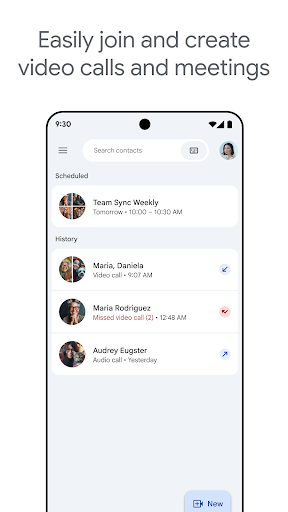


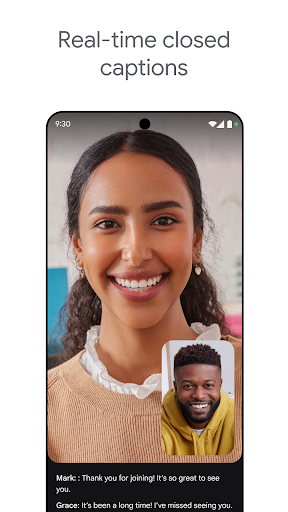

Google Meet has become the default video calling app for anyone in the Google ecosystem, and it’s hard to argue with the basics: call quality is consistently solid, it connects fast, and joining a meeting from a calendar invite or a shared link just works most of the time. Features like automatic light adjustment and real-time captions are genuinely useful in practice, not just marketing bullet points, especially for calls where audio quality is unpredictable. The interface is clean and doesn’t require a tutorial to use, which is more than can be said for some competing apps.
Pros
- ✓Fast, reliable call connections
- ✓Real-time captions work well
- ✓Clean, simple interface
- ✓Automatic light adjustment helps visibility
- ✓Massive install base means wide compatibility
Cons
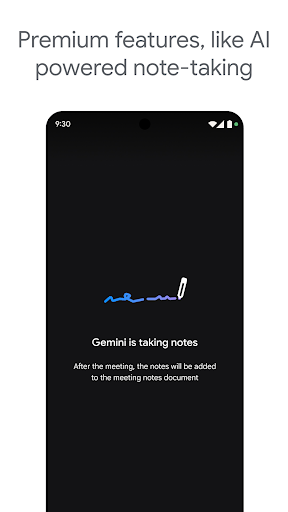
- ✕Best features require paid Workspace plan
- ✕Noise cancellation not free for everyone
- ✕Caption and translation languages are limited
App Info & Permissions
Developer
Google LLC
Contains ads
No
Installs
13B+
Released
08/16/2016
Similar Apps




Frequently Asked Questions
1
What is Google Meet?
Google Meet is a video calling app developed by Google for personal chats and business meetings. It supports features like live captions, noise cancellation, virtual backgrounds, and reactions. It integrates closely with Google Calendar and Gmail, making it easy to schedule and join calls. It's available on mobile, desktop, and web browsers.
2
Is Google Meet free to use?
Yes, the core app is free and includes basic video calling for individuals and small groups. However, advanced features like AI-powered note-taking, speech-to-speech translation, meeting recording, and noise cancellation require a paid Google Workspace subscription. Casual users can get by fine on the free tier, but power users will likely hit paywalls.
3
Does Google Meet support live captions in every language?
No, live captions are only available in a limited set of languages, not universally across all supported locales. Google provides an official support page listing exactly which languages work. If your primary language isn't covered, this feature won't be usable for you.
4
Can I use Google Meet for large team meetings?
Yes, Google Meet is designed to handle both small personal calls and larger team collaboration sessions. It includes features like reactions, backgrounds, and filters that work well in bigger group settings. That said, some collaboration-boosting tools, like AI note-taking, are premium-only, which may limit usefulness for teams on the free tier.
5
Is speech-to-speech translation reliable on Google Meet?
Speech-to-speech translation is a premium feature and is not available for every language pair. It's a promising addition for international teams, but coverage gaps mean it won't work for everyone yet. Users should check Google's support documentation to confirm their needed languages are supported before relying on it.