

What Google Home Is Supposed to Do
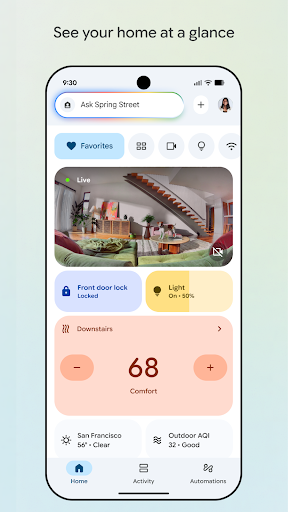
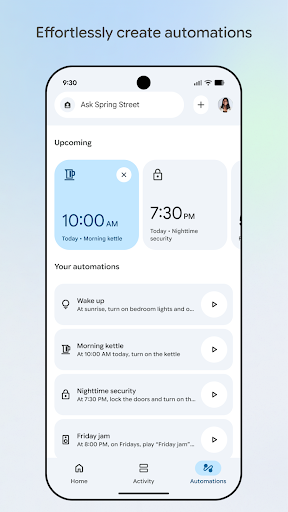
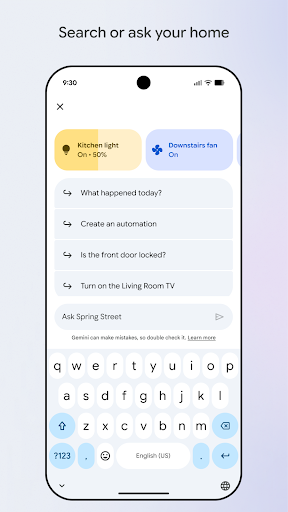
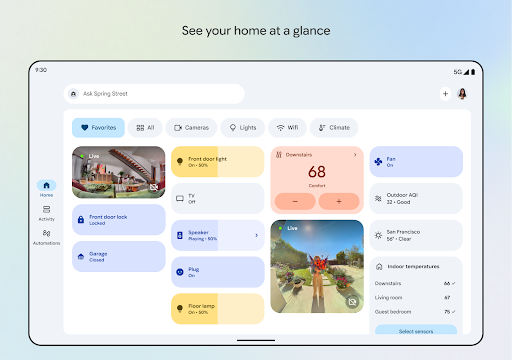
Google Home is the control hub for Google’s smart home ecosystem, letting you manage Chromecasts, smart speakers, lights, thermostats, and cameras from one app. The recent overhaul folds in Gemini for Home, Google’s AI assistant layer, which is pitched as a smarter way to search for and control your devices using natural language instead of memorized commands. It’s aimed at anyone with a house full of connected gadgets who wants a single dashboard instead of five different manufacturer apps.
With over 1.5 billion installs, this is clearly the default choice for most Android users and plenty of iPhone owners too, simply because it’s the only official way to manage Google-connected devices. That scale means the app’s problems affect an enormous number of households, not a niche audience.
Where the Dashboard Actually Works
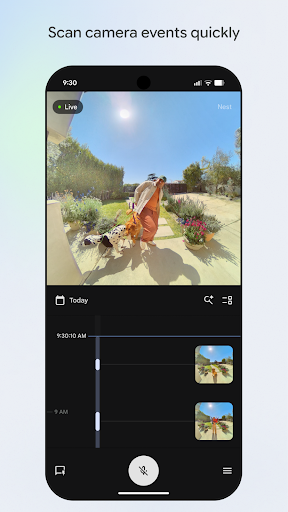
When it’s behaving, the camera live view and event history are genuinely useful, letting you scan through what happened at your front door or in your yard without digging through menus. The idea of grouping devices into dashboards for at-a-glance status checks is sound, and for basic tasks like turning off lights or checking a thermostat reading, the app does the job. Long-time Chromecast users also note that for years before recent updates, the experience was stable and dependable.
The concept behind Gemini for Home, controlling your house with more natural, conversational phrasing, is a reasonable evolution of what Google Assistant started. On paper, it’s a smart direction for the product.
The Thermostat and Casting Bugs That Undermine Trust
In practice, reliability is the app’s biggest problem. Multiple users report that thermostat changes silently fail to apply, with the system reverting to its old setting as though the command was never sent, a serious issue for something people depend on for home comfort. Chromecast users describe a very different app than the one they used for years, with casting now freezing, buffering, and shutting down repeatedly during something as simple as a 30-minute show. Others report casting messing up constantly alongside speakers that won’t hear commands or won’t adjust volume properly. These aren’t edge cases; they’re core functions failing.
The Lost Keyboard and the Voice-Only Push
One of the most pointed complaints comes from a hearing-impaired user who says the app used to let you type commands via keyboard, and that this option has been removed in favor of voice-only input. For anyone who can’t reliably use voice control, or whose voice simply isn’t recognized well by the assistant, this is a real accessibility regression, not just an inconvenience. Combined with reports that voice commands often aren’t understood correctly, the push toward Gemini’s conversational, voice-first design seems to have left some users with fewer ways to control their own homes, not more.
Setup Headaches and Inconsistent UI
Adding devices is another sore spot. Some users report that older audio Chromecasts simply don’t appear in the app when trying to add them to speaker groups, even when those same devices show up elsewhere in the device list. Device management is described as a chore, with no reliable way to search for specific devices in a large household. On top of that, several reviewers note the interface itself keeps shifting between updates, buttons moving from top to bottom and back again, which makes the app feel more like a rotating beta test than a finished product you can build muscle memory around.
Final Verdict: Who Should Actually Install This
Google Home remains mandatory if you own Google or Nest smart home hardware, there’s simply no alternative first-party app. But go in with tempered expectations: casting reliability, thermostat command follow-through, and basic device setup all have documented, recent problems according to users, and the removal of typed command input is a genuine step backward for accessibility. If your smart home setup is simple, a couple of lights and a speaker, you’ll probably get by fine. If you rely on it for thermostats, multi-room casting, or accessibility accommodations, be prepared for real friction, and keep an eye on future updates before assuming things have improved.