
Filmora:AI Video Editor, Maker

by Wondershare Filmora

4.0 ★ 1.1M+ reviews
152M+ Installs
12/14/2015 Released
Filmora:AI Video Editor, Maker icon
Video Players & Editors

Filmora:AI Video Editor, Maker

by Wondershare Filmora

4.0 ★ 1.1M+ reviews
152M+ Installs
12/14/2015 Released
Advertisements
Filmora:AI Video Editor, Maker screenshot 1
Filmora:AI Video Editor, Maker screenshot 2
Filmora:AI Video Editor, Maker screenshot 3
Filmora:AI Video Editor, Maker screenshot 4
Filmora:AI Video Editor, Maker screenshot 5
Filmora:AI Video Editor, Maker screenshot 6

Ratings Breakdown

4.0 ★★★★★ 1.1M+ ratings
5 ★ 69%
4 ★ 5%
3 ★ 3%
2 ★ 3%
1 ★ 20%

Data from Google Play at the time of writing.

What Filmora Actually Is and Who It’s For

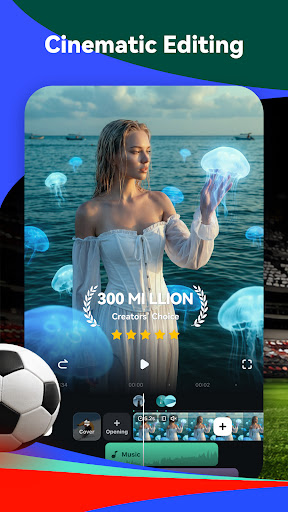
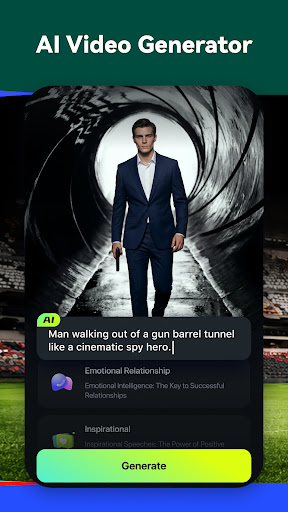
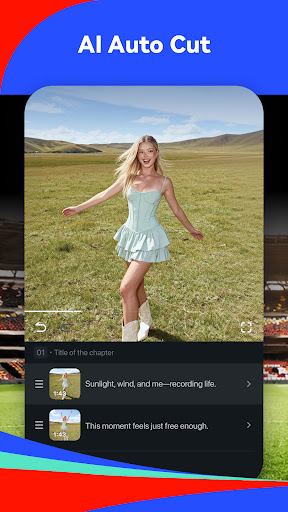
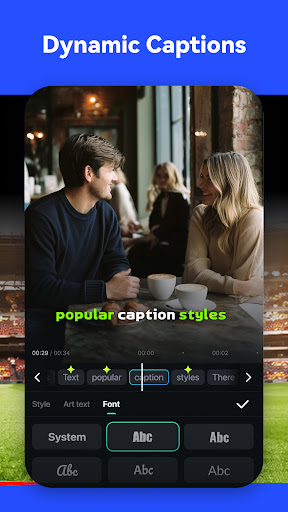
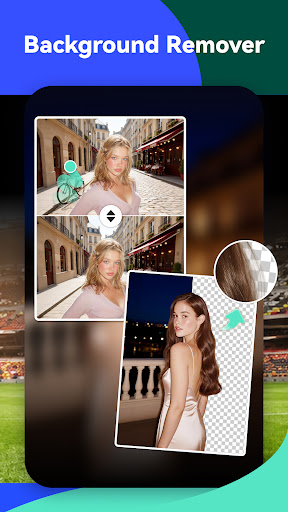
Filmora is Wondershare’s mobile video editor built around AI tools like image-to-video generation, story-to-video short dramas, marketing video templates, AI auto cut, AI captions, and an AI background/object remover. It’s aimed at TikTok, Instagram, and YouTube creators who want template-driven editing without learning a full pro-level NLE. With over 152 million installs, it’s clearly one of the more popular mobile editors on the app stores, sitting alongside CapCut and InShot in terms of reach.

Where the Editing Tools Genuinely Impress

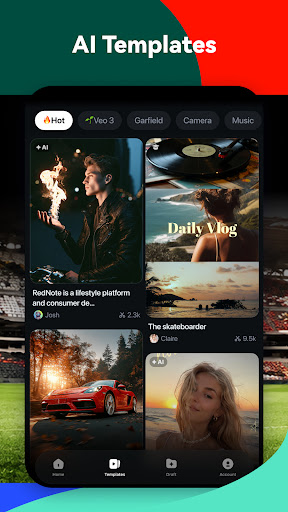
Reviewers consistently say the app is easy to use and lets you produce decent-looking edits quickly, with one long-time user calling it ‘pretty good’ and praising the mild effect filter specifically. The template system and one-tap effects make it accessible for beginners who don’t want to deal with a manual timeline, and several users note it can handle a lot of different edit types in one place. For casual creators who just want to slap together a quick clip with captions and music, the feature set is broad enough to cover most needs.

The Paywall Problem That Keeps Coming Up

The biggest recurring complaint is that Filmora locks most of the actually useful editing features behind a subscription, with one reviewer bluntly describing it as ‘pay to use.’ Multiple users report being charged immediately after signing up for a supposed free trial, and one specifically flagged a hidden ‘download insurance service fee’ of $4.95 tacked onto a $49.99 charge. Others who bought lifetime Pro licenses on desktop say Wondershare has since clawed back features and AI credits, pushing them toward a new $20/month Premium tier instead of honoring what they already paid for.

Stability Issues and Missing Basics

Beyond pricing, there are real functional complaints. One user lost an hour of editing because drafts didn’t save properly, and described the draft-loading process as laggy. Another said the AI video generation tools don’t reliably follow the script or produce the right background, meaning the flagship AI features don’t always work as advertised. Simpler gripes include a lack of zoom control, a watermark that several free users call ‘super obvious,’ and trouble importing videos directly from the Photos app.

Credits, Charges, and the Free Trial Fine Print

The credit system draws particular frustration because credits get deducted even when an AI generation fails to produce anything, effectively charging users for broken results. Combined with reports of trials converting to paid charges without clear warning, it’s worth reading the subscription terms carefully before tapping ‘start free trial,’ and checking your card statement afterward.

Our Verdict on Downloading Filmora

Filmora works fine as a template-based editor for quick social clips if you’re willing to pay for Pro and keep an eye on your billing. It’s not a good fit if you’re expecting the advertised AI tools to work flawlessly for free, or if you’ve been burned before by apps that quietly change what a subscription includes. Casual creators may find it convenient enough; anyone budget-conscious or relying on AI accuracy should test the free tier thoroughly first and watch for surprise charges.


Pros

  • ✓Easy template-based editing for beginners
  • ✓Broad AI feature set in one app
  • ✓Good for quick social media clips
  • ✓Decent filter and effects options
  • ✓Handles multiple video formats and platforms

Cons

  • ✕Most features locked behind paywall
  • ✕Drafts sometimes fail to save
  • ✕Hidden charges and confusing free trials

What Real Users Say

enzo ★ 4/5

“I would say, this app is pretty good. The only effect I like is the mild effect, after when the update came (Christmas update) you can design your own watermark right? I would like to lay down some requestments. When editing in this app, I would like you to do. Is to add more free stuff. Because its not fair…”

👍 209 found this helpfulDeveloper responded
Shu Yang ★ 1/5

“If you do not care about money, you may ignore the review. I paid the service for USD 49.99 on July 22, 2024. When I saw the invoice it charged me additional download insurance service fee 4.95. I am a software developer, I always pay attention for those hidden fees, but still got trapped. After trying features, I did not…”

👍 137 found this helpfulDeveloper responded
Mercuri :3 ★ 1/5

“This app is basically a pay to use, with most features to actually edit your video well being trapped behind a paywall. Plus, the drafts don't save all of your work most of the time. I once spent at least an hour editing a video then came back to all my work gone. Not to mention how laggy the drafts…”

👍 102 found this helpfulDeveloper responded

Reviews sourced from Google Play, selected by helpfulness at the time of writing.

App Info & Permissions

Developer Wondershare Filmora
Content rating Everyone
Contains ads No
In-app purchases $0.49 - $119.99 per item
Installs 152M+
Released 12/14/2015
Price Free

Permissions this app requests

📅 Calendar Read calendar events plus confidential information; add or modify calendar events and send email to guests without owners' knowledge
📷 Camera Take pictures and videos
📱 Device ID & call information Read phone status and identity
🎙️ Microphone Record audio
📞 Phone Read phone status and identity
🖼️ Photos/Media/Files Read the contents of your USB storage; modify or delete the contents of your USB storage
💾 Storage Read the contents of your USB storage; modify or delete the contents of your USB storage
📶 Wi-Fi connection information View Wi-Fi connections

Similar Apps

Frequently Asked Questions

1

What is Filmora:AI Video Editor, Maker?

Filmora is a mobile video editing app from Wondershare that combines AI tools like image-to-video, story-to-video, and marketing video generation with traditional editing features such as templates, captions, and multi-track timelines. It's designed for creators making content for TikTok, Instagram, and YouTube. The app pairs one-tap AI automation with more advanced tools like keyframes and masking for users who want more control.

2

Is Filmora free to use?

Filmora offers a free tier but most useful editing features, effects, and watermark removal require a paid Pro or Premium subscription. Several users report being charged immediately after signing up for a 'free trial,' and one reviewer found an unexpected download insurance fee added to their charge. It's best to review the billing terms closely before starting a trial.

3

Does Filmora's AI video generation actually work well?

Results are mixed according to user reviews. One reviewer said the AI didn't follow their script and produced incorrect backgrounds, while credits were still deducted even when generation failed. If you're relying on the AI tools specifically, test them cautiously since output quality isn't guaranteed.

4

Will my edited videos have a watermark?

Yes, unless you're on a paid Pro plan. Free users report the watermark is quite noticeable, and Wondershare's own description confirms it's only removed automatically with a Pro subscription.

5

Is Filmora a good choice for long-time or lifetime license users?

Not necessarily anymore. Multiple reviewers who purchased lifetime Pro licenses report losing access to features and AI credits over time, with Wondershare pushing them toward a newer, more expensive Premium subscription. If you already paid for a lifetime plan, be aware that entitlements may change.

