
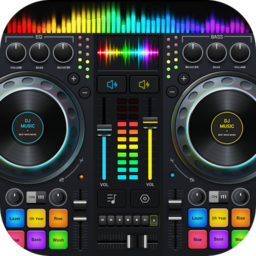


What This DJ App Promises and Who It’s For
DJ Music Mixer – DJ Mix Studio is a free virtual DJ app for Android that lets you mix two tracks on virtual turntables, add sound effects, apply EQ and bass boost, and record your mixes. It’s aimed at casual users who want to play around with mixing at a party or practice basic beat matching, rather than working DJs looking for a serious performance tool. With over 75 million installs, it’s clearly popular as a fun, free option, but the huge review volume also surfaces some serious functional complaints worth knowing about before you download.
The Fun Factor That Keeps Casual Users Hooked
Several users describe being pleasantly surprised after expecting a ‘stupid app’ and instead finding it genuinely enjoyable to mess around with. The sample packs and sound effect pads (gunshot, clap, scratch, boing) get called out as a highlight, and one reviewer specifically praised the bass boosting as a reason for their five-star rating. For someone who just wants to tap pads, spin a virtual disc, and layer some effects over their own music library for fun, the app delivers that basic entertainment value without a paywall blocking core access.
Where the Mixing Tools Fall Apart
The more serious the user, the harsher the criticism gets. Multiple reviewers who have actual DJ experience call out that track synchronization is broken or badly placed in the interface, with one saying the sync button is hidden near the pitch control rather than with the main play controls. Another long-time user was blunt that the turntable’s arm doesn’t match the waveform at all, and that crossfading is anything but smooth, comparing it to ‘a cactus.’ Loop functionality is also flagged repeatedly as unreliable, with one reviewer noting it wastes time when trying to re-enter a loop after leaving it.
Recording Problems That Undermine the Core Feature
Given that HD mix recording is one of the app’s headline features, it’s a real problem that multiple users report it failing outright. One reviewer described trying to record their voice singing over a track, only to have the final audio contain just the music with no vocals at all, and said the issue persisted across multiple attempts. Another user complained about spending significant time recording a mix only to end up with a garbled, unusable result. For an app that markets itself on high-quality uninterrupted recording, this is a meaningful strike against it.
Everyday Annoyances Worth Knowing About
Beyond the bigger issues, smaller frictions add up. One reviewer noted you have to download songs to hear them rather than just streaming, and another pointed out that navigating music folders with hundreds of files means starting the selection process over every time you re-enter a folder. These aren’t dealbreakers on their own, but they chip away at the experience during longer sessions.
Final Verdict on Downloading This App
DJ Music Mixer – DJ Mix Studio is best suited to casual users who want a free, playful way to layer sound effects and mix music for fun, not anyone expecting accurate beat matching, reliable syncing, or dependable recording. If you’ve actually DJed before or need the recording feature to work consistently, the complaints about crossfading, loop bugs, and failed recordings suggest you’ll likely be frustrated. For low-stakes party fun, it’s worth a try since it’s free; for anything more serious, look elsewhere.



