

What This App Actually Offers
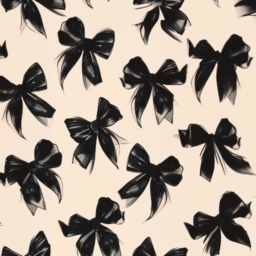
Aesthetic Background by aesthetica is a wallpaper app aimed squarely at teens and young adults who want quick access to curated, trend-driven imagery. It covers a wide net of styles, including pastel, retro, 80s, vaporwave, Kpop-inspired, anime, and rose gold aesthetics. There is no complex editing suite here despite the ‘photo editor’ branding in the description. It is really a browsing-and-downloading tool: pick an image, favorite it, download it, and set it as your wallpaper.
It suits people who want a fast, visual mood board more than anyone looking for actual design or editing tools. If you already know the exact aesthetic you want on your lock screen, this app gives you plenty of raw material to scroll through.
Where It Genuinely Delivers
Real users consistently praise the sheer volume and quality of the images. One reviewer with 3,272 helpful votes said the wallpapers are ‘aesthetically pleasing’ and that they get compliments regularly, also noting you can set a picture as wallpaper without leaving the app. Another reviewer called the selection ‘awesome’ and said there are ‘so many beautiful pictures.’ A third, more measured five-star review said the app is ‘fantastic’ with ‘beautiful aesthetic images,’ even while flagging a loading delay.
The category variety also gets credit, with one reviewer admitting the app has ‘an overwhelming amount of options’ but in a positive sense, appreciating the breadth of styles available.
The Recurring Annoyances Users Report
The most common complaint is speed. Multiple reviewers independently mention slow loading, with one citing roughly 30 seconds to load on their device. A related bug is mentioned by another user who said the app periodically shows an error message before working normally again minutes later, calling it ‘annoying’ but not a dealbreaker for them.
Organization is another sore spot. One three-star review specifically said there is no visible folder for liked or favorited wallpapers, making it hard to find images you have already saved. Uploading your own pictures is also broken for at least one reviewer, who tried more than 10 times without success and wondered if an account was required.
Wallpaper Placement Limitations
Several reviews flag the same functional gap: the app only sets images as the home screen wallpaper, not the lock screen, despite lock screen customization being heavily promoted in the store description. Users have found workarounds, like screenshotting and cropping the image manually through their phone’s gallery app, but this defeats the point of a one-tap wallpaper setter.
Ads and Stability
Ads appear during use, though one reviewer described them as short and skippable, docking only one star for their presence. Stability is inconsistent for some, with one one-star review reporting repeated crashes even on a strong Wi-Fi connection.
Who Should Actually Download This
If you want a large, scrollable library of trendy aesthetic wallpapers and don’t mind occasional load times or ads, this app delivers on its core promise. Skip it if you specifically need lock screen wallpaper setting, photo uploading, or a reliable favorites folder, since those areas are clearly unfinished.