
What DMSS Actually Does and Who Needs It
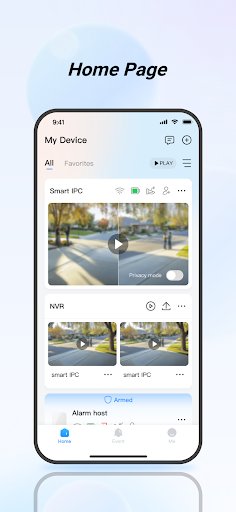
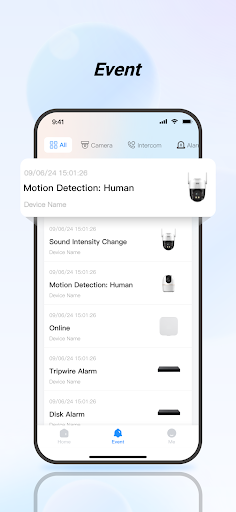
DMSS is a surveillance management app made by Hangzhou Dong Bin Information Technology Co., Ltd. It’s designed to connect to security cameras, alarm hubs, video intercoms, and access control devices so you can watch live feeds, review recorded footage, and get alarm notifications from your phone. This isn’t a consumer camera app tied to one brand of doorbell camera; it’s a broader hub for people who have installed NVR or DVR based CCTV systems, alarm sensors, or door access hardware and need one app to manage all of it. It’s aimed at homeowners with multi-camera setups as well as small business owners monitoring a property, not casual users who just want a single indoor camera feed.
Live View and Playback in Daily Use
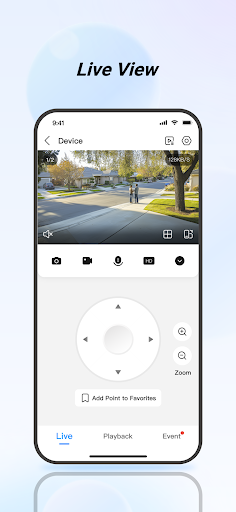
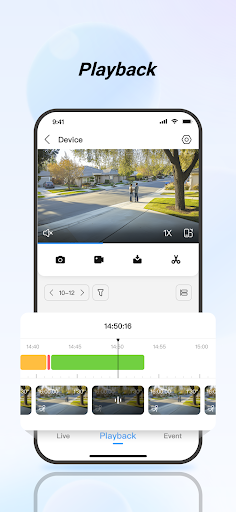
The core promise of DMSS, real-time live view and video playback, works when conditions are right, but reviewers report it frequently isn’t. Multiple users describe seeing a ‘click to reload video’ error on real-time streams, sometimes requiring a phone reboot to fix, even when standing next to the router. Playback has its own problems: the timeline is described as hard to work with, and synchronizing footage from several cameras at once during playback is a persistent frustration. One reviewer also noted that recorded video will load quickly to 90 percent and then stall for a long time before finishing, which undercuts the ‘anytime, anywhere’ promise in the store listing.
Notifications and Alarm Handling Fall Short
Instant alarm notifications are a headline feature, but this is where some of the harshest complaints land. One user reported no push notifications at all since March, something that persisted after an update and apparently went unresolved even after contacting support. Another complaint is the lack of a proper snooze function: motion alerts kept firing for an hour while a gardener worked outside, and the built-in snooze options didn’t actually stop them. For a security app, unreliable or unstoppable alerts is a serious functional gap, not just an annoyance.
Interface Quirks That Add Friction
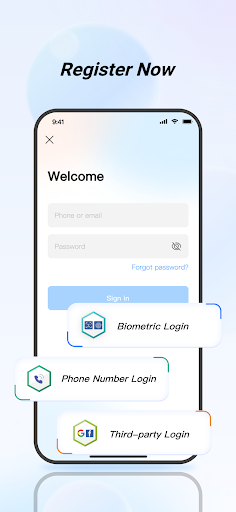
Several smaller design issues compound the bigger problems. The main screen shows options like ‘door’ even for users who don’t have that hardware, cluttering the interface with non-functional buttons. Tips pop up repeatedly on every screen with no way to permanently dismiss them. Camera ordering is another sore point: even after building a ‘Favorite’ list, the app reportedly re-sorts cameras regardless of the order or names you assigned. On top of this, some users have been hit with repeated forced logins and a privacy agreement prompt that wouldn’t close, blocking access to the app entirely until reinstalling.
Who Should Actually Download DMSS
DMSS fits people who already own compatible NVR, alarm hub, intercom, or access control hardware and need a companion app rather than those shopping for a polished standalone camera experience. If your priority is dependable push notifications or smooth multi-camera playback, be aware that a meaningful share of reviewers say those exact features are currently unreliable. It’s a functional but rough tool: install it because your hardware requires it, not because the app experience itself is a selling point.