
Sonos

by Sonos, Inc

4.3 ★ 336K+ reviews
14M+ Installs
06/01/2020 Released
Sonos icon
Sonos icon
Music & Audio

Sonos

by Sonos, Inc

4.3 ★ 336K+ reviews
14M+ Installs
06/01/2020 Released
Advertisements
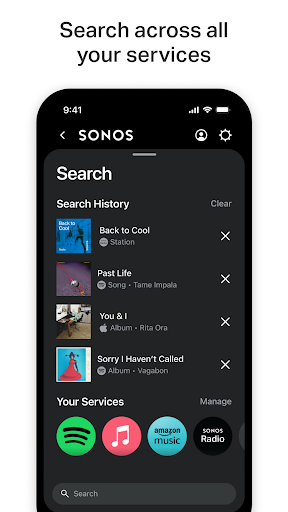
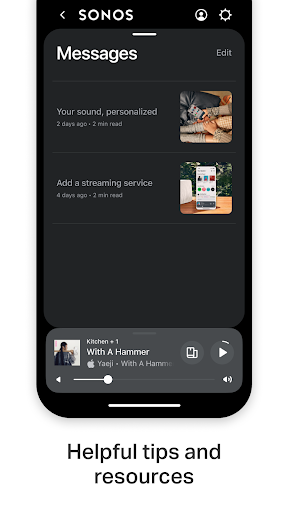
Sonos screenshot 1
Sonos screenshot 2
Sonos screenshot 3
Sonos screenshot 4
Sonos screenshot 5
Sonos screenshot 6

Ratings Breakdown

4.3 ★★★★★ 336K+ ratings
5 ★ 71%
4 ★ 10%
3 ★ 4%
2 ★ 4%
1 ★ 11%

Data from Google Play at the time of writing.

What This App Is Supposed To Do

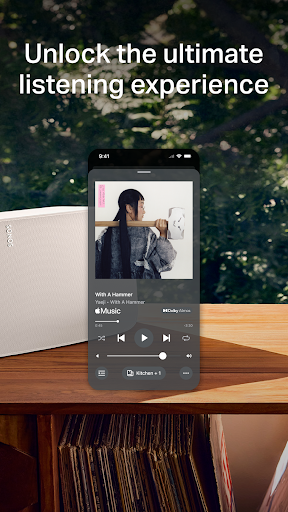
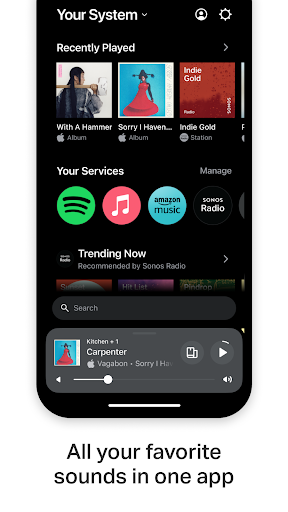
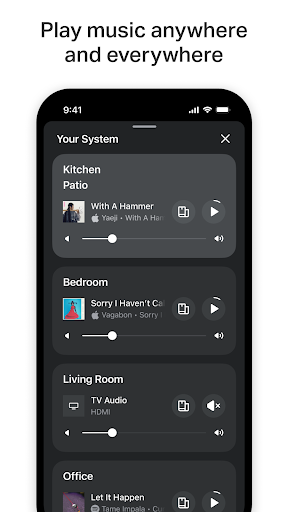
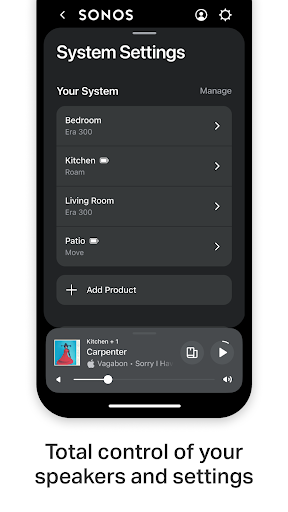
The Sonos app is the required control hub for every Sonos speaker, soundbar, and subwoofer in your home. It handles setup, streaming from services like Spotify, Apple Music, Pandora, and TIDAL, whole-home grouping, and system settings like Trueplay tuning and Sonos Voice Control. If you own Sonos hardware, this app is not optional — it is the only way to play music, so its performance directly determines whether your speakers are usable at all.

Real-World Performance Problems Dominate The Reviews

The most common and most upvoted complaints describe an app that frequently fails to find the user’s own system. Multiple reviewers report opening the app and seeing ‘System Not Found,’ forcing them to close and reopen it repeatedly just to play something. One long-time user said the app forgot their living room speaker entirely and then blocked setup by falsely insisting location services were off. These aren’t edge cases; they’re described as routine, daily friction for people who just want to press play.

Playback Bugs That Go Beyond Annoying

Beyond just finding devices, several reviews describe playback itself breaking down: audio dropping out mid-song, tracks failing to start, and playback jumping unexpectedly between speakers. One especially damning review describes adding a playlist to the queue and having it duplicate itself thousands of times, leaving only a handful of songs stuck on repeat. For an app whose entire job is reliable music playback, these are core-function failures, not minor glitches.

A History of Broken Promises on Fixes

What stands out across reviews is the pattern over time. Multiple users describe a cycle: the app breaks badly after a major update, seems to improve months later, and then breaks again with the next update. One reviewer with over a decade of Sonos ownership described going from ‘working great’ to an ‘epic fail’ update, to a temporary fix at the end of 2024, to broken again after a March 2025 update. This inconsistency has eroded trust even among loyal, invested customers who’ve spent heavily on the hardware ecosystem.

Portable Speaker Owners Face Extra Headaches

Owners of the Sonos Roam report a specific limitation: the app leans heavily on a single fixed home network setup, and it reportedly refuses to function properly when the Roam is out and about on a different WiFi network. For a speaker marketed as portable, this network dependency undermines the actual use case, according to reviewers who bought it specifically to take it on the road.

Who Should Actually Download This

If you already own Sonos hardware, you don’t have a choice — this app is mandatory, bugs and all, so it’s worth going in with realistic expectations about occasional dropouts and ‘system not found’ errors. If you’re considering buying into the Sonos ecosystem for the first time, the reviews strongly suggest waiting to see if reliability improves, since the complaints center on basic functions like finding your system and keeping music playing, not minor cosmetic issues. Current owners frustrated by recent updates are not alone in their experience, and it may be worth checking recent app store feedback before your next Sonos purchase.


Pros

  • ✓Single app controls entire whole-home system
  • ✓Supports many major streaming services
  • ✓Trueplay tuning personalizes speaker sound
  • ✓Simple initial device auto-detection setup
  • ✓Sonos Voice Control offers hands-free playback

Cons

  • ✕Frequently fails to find system
  • ✕Playback drops out or duplicates songs
  • ✕Unreliable after major app updates

What Real Users Say

Jay Hutchinson ★ 1/5

“The promised updates to fix the broken app have made things worse. Expensive speakers are now barely useable and drop out all the time. Adding a playlist to the queue will now duplicate it 30,000 times and only play the same 15 songs or so over and over again. Can't add any addition songs. I feel bad for getting family…”

👍 744 found this helpful
Scott Manuel ★ 1/5

“UPDATE: Still complete garbage. ORIGINAL: Come on Sonos, you can do a lot better. This app is garbage and was not ready for release. It doesn't do the basics. When I open the app, 75% chance it won't recognize my system. The only solution is to close the app and try again. When it does recognize the system, there is…”

👍 294 found this helpful
James Wright ★ 1/5

“Horrible app. Searches and other functionality are bad. Plus every other time the app opens it can't find any Sonos, so I have to open it, close it, and reopen it every time I want to use it. I am so sick of not being able to control my Sonos because of this horrible app. This app is the reason…”

👍 272 found this helpful

Reviews sourced from Google Play, selected by helpfulness at the time of writing.

App Info & Permissions

Developer Sonos, Inc
Content rating Everyone
Contains ads No
Installs 14M+
Released 06/01/2020
Price Free

Permissions this app requests

📍 Location Approximate location (network-based); precise location (GPS and network-based)
🎙️ Microphone Record audio
📶 Wi-Fi connection information View Wi-Fi connections

Similar Apps

Frequently Asked Questions

1

What is Sonos?

Sonos is the official control app for Sonos speakers, soundbars, and subwoofers, letting you stream music, manage whole-home audio, and adjust system settings. It connects to services like Spotify, Apple Music, Pandora, and TIDAL in one interface. It's also required for initial speaker setup and features like Trueplay tuning and Sonos Voice Control. Without it, Sonos hardware cannot be operated.

2

Is the Sonos app free?

Yes, the Sonos app itself is free to download and is required to use any Sonos speaker or soundbar you purchase. There's no extra charge for basic control functions like playback, grouping rooms, or setup. However, you'll still need paid subscriptions to services like Spotify or Apple Music to stream from them.

3

Why does the Sonos app say it can't find my system?

Multiple users report this as a frequent, unresolved issue where the app fails to detect an already set-up Sonos system on first launch. The usual workaround reported by reviewers is closing and reopening the app, sometimes multiple times, until it connects. This appears tied to ongoing instability introduced by past app updates rather than a one-time bug.

4

Does the Sonos app work well with portable speakers like the Roam?

According to user reviews, not consistently. The app is described as heavily reliant on a single home network setup, and some Roam owners report the app refusing to function properly when the speaker is connected to a different WiFi network away from home. This limits the practical portability of the Roam despite it being designed for on-the-go use.

5

Should I download the Sonos app if I already own Sonos speakers?

Yes, since it's the only way to control Sonos hardware, but go in expecting possible reliability issues based on widespread user complaints. Many long-time owners report cycles of the app breaking after updates and improving later, so occasional dropouts or connection errors are common. Keeping the app updated and being patient with restarts seems to be the current reality for most users.

