



What Messenger Kids Actually Is
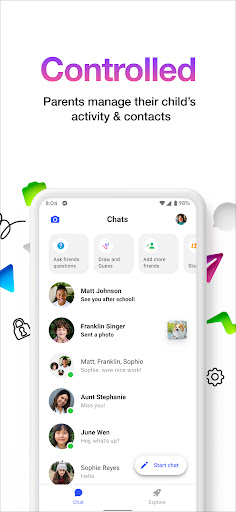
Messenger Kids is Meta’s chat and video calling app built for children, with parents holding the keys through a companion Parent Dashboard. Parents manage the contact list, get notified when a kid blocks someone, and can set bedtime usage limits. There are no ads and no in-app purchases, and kids can sign up with just a parent-linked account rather than a phone number, which makes it an easy entry point for families who want their child chatting with relatives and approved friends without a full social media account.
Where It Delivers for Families
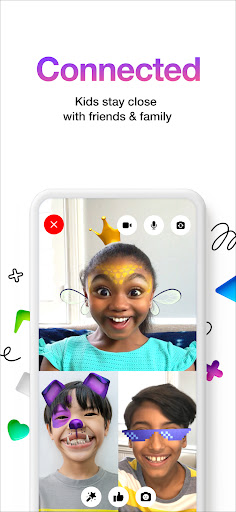
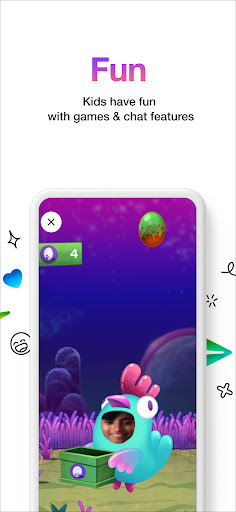
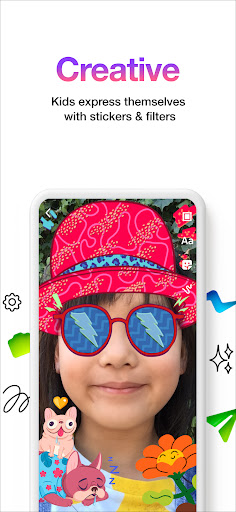
The core chat and video experience works as advertised for most users. Reviewers consistently mention enjoying texting and video calling friends and family, especially during periods like quarantine when in-person contact was limited. The fun filters, reactions, and sound effects during video chats get called out as genuinely fun additions, and the drawing tools, stickers, GIFs, and emojis give kids more than one way to express themselves in a conversation. One user specifically said the app helped them reconnect with a friend they hadn’t seen in a while, which speaks to the app doing its basic job well.
The Bugs That Keep Showing Up
The complaints are frequent and specific. Multiple reviewers describe a photo-viewing bug where clicking on any image in a batch of photos only opens the first one sent, making it hard to actually see what was shared. Others report serious setup problems: blank home screens after adding contacts, kids receiving messages but being unable to reply except through a notification that disappears after a few seconds, and repeated ‘Login Error’ messages that block verification entirely, even after uninstalling, reinstalling, and clearing cache. Video calls can also be slow to connect, with one user waiting around two minutes before a call actually starts.
Smaller Annoyances Worth Knowing About
Beyond the bigger bugs, there’s a list of smaller frustrations. Typed emoticons like ‘:)’ get auto-converted to emoji with no way to turn that off. The drawing tool is limited to a small color selection with no paint bucket fill or zoom function. Profile pictures must be taken live in the moment rather than chosen from an existing photo. There’s also no way to voice-call without video, and screen recording during calls isn’t supported. Theming is inconsistent too, with some devices getting full customization and others stuck with a single dark blue layout.
Who Should Actually Download This
Messenger Kids makes sense for parents who want tight oversight of who their child talks to and when, without worrying about ads or purchases sneaking in. It’s a reasonable pick for connecting kids with grandparents, cousins, or close friends under supervision. That said, families should go in expecting some rough edges: login and setup issues serious enough to block use entirely for some households, a persistent photo-viewing bug, and a handful of missing features like audio-only calls or a fuller drawing toolkit. If your household hits the login errors others describe, be prepared to troubleshoot or wait on a fix rather than assume it’s a quick setup.



