
PowerDirector – Video Editor

by Cyberlink Corp

4.2 ★ 1.7M+ reviews
143M+ Installs
06/04/2014 Released
PowerDirector – Video Editor icon
Video Players & Editors

PowerDirector – Video Editor

by Cyberlink Corp

4.2 ★ 1.7M+ reviews
143M+ Installs
06/04/2014 Released
Advertisements
PowerDirector – Video Editor screenshot 1
PowerDirector – Video Editor screenshot 2
PowerDirector – Video Editor screenshot 3
PowerDirector – Video Editor screenshot 4
PowerDirector – Video Editor screenshot 5
PowerDirector – Video Editor screenshot 6

Ratings Breakdown

4.2 ★★★★★ 1.7M+ ratings
5 ★ 70%
4 ★ 11%
3 ★ 4%
2 ★ 3%
1 ★ 13%

Data from Google Play at the time of writing.

What PowerDirector Actually Offers

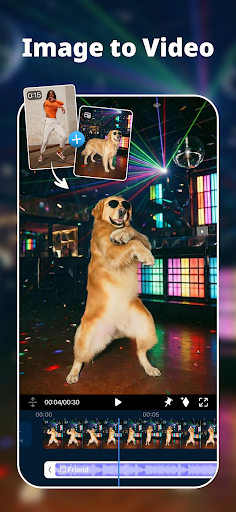
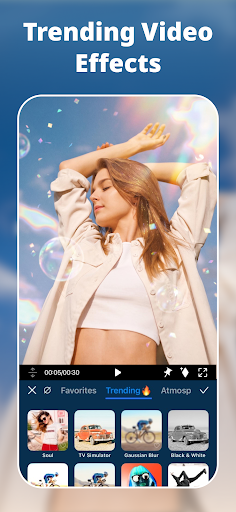
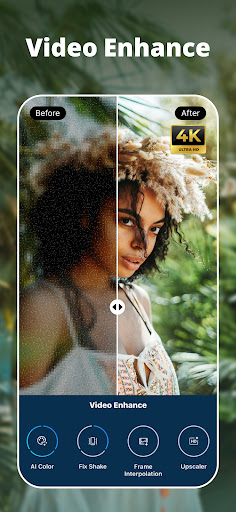
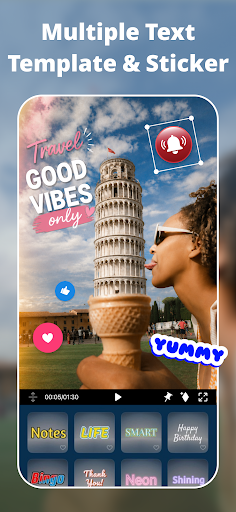
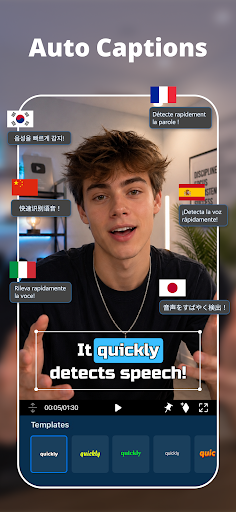
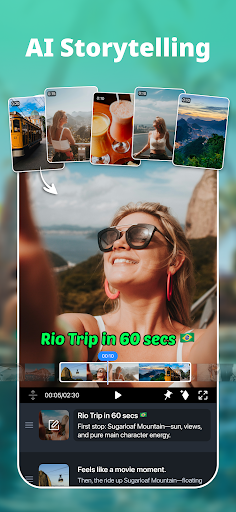
PowerDirector is Cyberlink’s mobile video editor built for people who want to make TikTok, Reels, and Shorts content without touching a desktop. It covers the basics — trimming, cropping, transitions, text and stickers — but also leans hard into AI features like text-to-video, image-to-video, AI Auto Edit, and background removal. There’s also a more serious side with a multi-track timeline, keyframes, chroma key, and HDR export, so it’s aiming at both casual social media users and people who want slightly more advanced control without a full desktop suite.

Where It Performs Well

Long-term users consistently praise how approachable it is. One reviewer called it their main editor for three years, citing easy access to music, transitions, and effects, plus integration with the Facebook Creator Sound Collection. Another said they immediately paid for the full version after trying the free tier, and a four-year user described it as staying up-to-date with new tools while remaining inexpensive. For people making short-form content like vlogs or Gacha Life videos, the core editing workflow seems to genuinely click once you get past the learning curve.

The Frustrations Users Report

The complaints are specific and recurring. One user spent 6-7 hours a day for 10 days on a single 10-minute video because stickers and effects kept shifting to the wrong places, and called the subscription price hard to justify given that experience. Audio glitching into a ‘Nightcore’-style pitch shift during editing was flagged by another reviewer as an unresolved annoyance. Google Drive uploads have also been reported as unreliable, with one user describing an export stuck at 23% for an hour before crashing and forcing a restart. On top of that, a longtime free-tier user said the app recently started forcing a watermark on exports, pushing them to look for a replacement rather than pay for a subscription just to remove it.

Is the AI Really Worth It

The AI tools are the headline feature in the marketing, but real-world feedback is mixed. One reviewer bluntly called the AI features ‘a joke,’ noting that turning a photo or video into an animated version doesn’t produce anything convincing enough to show someone as a finished product. They also pointed out that the core editor doesn’t feel meaningfully more capable than the stock editor already built into some Samsung phones. If you’re downloading specifically for the AI-generation hype, it’s worth tempering expectations.

Who Should Download This

If you want a mobile-first editor for straightforward short-form content — cuts, music, text, filters — and you’re fine with occasional bugs and a subscription for watermark-free exports, PowerDirector still holds up for plenty of long-term users. If you’re chasing polished AI video generation or plan to edit longer, complex projects with lots of layered effects, be prepared for potential instability and a real time investment fixing things that shift or glitch. It’s a capable app with real fans, but it’s not glitch-free, and the AI tools don’t fully live up to the pitch yet.


Pros

  • ✓Easy to learn for beginners
  • ✓Strong music and transition library
  • ✓Frequent updates with new tools
  • ✓Good for short-form social content
  • ✓Affordable compared to some competitors

Cons

  • ✕Effects and stickers can shift unexpectedly
  • ✕Audio glitches during editing reported
  • ✕Forced watermark without subscription

What Real Users Say

K. K. ★ 1/5

“This app is TERRIBLE!!! I was working for 6-7 hours every single day for 10 days now to create a video of 10 minutes. The subscription is incredibly expensive for what it is. I have sleepless night because I have to keep fixing ALL stickers and ALL effects that shifted to ALL the wrong places, and it's HOURS AND HOURS…”

👍 531 found this helpfulDeveloper responded
mini beluga whale ★ 5/5

“I love this app. It's rather easy to get a handle on, and it's rather easy to use. My only thing is that when I'm editing a video, the audio often glitches out and sounds like it was turned Nightcore... I don't know if this is just me though. I use it to make Gacha Life videos and it's great…”

👍 278 found this helpful
Rockin Jim Dilbeck ★ 5/5

“This has been my main editor for the last 3 years. No more sitting at a computer. I can edit my vlogs on the go, and it is easy to use. Add music, transitions, and special effects with ease. I like that it has access to Facebook Creator Sound Collection in the spp. If you are able to add YouTube's…”

👍 276 found this helpfulDeveloper responded

Reviews sourced from Google Play, selected by helpfulness at the time of writing.

App Info & Permissions

Developer Cyberlink Corp
Content rating Everyone
Contains ads Yes
In-app purchases $0.99 - $249.99 per item
Installs 143M+
Released 06/04/2014
Price Free

Permissions this app requests

📱 Device ID & call information Read phone status and identity
🎙️ Microphone Record audio
📞 Phone Read phone status and identity
🖼️ Photos/Media/Files Read the contents of your USB storage; modify or delete the contents of your USB storage
💾 Storage Read the contents of your USB storage; modify or delete the contents of your USB storage
📶 Wi-Fi connection information View Wi-Fi connections

Similar Apps

Frequently Asked Questions

1

What is PowerDirector - Video Editor?

PowerDirector is a mobile video editing app from Cyberlink designed for creating short-form content for platforms like TikTok, Reels, and Shorts. It includes standard editing tools like trimming and transitions plus AI features such as text-to-video and background removal. It also offers more advanced options like a multi-track timeline and HDR export for users wanting extra control.

2

Is PowerDirector free to use?

PowerDirector has a free tier with core editing features, but some effects, filters, and export options are locked behind a subscription. Users have also reported that exports without a subscription now include a forced watermark, which was previously avoidable. If you want ad-free editing and full access to premium assets, you'll need to pay for the upgraded plan.

3

Does PowerDirector's AI actually work well?

Reviews are mixed on this. Some users find AI Auto Edit and similar tools genuinely useful for quick edits, while others describe the AI-generated animations as unconvincing and not something they'd confidently show to others. If AI generation quality is your main reason for downloading, it's worth testing the free version first before committing to a subscription.

4

Are there bugs or reliability issues in PowerDirector?

Yes, several recurring issues show up in reviews, including stickers and effects shifting positions unexpectedly, audio pitch glitching during playback, and exports to Google Drive stalling or crashing partway through. These issues have caused significant time loss for some users working on longer projects. It's a good idea to save progress frequently and export in smaller segments if you hit similar problems.

5

Is PowerDirector worth downloading?

For quick, casual edits of short social media videos, PowerDirector is worth trying, especially given its long track record with users who've stuck with it for years. If you need it for complex, lengthy projects or expect flawless AI video generation, you may run into frustrations reported by other users, including bugs and inconsistent AI output. It's a solid but imperfect option worth testing in its free form first.

