
Apple Music

by Apple

4.6 ★ 740K+ reviews
197M+ Installs
11/10/2015 Released
Apple Music icon
Apple Music icon
Music & Audio

Apple Music

by Apple

4.6 ★ 740K+ reviews
197M+ Installs
11/10/2015 Released
Advertisements
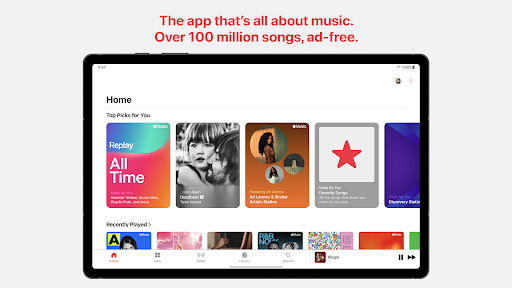
Apple Music screenshot 1
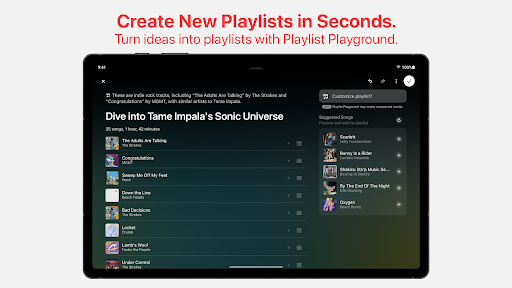
Apple Music screenshot 2
Apple Music screenshot 3
Apple Music screenshot 4
Apple Music screenshot 5
Apple Music screenshot 6

Ratings Breakdown

4.6 ★★★★★ 740K+ ratings
5 ★ 83%
4 ★ 8%
3 ★ 3%
2 ★ 2%
1 ★ 5%

Data from Google Play at the time of writing.

What Apple Music Offers and Who It’s For

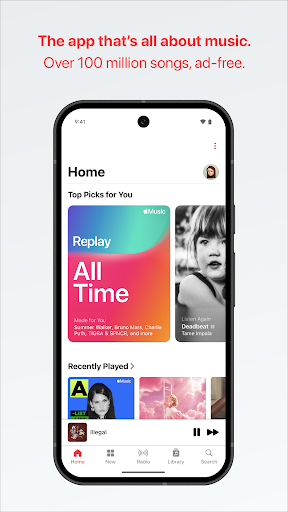
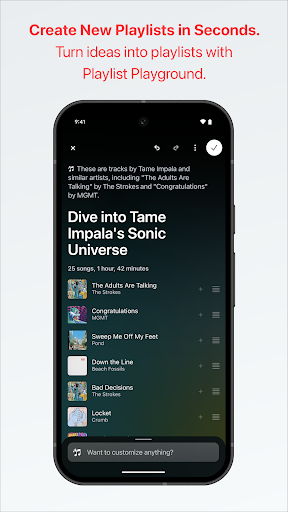
Apple Music is Apple’s subscription streaming service, giving access to over 100 million songs along with curated playlists, personalized stations, lyrics with translations, exclusive radio shows, and artist interviews. It’s built for listeners already in the Apple ecosystem, though Apple has made a real effort to support Android users too, with Android Auto and Chromecast support. If you want lossless and Spatial Audio without paying extra on top of your subscription, and you care about editorial content around music rather than just the songs themselves, this app is aimed squarely at you.

Where the App Actually Shines

Real users consistently praise the depth of content here. One five-star reviewer called it ‘one of the best music streaming apps out there’ specifically because of the radio shows, interviews, and compilations that help surface artists and genres they hadn’t explored before. Another reviewer highlighted the album organization system, praising how it separates studio albums, live recordings, EPs, and compilations, calling the overall experience ‘probably the best streaming app out’ in terms of audio quality and library management. For listeners who want more than a bare-bones player, this editorial and organizational layer is a genuine differentiator from competitors.

The Playback Problems That Keep Coming Up

The most damaging and frequently repeated complaint is playback simply breaking. One heavily-upvoted review describes downloaded songs constantly freezing in buffering, forcing the listener to skip tracks roughly every hour despite having strong signal, and states plainly that ‘it’s obviously a problem with their UI/music player.’ Others report the app suddenly stopping entirely, with no error message and nothing happening at all when pressing play on downloaded songs, albums, or live content. A separate reviewer noted the app went from working perfectly to failing completely overnight, and reinstalling didn’t fix it. These aren’t rare edge cases in the feedback — they show up across multiple reviews as an ongoing reliability issue.

Android and Account Friction

Android users in particular report friction beyond playback bugs. One reviewer trying to log in without their original Apple device found pages wouldn’t load and navigation was nearly impossible, calling the experience ‘very frustrating.’ Another pain point specific to Android Auto is that voice commands to play songs don’t work unless the phone is unlocked first, which undermines the hands-free promise of car integration. There are also complaints about purchased songs from iTunes becoming inaccessible without an active subscription, which frustrates longtime iTunes customers who feel they’re being charged twice for music they already own.

Search and Catalog Quirks

Even satisfied users flag search as an area needing work, with one four-star reviewer noting the search function could use improvement and that the ‘appears on’ section for albums sometimes misses entries. These are smaller annoyances compared to the playback failures, but they add up for anyone relying on the app daily to find specific tracks or explore an artist’s full discography.

Final Verdict on Downloading Apple Music

Apple Music delivers real strengths in content depth, audio quality, and library organization that are hard to find elsewhere. But the recurring playback freezes, sudden total failures, and rougher Android experience are serious enough that reliability-focused listeners should go in with tempered expectations. It’s worth trying if you value curated content and sound quality, but keep an eye out for the bugs others have reported.


Pros

  • ✓Deep library with 100 million-plus songs
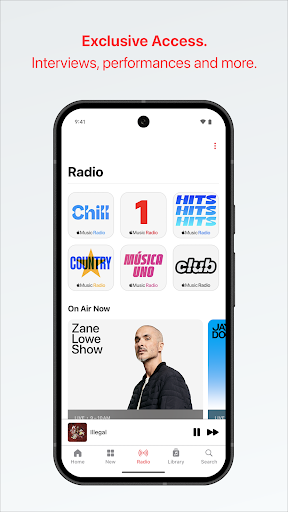
  • ✓Strong editorial content like interviews and radio
  • ✓Detailed album organization by type
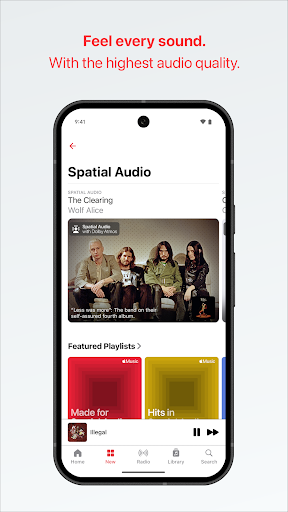
  • ✓High audio quality with lossless and Spatial Audio
  • ✓Android Auto and Chromecast support

Cons

  • ✕Frequent playback freezing and buffering issues
  • ✕App sometimes stops working entirely
  • ✕Rougher login and navigation experience on Android

What Real Users Say

Cthulhu ★ 1/5

“I really wish my "downloaded" music didn't constantly get frozen in buffering. Every hour or so I have to take out my phone and skip a song that refuses to play. Even if it wasn't downloaded I have great signal most of the time, so it's obviously a problem with their UI/music player. It's been broken for the last five…”

👍 5,956 found this helpful
Joseph ★ 5/5

“I think Apple Music is one of the best music streaming apps out there. Especially because of all the radio shows, interviews, playlists, and compilations to explore genres and artists I've never heard of before. I also really like managing my collection with it because, for example, I can go to an album, add the songs I like the most…”

👍 693 found this helpful
Douglas Hague ★ 4/5

“Apple music is probably the best streaming app out. the audio quality is great and album organization (studio, live, ep, comps, appears on) is incredible tho sometimes the appears on is missing an album or two but that's understandable. My biggest gripe is the search function. If search could be improved to more accurately show results (e.g.not show songs that…”

👍 298 found this helpful

Reviews sourced from Google Play, selected by helpfulness at the time of writing.

App Info & Permissions

Developer Apple
Content rating Teen
Contains ads No
In-app purchases $5.99 - $199.99 per item
Installs 197M+
Released 11/10/2015
Price Free

Permissions this app requests

📷 Camera Take pictures and videos
👥 Contacts Read your contacts
📍 Location Approximate location (network-based)
🖼️ Photos/Media/Files Read the contents of your USB storage; modify or delete the contents of your USB storage
💾 Storage Read the contents of your USB storage; modify or delete the contents of your USB storage
📶 Wi-Fi connection information View Wi-Fi connections

Similar Apps

Frequently Asked Questions

1

What is Apple Music?

Apple Music is a subscription-based streaming service from Apple offering access to over 100 million songs, personalized playlists and stations, lyrics with translations, exclusive radio shows, and artist interviews. It supports offline downloads, lossless and Spatial Audio, and works across iOS, Android, and car systems like Android Auto. It's designed as an all-in-one music platform combining streaming with editorial content.

2

Is Apple Music free?

No, Apple Music requires a paid subscription and does not offer a permanent free tier. Subscriptions automatically renew unless canceled at least 24 hours before the current period ends. Some users may access a limited trial period before being charged, but ongoing use requires payment.

3

Does Apple Music work well on Android devices?

It works, but several reviewers report a rougher experience on Android compared to iOS, including trouble logging in without an Apple device and pages failing to load. Playback bugs like freezing and buffering have also been reported on Android. It's functional but not as polished as the native iOS experience.

4

Why does Apple Music keep buffering or freezing?

Multiple users report that even downloaded songs get stuck buffering and require manually skipping tracks, which several reviewers attribute to issues with the app's player rather than network signal. Some users have experienced the app stop playing anything at all, even after reinstalling. This appears to be an ongoing, unresolved issue rather than an isolated case.

5

Can I access music I previously bought on iTunes?

Some reviewers report frustration that previously purchased iTunes songs became inaccessible without an active Apple Music subscription. This has led to complaints about feeling charged twice for the same music. If this matters to you, verify how your existing purchases integrate with the subscription before relying on it.

