
Zoom Workplace for Intune

by zoom.com

3.7 ★ 30K+ reviews
18M+ Installs
05/20/2019 Released
Zoom Workplace for Intune icon
Business

Zoom Workplace for Intune

by zoom.com

3.7 ★ 30K+ reviews
18M+ Installs
05/20/2019 Released
Advertisements
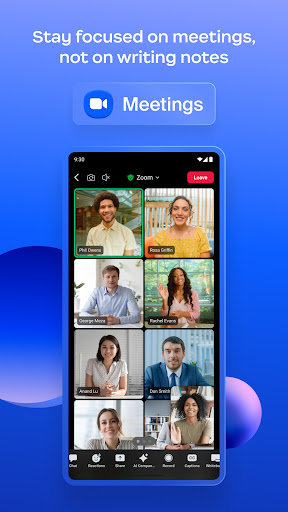
Zoom Workplace for Intune screenshot 1
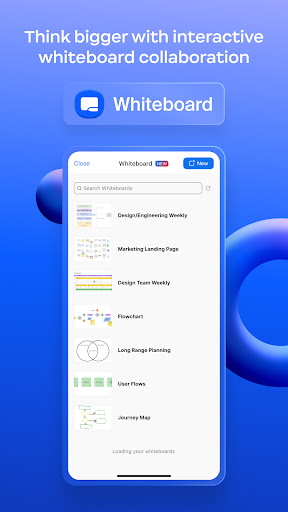
Zoom Workplace for Intune screenshot 2
Zoom Workplace for Intune screenshot 3
Zoom Workplace for Intune screenshot 4
Zoom Workplace for Intune screenshot 5
Zoom Workplace for Intune screenshot 6

Ratings Breakdown

3.7 ★★★★★ 30K+ ratings
5 ★ 55%
4 ★ 10%
3 ★ 10%
2 ★ 6%
1 ★ 20%

Data from Google Play at the time of writing.

What This App Is Built For

Zoom Workplace for Intune is not the regular Zoom app most people know. It is a special build meant for companies enrolled in Microsoft Intune mobile application management, aimed at IT departments that need to protect corporate data on BYOD phones and tablets. It carries the same core Zoom Workplace features, chat, meetings, phone, calendar, but wraps them in a managed container that IT can wipe remotely if a device is lost or an employee leaves. This app is only relevant if your employer specifically instructs you to install it alongside a Microsoft work account; it requires a managed environment to function at all, and it’s the wrong download for anyone just wanting normal Zoom meetings.

Where It Actually Delivers

When everything is configured correctly on the backend, users report that joining meetings works fine and the core call experience is solid, one reviewer specifically noted it ‘does great to join meetings.’ For organizations that need to enforce data-loss prevention on personal devices, that protective layer is the entire point of this app, and it does give IT the ability to remotely remove the app and its data from a lost or stolen phone, which is a real security benefit not found in the consumer version.

The Login and Sync Problems Users Keep Hitting

The most common and heavily upvoted complaints center on connectivity. Multiple users describe the app getting stuck endlessly ‘spinning’ when trying to connect to a work account, even after the account is already added, with inconsistent behavior from one day to the next. Others say the app simply won’t download or install at all despite a solid connection. A recurring theme is meetings not showing up even while the user appears logged in, forcing people to clear app data and log back in repeatedly just to get scheduled meetings to load, sometimes only after long waits described as ‘checking your organization’s data requirements’ for five to ten minutes before forcing a restart.

Notifications and Call Handling Are Rough

Beyond login trouble, reviewers flag poor notification controls, the app can vibrate and alert for incoming calls even with notifications fully disabled, and offers no easy way to individually silence or decline a call. Users on newer Android devices, including a Pixel 10, report the app says they’re logged in yet fails to find any scheduled meetings, making it unreliable exactly when it’s needed most, like right before a meeting starts.

Trust and Confusion Concerns

Because this app looks similar to standard Zoom but demands a Microsoft password and behaves differently, at least one reviewer mistook it for spyware after unexpected phone behavior post-install. This confusion is understandable given the store listing’s technical framing, and IT departments rolling this out should prepare employees for what permissions and prompts to expect.

Who Should Actually Install This

This app makes sense only for employees explicitly told by their IT administrator to use it for BYOD compliance under Intune. If that’s not your situation, download the standard Zoom Workplace app instead. Even for its intended audience, be ready for login instability, missed meetings from sync failures, and weak call notification controls, this is functional but frequently frustrating software that needs real reliability improvements.


Pros

  • ✓Lets IT remotely wipe app data
  • ✓Solid meeting join experience when working
  • ✓Keeps corporate data isolated on BYOD
  • ✓Integrates with Microsoft Intune management
  • ✓Supports full Zoom Workplace feature set

Cons

  • ✕Frequent login and sync spinning issues
  • ✕Poor notification and call decline controls
  • ✕Slow or failed data requirement checks

What Real Users Say

Paidra Fortenberry ★ 1/5

“I'm trying to download this app for important buisness purposes as I was encouraged to do so and I've been now trying to download this app for about 2 hours now, and It wont download for nothing!! My data / wifi is perfect and ready to get the job done. It's not my data, nor wifi it's this app apparently…”

👍 3,872 found this helpful
Naga Naveen Kumar Polavarapu ★ 1/5

“every time i try to connect to my work account, it keeps spinning and it doesnt connect. the account is already added, but it keeps spinning and not connect. its not the same behavior every time. sometimes it connects and keeps showing as connecting other times. i never had this problem with older versions but seems broken from couple of…”

👍 1,762 found this helpful
Sir Hellride ★ 2/5

“While this app does great to join meetings, the call and notification portion is the worst. You can't tell this app to not notify you individually so despite all notifications being turned off it'll still vibrate when a call comes in and show you nothing. You can't simply decline a call or silence the ringer when notifications are turned on,…”

👍 380 found this helpful

Reviews sourced from Google Play, selected by helpfulness at the time of writing.

App Info & Permissions

Developer zoom.com
Content rating Everyone
Contains ads No
Installs 18M+
Released 05/20/2019
Price Free

Permissions this app requests

📅 Calendar Read calendar events plus confidential information; add or modify calendar events and send email to guests without owners' knowledge
📷 Camera Take pictures and videos
👥 Contacts Find accounts on the device; read your contacts; modify your contacts
📱 Device ID & call information Read phone status and identity
🪪 Identity Find accounts on the device; add or remove accounts
📍 Location Approximate location (network-based); precise location (GPS and network-based)
🎙️ Microphone Record audio
📞 Phone Directly call phone numbers; read phone status and identity
🖼️ Photos/Media/Files Read the contents of your USB storage; modify or delete the contents of your USB storage
💾 Storage Read the contents of your USB storage; modify or delete the contents of your USB storage
📶 Wi-Fi connection information View Wi-Fi connections

Similar Apps

Frequently Asked Questions

1

What is Zoom Workplace for Intune?

It's a special version of Zoom Workplace designed for businesses using Microsoft Intune to manage mobile devices. It lets IT administrators apply mobile application management policies to protect corporate data on employee-owned phones and tablets. Unlike the standard Zoom app, it requires a company work account and a Microsoft managed environment to function. It includes the same meetings, chat, and calendar features but wrapped in a security layer controlled by IT.

2

Is Zoom Workplace for Intune free?

The app itself is free to download, but it only works if your employer has set up a Microsoft managed environment and provided you with a work account. There's no standalone personal use case since functionality depends entirely on your company's IT configuration. Any licensing costs for Zoom or Intune are handled at the organizational level, not by individual users.

3

Why won't the app connect to my work account?

Many users report the app getting stuck 'spinning' when trying to connect, even when the account is already added. This appears to be an inconsistent bug rather than a one-time setup issue, since some reviewers say it sometimes connects fine and other times doesn't. Clearing the app's data and signing in again has helped some users temporarily resolve it, but there's no guaranteed permanent fix reported.

4

Can I use this instead of the regular Zoom app?

No, this app is specifically meant for enterprise users required by their company to use it under Microsoft Intune management. If you just want to join or host regular meetings, you should download the standard Zoom Workplace app instead. This version won't even function properly without a company-managed Microsoft account.

5

Does it protect company data if my phone is lost?

Yes, that's one of its core purposes. IT administrators can remotely remove the app and any associated corporate data from a lost or stolen device without affecting the rest of the phone. This selective wipe capability is the main reason this Intune-specific version exists instead of just using the regular Zoom app.

