

What Workday Does and Who It’s For
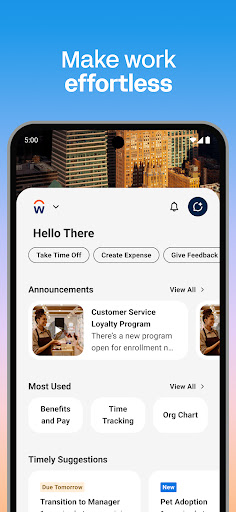
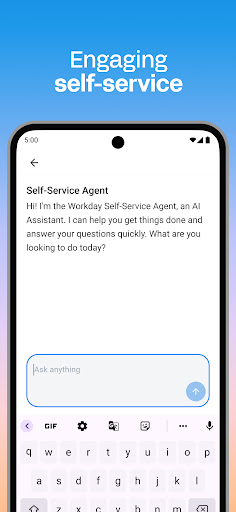
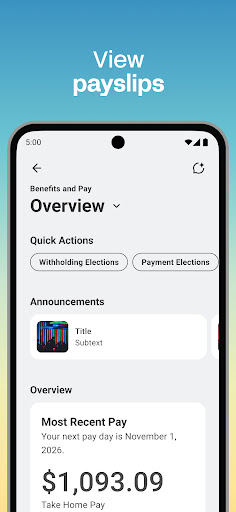
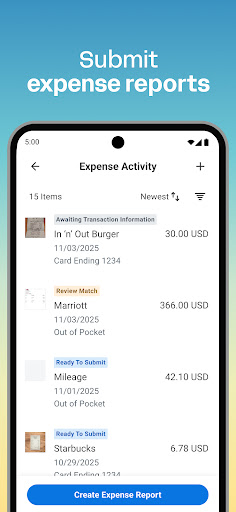
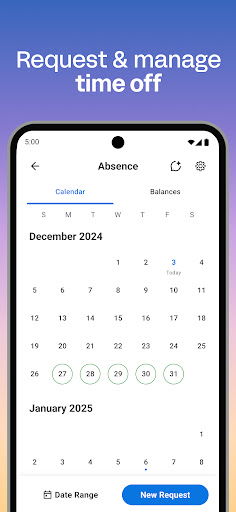
Workday is the mobile companion to the Workday HR and finance platform used by large employers to handle payroll, time tracking, and human resources. If your employer uses Workday on the backend, this app is how you clock in and out, submit timesheets and expenses, view payslips, request time off, and browse internal job postings. Managers get an additional layer of tools for approving requests, adjusting employee roles, managing compensation, and running performance reviews. It’s not something you choose to install for fun; it’s assigned to you by an employer, so the audience is essentially anyone whose company runs its HR operations on Workday.
Where It Actually Helps in Daily Use
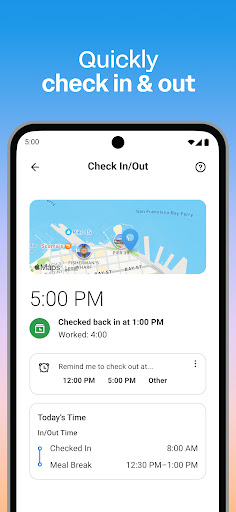
When it works, the app does consolidate a lot of HR busywork into one place. Users note that the app can be more convenient than the desktop browser version for basic tasks, and having payslips, time-off requests, and check-in/check-out functions all in a single mobile interface is genuinely useful for people who are on their feet or moving between locations rather than sitting at a desk all day. The interactive reports and dashboards for managers, plus the ability to approve requests with a tap, are the kind of features that sound good on paper and can save time when the underlying login and sync issues aren’t getting in the way.
Login and Authentication Problems That Won’t Go Away
The most consistent and heavily-upvoted complaints are about authentication. Multiple reviewers report that ‘Stay signed in’ and biometric login simply don’t persist, forcing them to re-enter passwords or PINs constantly. One reviewer says they’re asked to reset their PIN once or twice a month, which is a five-minute process that seems to strike at random, including right before a shift starts. Others describe two-factor verification texts that never arrive, and cryptic errors claiming login was successful but that the account ‘does not meet the criteria to access this resource,’ even when sitting at a desk with a normal connection.
Time Tracking Quirks That Cause Real Friction
Beyond login, the app has specific functional gaps. One reviewer points out that the app won’t let you submit a time-off request longer than 8 hours even though the browser version allows it, forcing workarounds that create extra steps for supervisors. Another notes that the check-in button sometimes disappears entirely, requiring a manual search to find it before clocking in. Copying time entries from a previous pay period is described as ‘effectively worthless,’ and reviewing overall time entries is harder than it should be, which undercuts the app’s core selling point as a faster alternative to desktop.
Final Verdict on Downloading Workday
Workday isn’t optional for most people who have it, since it’s tied to employer systems, but going in with realistic expectations helps. The feature set is broad and covers real HR needs, but recurring login failures, PIN resets, and missing biometric persistence are frequent enough across reviews to be considered typical rather than rare. If your company requires it, install it and expect occasional friction around sign-in. If you have a choice, stick to the desktop browser for anything involving time-off requests longer than 8 hours or reviewing detailed timesheet history.



