
Wells Fargo Mobile®

by Wells Fargo Mobile

4.8 ★ 2.8M+ reviews
46M+ Installs
05/26/2010 Released
Wells Fargo Mobile® icon
Finance

Wells Fargo Mobile®

by Wells Fargo Mobile

4.8 ★ 2.8M+ reviews
46M+ Installs
05/26/2010 Released
Advertisements
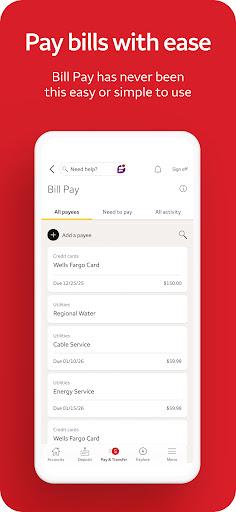
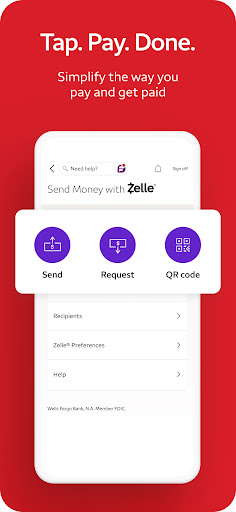
Wells Fargo Mobile® screenshot 1
Wells Fargo Mobile® screenshot 2
Wells Fargo Mobile® screenshot 3
Wells Fargo Mobile® screenshot 4
Wells Fargo Mobile® screenshot 5
Wells Fargo Mobile® screenshot 6

Ratings Breakdown

4.8 ★★★★★ 2.8M+ ratings
5 ★ 90%
4 ★ 7%
3 ★ 2%
2 ★ 0%
1 ★ 1%

Data from Google Play at the time of writing.

What This App Is Built to Do

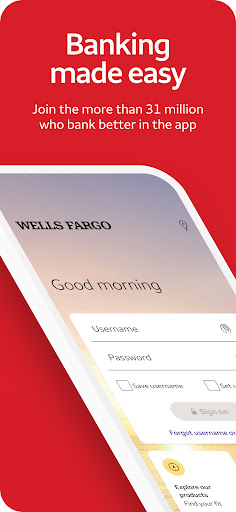
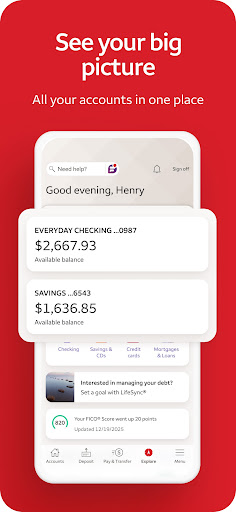
Wells Fargo Mobile is the official banking app for Wells Fargo customers, covering everyday checking and savings accounts, credit cards, and WellsTrade investment accounts all in one place. It’s aimed at existing Wells Fargo customers who want to check balances, deposit checks with their phone camera, pay bills, send money through Zelle, and keep an eye on investment holdings without visiting a branch. Anyone already banking with Wells Fargo is the target user; it’s not a standalone product for people shopping around for a new bank.

Where It Actually Delivers

When it works, the core feature set is genuinely useful. Mobile check deposit, transfers between accounts, Zelle payments, and the ability to turn a card on or off from your phone are the kind of conveniences that make daily banking easier. Access to your FICO Credit Score and fraud alerts through the Security Center add real value without needing a separate app. For basic account monitoring and moving money, several users note the app is ‘perfectly fine’ or at least serviceable for routine tasks.

The Sign-In Problems That Keep Coming Up

The most consistent and damaging complaint across reviews is that logging in simply doesn’t work reliably. Users report messages like ‘Your sign on cannot be completed at this time’ even though the website functions normally, and others describe needing three or four attempts before the app finally lets them in. One reviewer said they now have to use biometrics twice in a row just to get past the login screen, and even then, tapping into account details throws an error. This isn’t a minor annoyance — it’s the app failing at its most basic job, and it appears to have gotten worse after recent updates rather than better.

Pending Transactions and Interface Clutter

Beyond login failures, a recurring frustration is how slowly the app reflects pending deposits and transactions, even when the money is clearly accounted for elsewhere in the account. Several users also complain about the app repeatedly prompting them to update phone numbers that are already correct, and about a growing pile of ‘tips,’ pop-ups, and extra pages that get in the way of just checking a balance. One reviewer switched to using the mobile website instead, saying the app now has more pop-ups than the site ever did. None of these are catastrophic on their own, but together they make the app feel less polished than a bank of this size should offer.

Customer Support Runs in Circles

When the app breaks, getting help isn’t straightforward. Multiple reviewers mention emailing support only to be told to call the 800 number, and then getting stuck there too. For an app tied to financial accounts, that kind of dead-end support loop is a real problem when you can’t access your own money through the app you’re supposed to rely on.

Who Should Actually Download This

If you’re a Wells Fargo customer who mainly needs mobile deposit, quick balance checks, and Zelle transfers, and your device happens to play nicely with the current version, this app can handle the basics fine. But given the frequency of login failures, blank screens, and post-update regressions reported by users, go in expecting occasional frustration, and keep the mobile website bookmarked as a backup for when the app won’t cooperate.


Pros

  • ✓Mobile check deposit works as advertised
  • ✓Zelle transfers built directly into app
  • ✓Card on/off controls are handy
  • ✓FICO Score access included free
  • ✓Useful fraud alerts and security center

Cons

  • ✕Frequent login and sign-on failures
  • ✕Pending transactions update very slowly
  • ✕Support often redirects to phone calls

What Real Users Say

Josh Potts ★ 3/5

“Kind of getting tired of how long it takes the App to process payments. It's in the account, money is accounted for, both deposits AND transactions but the App is constantly like "I'll get around to those pendings one of these days." If that could be tightened up a bit, it'd be a 5 star app. Good way to get…”

👍 1,451 found this helpfulDeveloper responded
Keres Howell ★ 1/5

“This app was perfectly fine up until the last update. I'm not sure what happened, or if it doesn't support Samsung products, but I can no longer sign onto the app. Whenever I log in it shows the error message of "Your sign on cannot be completed at this time", but the website works just fine. If I wasn't on…”

👍 499 found this helpfulDeveloper responded
J Brand ★ 3/5

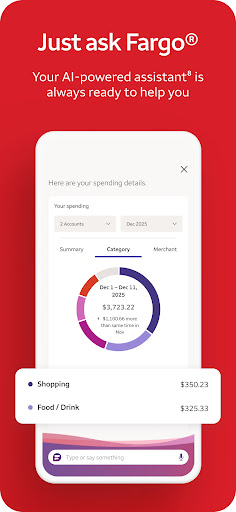
“Just use the website. the only reason I switched to the App was to stop getting the "why not use the App" pop up every time I used the website, but the App has SO MANY MORE POP-UPS. Not ads, just "Tips" and extra pages. It has useless notifications and, of course, an AI that doesn't ever provide actual help…”

👍 221 found this helpful

Reviews sourced from Google Play, selected by helpfulness at the time of writing.

App Info & Permissions

Developer Wells Fargo Mobile
Content rating Everyone
Contains ads Yes
Installs 46M+
Released 05/26/2010
Price Free

Permissions this app requests

📷 Camera Take pictures and videos
👥 Contacts Read your contacts
📱 Device ID & call information Read phone status and identity
📍 Location Approximate location (network-based); precise location (GPS and network-based)
🎙️ Microphone Record audio
📞 Phone Directly call phone numbers; read phone status and identity
🖼️ Photos/Media/Files Read the contents of your USB storage; modify or delete the contents of your USB storage
💾 Storage Read the contents of your USB storage; modify or delete the contents of your USB storage
📶 Wi-Fi connection information View Wi-Fi connections

Similar Apps

Frequently Asked Questions

1

What is Wells Fargo Mobile®?

It's the official mobile banking app from Wells Fargo, letting customers manage checking, savings, credit card, and WellsTrade investment accounts from their phone. Features include mobile check deposit, bill pay, Zelle transfers, card controls, and fraud alerts. It's designed for existing Wells Fargo customers rather than as a general-purpose finance tool. You'll need active Wells Fargo accounts to use most of its functions.

2

Is Wells Fargo Mobile® free to use?

Yes, the app itself is free to download and use. However, standard account fees, investment commissions, and other banking charges from Wells Fargo still apply as normal. There are no extra in-app purchases required to access core banking features. Some investment trades through WellsTrade may carry commissions depending on how the trade is placed.

3

Why does the app keep failing to log me in?

Many users report persistent sign-on errors, especially after recent updates, with messages saying the sign-on can't be completed even though the website works fine. This seems to affect certain devices, including some Samsung phones, more than others. There's no confirmed fix from the developer in user reports, so trying the mobile website as a backup is a reasonable workaround. Reinstalling the app or checking for the latest update may help in some cases.

4

Can I deposit checks using this app?

Yes, mobile check deposit is a core feature, letting you photograph a check using your Android camera and see it processing in your account shortly after. Not all account types are eligible for mobile deposit, and deposit limits and other restrictions apply. Most users don't report major issues with this specific feature. It remains one of the more reliably useful parts of the app.

5

Is the app better than just using the Wells Fargo website?

Not necessarily. Several reviewers say they prefer the mobile website because the app has become cluttered with pop-ups, tips, and repeated prompts that don't add real functionality. Given how often users report login problems and errors within the app, the website can be a more dependable option for basic tasks. If the app is giving you trouble, switching to the browser version is a reasonable alternative.