
Video Editor & Maker – InShot

by InShot Video Editor

4.8 ★ 24M+ reviews
932M+ Installs
03/05/2014 Released
Video Editor & Maker – InShot icon
Photography

Video Editor & Maker – InShot

by InShot Video Editor

4.8 ★ 24M+ reviews
932M+ Installs
03/05/2014 Released
Advertisements
Video Editor & Maker – InShot screenshot 1
Video Editor & Maker – InShot screenshot 2
Video Editor & Maker – InShot screenshot 3
Video Editor & Maker – InShot screenshot 4
Video Editor & Maker – InShot screenshot 5
Video Editor & Maker – InShot screenshot 6

Ratings Breakdown

4.8 ★★★★★ 24M+ ratings
5 ★ 91%
4 ★ 6%
3 ★ 1%
2 ★ 0%
1 ★ 1%

Data from Google Play at the time of writing.

What InShot Actually Does and Who It’s For

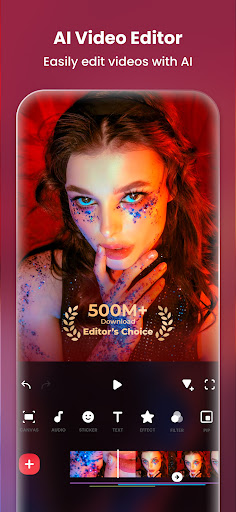
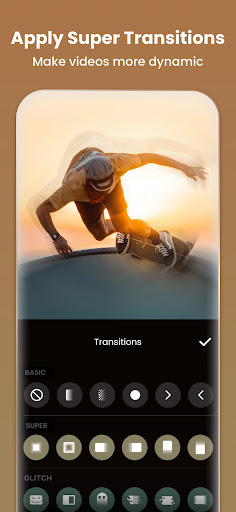
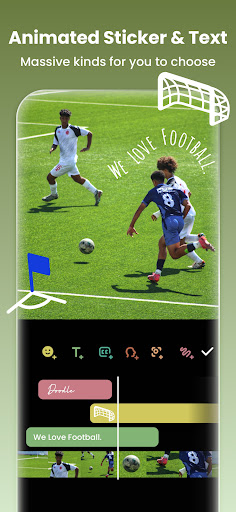
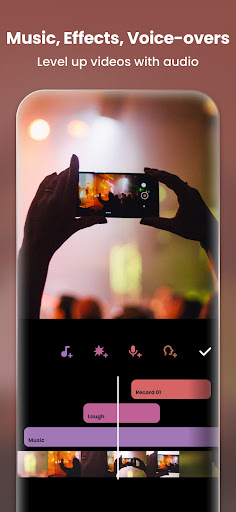
InShot is an all-in-one video and photo editor aimed at people who post to TikTok, Instagram Reels, YouTube Shorts, and WhatsApp Status. It combines a video editor (trim, merge, transitions, music, text, speed control) with a full photo editor and collage maker. The pitch is that a casual creator or small-time influencer can do everything in one app instead of juggling separate tools for video, photo, and collage work. Based on real user feedback, that pitch mostly holds up, especially for beginners who don’t want to learn a desktop-style NLE just to make a vlog.

Where the Editing Tools Genuinely Impress

Multiple users call it the best free editing app they’ve tried, and the praise centers on how smooth and intuitive the actual editing experience is. One long-time user said their videos come out ‘flawless’ and that the layout design makes editing easy even without prior experience. Another reviewer who upgraded to Pro after years of casual use said they can ‘do literally anything I can think of’ with the toolset now, pointing to how much the app has expanded over time. Frequent updates and new features added at no extra cost also came up as a real strength, with one user noting they pay for the annual subscription specifically because it feels worth supporting given how much gets added.

The Subscription Model Is Reasonable but Not Perfect

InShot uses a freemium model where core editing is free, some features are subscriber-only, and watching an ad can unlock many of those exclusive tools without paying. Reviewers seem genuinely fine with this setup, calling out that you’re not forced into a paywall to get useful results, and that there’s a choice between a one-time purchase and an annual subscription rather than a mandatory recurring monthly fee. That said, one Pro subscriber flagged a real limitation: the built-in music library. Even with a paid subscription, they described the music choices as a ‘letdown,’ estimating only around 30-40 usable tracks, which is thin for anyone editing regularly and wanting variety in their soundtrack.

Annoyances Worth Knowing About Before You Commit

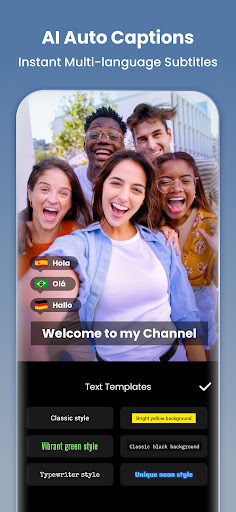
A few practical gripes show up repeatedly. The watermark on free exports is a real hurdle for new users; one reviewer only started rating the app highly after figuring out how to remove it and adjust view settings, which suggests the free-tier limitations aren’t always obvious upfront. Storage is another issue: one user pointed out that exported videos take up more space than expected, which matters on phones with limited storage. There’s also a cap on video translation/auto-caption length, with one reviewer noting it used to allow videos up to 59.9 seconds and now offers a more limited number of translation uses, which can be frustrating if you were relying on that workflow for multilingual content. None of these are dealbreakers, but they’re the kind of friction that only becomes clear after you’ve already invested time in a project.

Learning Curve and Rough Edges

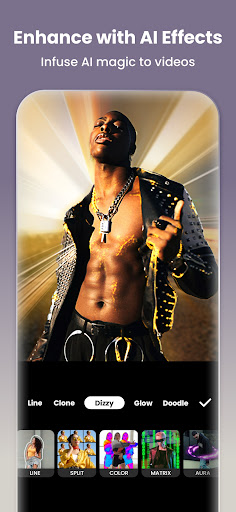
Despite the overall ease-of-use praise, it’s not instantly obvious to everyone. One reviewer admitted it took some experimenting before everything clicked, and separately noted that text cursor/editing controls could use improvement. This lines up with the idea that InShot is easy relative to professional software, but still has a real learning curve for anyone who’s never touched a mobile video editor before. It’s not a one-tap magic button, even though the AI tools (auto captions, background removal, AI body effects) are designed to feel that way.

Final Verdict: Who Should Actually Download This

InShot is a strong pick for casual creators, small business owners, and anyone making content for TikTok, Reels, or Shorts who wants a single app that handles video, photo, and collage editing without a steep learning curve. It’s less convincing for anyone who needs a deep, varied royalty-free music library baked in, or who edits long-form video regularly and cares about export file size. If you’re fine supplying your own music and don’t mind a short adjustment period figuring out the watermark and free-tier limits, it’s genuinely one of the more capable free-to-start editors on mobile right now.


Pros

  • ✓Smooth, intuitive editing experience for beginners
  • ✓Frequent feature updates at no extra cost
  • ✓Ads can unlock subscriber-only features free
  • ✓Flexible one-time or annual purchase options
  • ✓Strong collage and photo editing toolset

Cons

  • ✕Watermark on free exports confuses new users
  • ✕Limited built-in music selection even on Pro
  • ✕Exported videos consume significant storage space

What Real Users Say

Zero 7.02 ★ 5/5

“Genuinely the best free editing app I've used so far. There is a subscription for certain things, but you can also watch an ad to use most things that are exclusive to subscribers. Pretty sure I'm gonna use this app for a while. One small addition would make it even better though. In the voice effects in the audio section,…”

👍 18,259 found this helpful
John Kapelakis ★ 4/5

“Upgraded to pro version, after seeing how much the app has evolved over the years. I can do literally anything I can think of. The only reason I'm not giving it 5 stars is the fact that the choices you have to add music, even with the pro subscription, are a letdown. There are probably like 30-40 songs in the…”

👍 12,377 found this helpfulDeveloper responded
Emma ★ 5/5

“When I first started using Inshot, it took a while to understand how everything worked. Experimenting did the trick. I really love how smooth editing is and the easy layout design. my videos look flawless, and I am always really happy with the final result. There could be improvements to the text customisation, like more font options but otherwise five…”

👍 6,753 found this helpful

Reviews sourced from Google Play, selected by helpfulness at the time of writing.

App Info & Permissions

Developer InShot Video Editor
Content rating Everyone
Contains ads Yes
In-app purchases $0.99 - $199.99 per item
Installs 932M+
Released 03/05/2014
Price Free

Permissions this app requests

🎙️ Microphone Record audio
🖼️ Photos/Media/Files Read the contents of your USB storage; modify or delete the contents of your USB storage
💾 Storage Read the contents of your USB storage; modify or delete the contents of your USB storage
📶 Wi-Fi connection information View Wi-Fi connections

Similar Apps

Frequently Asked Questions

1

What is Video Editor & Maker - InShot?

InShot is a mobile app for editing videos and photos, offering trimming, merging, transitions, music, text, filters, and collage-making tools. It's designed for creating content for platforms like TikTok, Instagram Reels, YouTube Shorts, and WhatsApp Status. It also includes AI-powered features like auto captions, background removal, and photo enhancement.

2

Is InShot free to use?

InShot is free to download and use for most core editing features, but some advanced tools are locked behind a subscription. Users can often unlock these subscriber-only features temporarily by watching an ad instead of paying. There's also a one-time purchase option as an alternative to the annual subscription.

3

Does InShot add a watermark to exported videos?

Yes, free exports include a watermark, and at least one reviewer noted they only became a fan of the app after figuring out how to remove it. Removing the watermark typically requires a subscription or one-time purchase. This is worth knowing before you plan a project around a free export.

4

Is InShot's music library good for editing?

This is one of the app's weaker points according to user feedback. Even Pro subscribers reported a limited selection, estimating only around 30-40 usable tracks. If music variety matters to your projects, you may need to import your own audio rather than relying solely on InShot's library.

5

Who should download InShot?

InShot suits casual creators, vloggers, and small business owners who want an easy, all-in-one editor for social media content without a steep learning curve. It's less ideal for those needing extensive built-in music options or worried about export file size. Overall it's a solid choice for beginner to intermediate mobile video editing.

