


Turbo VPN – Secure VPN Proxy

by Innovative Connecting

4.7 ★ 10M+ reviews
516M+ Installs
06/21/2016 Released
Turbo VPN – Secure VPN Proxy icon
Tools

Turbo VPN – Secure VPN Proxy

by Innovative Connecting

4.7 ★ 10M+ reviews
516M+ Installs
06/21/2016 Released
Advertisements
Turbo VPN – Secure VPN Proxy screenshot 1
Turbo VPN – Secure VPN Proxy screenshot 2
Turbo VPN – Secure VPN Proxy screenshot 3
Turbo VPN – Secure VPN Proxy screenshot 4
Turbo VPN – Secure VPN Proxy screenshot 5
Turbo VPN – Secure VPN Proxy screenshot 6

Ratings Breakdown

4.7 ★★★★★ 10M+ ratings
5 ★ 87%
4 ★ 7%
3 ★ 2%
2 ★ 1%
1 ★ 3%

Data from Google Play at the time of writing.

What Turbo VPN Does and Who It’s For

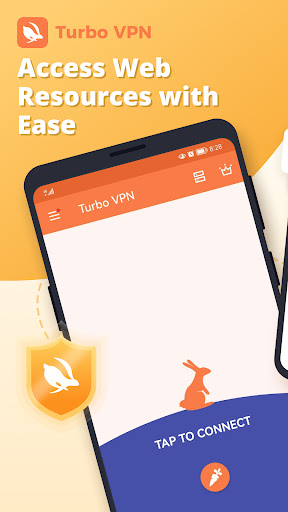
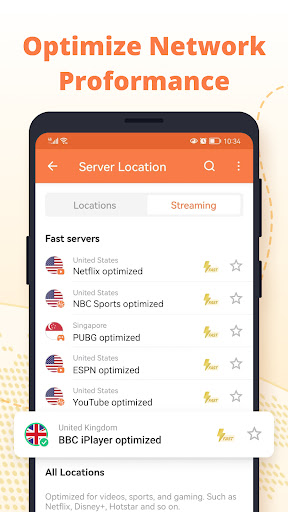
Turbo VPN is a free, one-tap VPN proxy app aimed at casual users who want to unblock websites, streaming services, or apps without paying for a subscription or fiddling with settings. It uses protocols like OpenVPN, IPsec, and SSR, and markets itself on speed and simplicity rather than advanced privacy controls. It’s best suited for people who occasionally need to get around a geo-block or unreliable network, not for users who need guaranteed, consistent protection for sensitive activity.

The One-Tap Simplicity That Actually Works

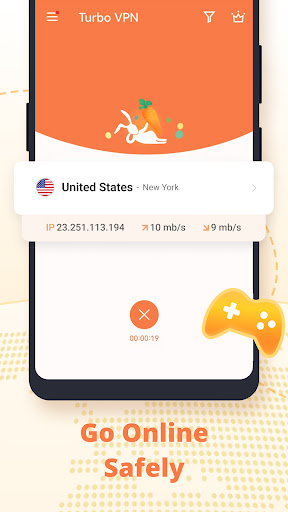
The core appeal holds up in practice: you open the app, hit connect, and you’re on a VPN server within seconds. Reviewers consistently point to this ease of use as the app’s biggest strength, with one long-time user calling the one-click connect button ‘a great idea’ worth recommending to others. For anyone intimidated by manual VPN configuration, this simplicity is a genuine advantage, and it’s likely a big reason the app has been installed hundreds of millions of times.

Ads Are the Biggest Complaint by Far

The free version leans heavily on advertising to stay profitable, and that’s where most frustration comes from. Multiple users describe unskippable ads that appear every time you open the app or tap a button, with one reviewer saying you can’t even open the app ‘without being bombarded with unskippable ads without an X.’ Another complaint that stands out: if your connection drops mid-use, you may have to sit through an ad just to get back into the app and check connectivity. That’s a real workflow problem, not just an annoyance.

Speed and Reliability Are Inconsistent

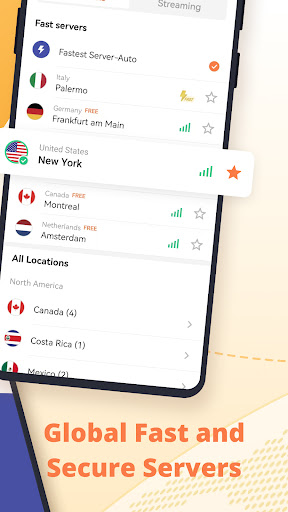
Performance seems to have declined for some long-term users. One reviewer who used the app successfully for months said it now fails to connect at all following a recent update, with a pop-up warning about counterfeit software instead of a working connection. Others describe the free tier as noticeably slow across multiple devices and locations, saying no amount of troubleshooting fixed it. A few users also mention the app lagging their device’s overall internet performance, not just the VPN connection itself, and that server lists (like specific country locations) have been trimmed down over time.

The Premium Option Has Its Own Catch

For users frustrated with ads or speed, Turbo VPN does offer a premium tier, but at least one reviewer flagged that it’s only available as an annual purchase with no monthly option, which limits flexibility if you just want to test whether the paid version actually solves the free version’s problems. That same reviewer was blunt about the free service, saying it ‘hardly works’ and calling out throttling and inaccurate speed test results.

Verdict: Fine for Occasional Use, Frustrating for Regular Reliance

Turbo VPN works well as a quick, no-cost way to unblock something occasionally, and its simplicity is real. But if you need dependable daily performance, expect to fight through aggressive ads, occasional connection failures, and inconsistent speeds. Casual users with patience for ads may get enough value here; anyone needing a VPN for consistent daily protection or streaming should treat the free version’s limitations as a serious drawback before relying on it.


Pros

  • ✓Very easy one-tap connection setup
  • ✓Works across WiFi, LTE, and mobile data
  • ✓Free tier with unlimited usage claim
  • ✓Multiple VPN protocols supported
  • ✓Good for occasional geo-unblocking needs

Cons

  • ✕Frequent unskippable ads interrupt usage
  • ✕Inconsistent speeds and connection failures
  • ✕Premium only available as annual plan

What Real Users Say

Jevin ★ 5/5

“First of all ,thank you very much for keeping this software for free,and one click button to connect to VPN is a great idea, And I really appreciate it. The ads are not that annoying like it was before and I hope people understand that this app makes its little profit with these ads. I'll surely recommend it to people…”

👍 16,041 found this helpfulDeveloper responded
Pablo Luis Ocasio ★ 2/5

“EDIT: So they've deprecated or removed the number of locations (India, Singapore, etc.). The ads however make it just extremely hard to use. If I connect to a site, go to an app and the app won't connect, in order for me to go back to the VPN app, I have to watch an ad, just to check the connectivity.…”

👍 3,860 found this helpfulDeveloper responded
Saleema Jo ★ 5/5

“Did exactly what I needed it to do!!!! Personal time is back to normal vs all the limitations (if you know you know). The only thing I would say is that it lags my device in both operations and internet. However, I am on the free version and am guessing that there's a better connection after upgrading. I'm very much…”

👍 2,434 found this helpfulDeveloper responded

Reviews sourced from Google Play, selected by helpfulness at the time of writing.

App Info & Permissions

Developer Innovative Connecting
Content rating Everyone
Contains ads Yes
In-app purchases $0.99 - $69.99 per item
Installs 516M+
Released 06/21/2016
Price Free

Permissions this app requests

📷 Camera Take pictures and videos
🖼️ Photos/Media/Files Read the contents of your USB storage
💾 Storage Read the contents of your USB storage
📶 Wi-Fi connection information View Wi-Fi connections

Similar Apps

Frequently Asked Questions

1

What is Turbo VPN - Secure VPN Proxy?

Turbo VPN is a free VPN proxy app for Android that lets users connect to remote servers with one tap to mask their IP address and access blocked websites or apps. It uses protocols such as OpenVPN, IPsec, and SSR, and is developed by Innovative Connecting. It's designed for casual, everyday use rather than advanced privacy or security needs.

2

Is Turbo VPN free to use?

Yes, Turbo VPN offers a free tier with unlimited usage, supported by advertising. There is also a premium version that removes ads and may improve speed, but reviewers note it's only sold as an annual subscription rather than month to month.

3

Does Turbo VPN slow down my internet connection?

Some users report noticeable slowdowns, especially on the free tier, with one reviewer describing it as consistently slow across multiple devices and locations. Others mention it can lag device performance overall, not just browsing speed. Results seem to vary, so actual speed may depend on your location and server load.

4

Are there a lot of ads in Turbo VPN?

Yes, ads are the most common complaint among users. Several reviewers describe unskippable ads appearing every time the app is opened or a button is tapped, and one noted having to watch an ad just to check if the VPN reconnected after a drop.

5

Is Turbo VPN reliable for daily use?

Reliability appears mixed. Some users report it working well for months before suddenly failing to connect after an update, while others mention persistent connection or speed issues that don't improve with troubleshooting. It may be fine for occasional use, but isn't guaranteed to be consistent for daily reliance.

