

What Timestamp Camera Actually Does
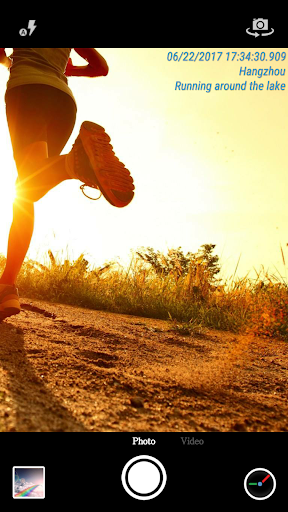
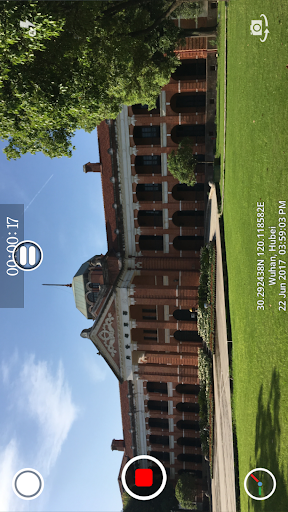
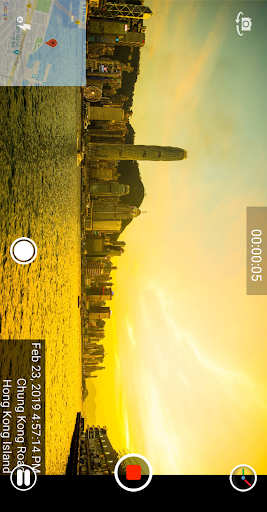
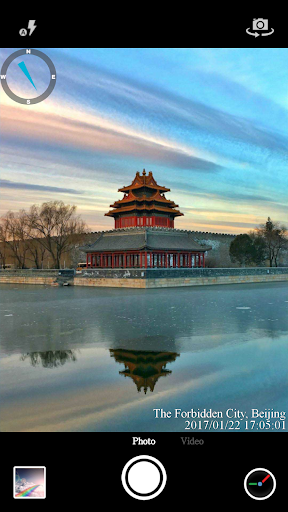
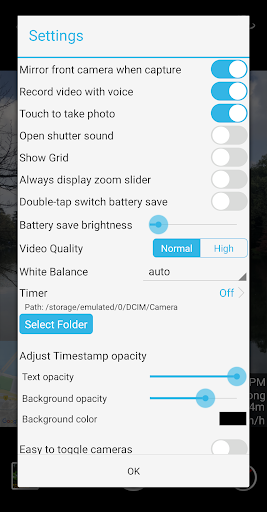
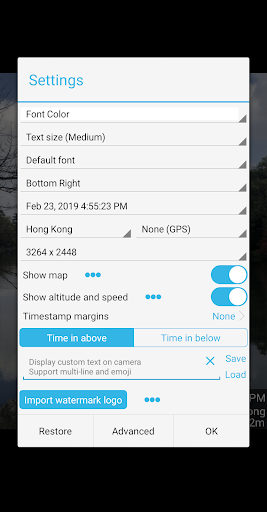
Timestamp Camera stamps the current date, time, and location directly onto photos and videos as you shoot them, rather than adding the info afterward in an editor. It supports 61 timestamp formats, adjustable fonts, colors, and opacity, plus extras like a compass, a live map overlay, GPS coordinates, altitude, and speed. There is also room for a custom logo or a short line of text and emoji, so the app is aimed at people who need documented proof of when and where an image was captured, not casual selfie takers.
Who Actually Gets Value From This
Based on the user feedback, the app has found a real niche with people who need timestamped evidence for practical reasons: contractors and supervisors documenting job sites, insurance claim photos, work clock-in/clock-out records, and even pet owners tracking the age of animals in old photos. One reviewer specifically called out using it for insurance claim proof, while another said it ‘handles all of my photography needs for work’ for logging job hours. If your photography is about documentation rather than art, this is the use case the app is built for.
Where It Genuinely Impresses
Multiple long-term users say it stays out of the way: it does not reorganize your photo folder, does not run heavily in the background, and does not drain the processor or data connection. That is a meaningful compliment for a utility camera app, since a lot of similar tools become bloated. The formatting options are also praised repeatedly, letting people colorize, resize, and reposition the timestamp so it fits the shot instead of just slapping generic text across the corner.
The Cracks That Show Up With Use
The most serious complaint is that location accuracy has apparently degraded over time. One user says an app that ‘used to be great’ now sometimes needs the app closed and reopened three times just to pull the correct address, even in areas that should have simple location data. Camera quality is another sore spot: zoomed images come out blurry compared to the phone’s stock camera, and the photo, video, and shutter buttons are positioned close enough together that it is easy to accidentally trigger video mode. The free version’s selfie video mode is also reported to run too dark, with no obvious setting to brighten it.
Customization Requests That Are Still Unmet
A few users want more control over layout than currently exists. One reviewer specifically asked for custom labels to sit visually separate from the automatically generated info block, rather than blending into it, along with bolder or larger font options and more flexible corner placement for multiple overlapping labels. These are minor gripes rather than dealbreakers, but they suggest the customization, while extensive, still has gaps for power users running multiple projects.
Final Verdict
Timestamp Camera does one job well: burning accurate, customizable time and location data onto photos and video without being invasive software. It is a strong pick for tradespeople, inspectors, insurance documentation, and hobbyists who need dated proof of a moment. Anyone prioritizing sharp zoomed photography or a polished camera experience should stick with their phone’s default camera and add timestamps separately, given the recurring complaints about blur and accidental mode switching.



