

What Thunder VPN Actually Does
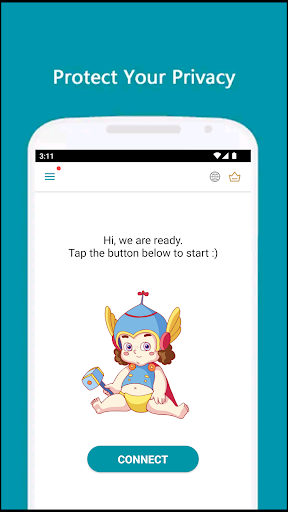
Thunder VPN is a one-tap VPN app aimed at people who just want to get online securely without wading through configuration screens. There’s no registration, no setup wizard, just a big button you press to connect. It’s built for casual users, students on restricted school Wi-Fi, or anyone who wants basic encryption on public networks without learning what a tunneling protocol is. It’s not aimed at power users who want granular control over protocols or dedicated static IPs.
Where It Performs Well in Daily Use
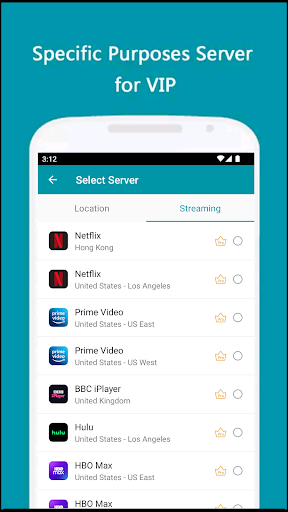
The most consistent praise from real users is speed and simplicity. Multiple reviewers mention it connecting extremely fast, with one student specifically noting it cuts through restrictive school Wi-Fi blocking systems effectively. Users also highlight that even the free tier lets you choose which specific apps route through the VPN, a feature some competitors reserve for paid plans. Several reviewers who tested for connection leaks reported finding none, and the ad situation seems genuinely tolerable, with ads described as static images at open/close rather than intrusive video ads you can’t skip.
The Disconnection Problem
The biggest recurring complaint is that the app drops connection when the phone goes to sleep or sits idle for a while. One user specifically called out that the ‘always on’ setting simply doesn’t work as advertised, forcing manual reconnection repeatedly throughout the day. This is a real reliability issue if you expect a VPN to stay silently active in the background protecting all your traffic. Another practical annoyance: the VPN can interfere with apps like PayPal, requiring you to toggle it off temporarily, which caught at least one user off guard the first time it happened.
Privacy Claims Versus What You Can Verify
The developer leans heavily on a no-logging policy and a small permissions footprint as selling points, and to their credit, the app does request fewer permissions than many rivals and keeps its package size small. That said, a strict no-logging claim from a free VPN is not something an average user can independently verify, and the review data here doesn’t include any third-party audit confirming it. Treat the privacy marketing as a selling point, not a guarantee.
Who Should Actually Download This
If you want a free, no-fuss VPN for occasional use, bypassing a school or workplace filter, or adding a layer of protection on public Wi-Fi, Thunder VPN delivers on the basics and the free tier is genuinely capable, including per-app VPN selection. If you need a VPN that stays connected reliably in the background at all times, or that you’ll trust with sensitive financial activity without extra vigilance, the disconnection-after-sleep bug and the app-conflict issue with services like PayPal are real friction points worth knowing about before you install it. It’s a solid casual pick, not an always-on security blanket.



