


Steam Link

by Valve Corporation

3.3 ★ 52K+ reviews
28M+ Installs
05/17/2018 Released
Steam Link icon
Steam Link icon
Entertainment

Steam Link

by Valve Corporation

3.3 ★ 52K+ reviews
28M+ Installs
05/17/2018 Released
Advertisements
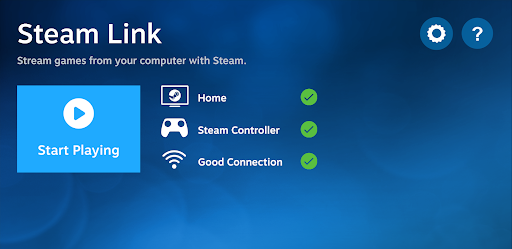
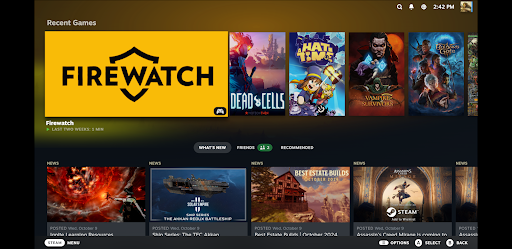
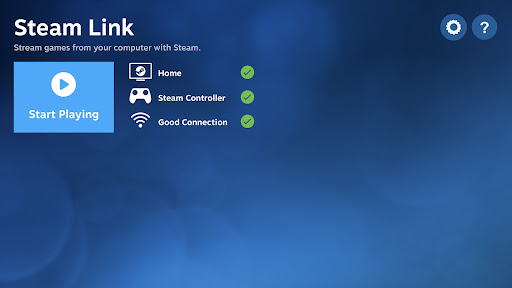
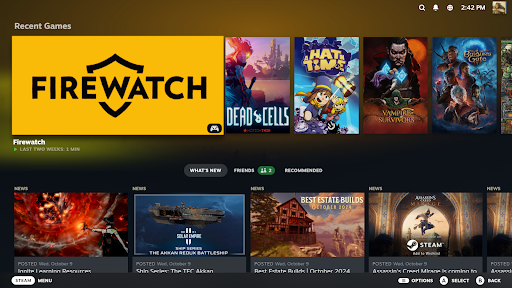
Steam Link screenshot 1
Steam Link screenshot 2
Steam Link screenshot 3
Steam Link screenshot 4
Steam Link screenshot 5
Steam Link screenshot 6

Ratings Breakdown

3.3 ★★★★★ 52K+ ratings
5 ★ 44%
4 ★ 9%
3 ★ 9%
2 ★ 8%
1 ★ 30%

Data from Google Play at the time of writing.

What Steam Link Actually Does

Steam Link is Valve’s free streaming app that lets you play your existing PC Steam library on an Android phone, tablet, or Android TV device. Rather than downloading and running games locally, the app pipes video and audio from a computer running Steam over your home network to your Android device, while sending back controller, touch, or mouse input. It’s built for people who already own a decent gaming PC and want to extend that library to a TV in another room or to a tablet on the couch, not for people looking for a standalone mobile game store.

Where It Genuinely Impresses

When the network conditions are right, reviewers are consistently blown away by how far this has come. One long-time user called it ‘a dumpster fire’ years ago but now reports awesome performance for both TV and travel-tablet use, provided you stick to a well-supported controller like an Xbox pad and stream games with solid controller support. Another user streaming with a Pixel 7 and a clip-on controller says it works perfectly except on the most demanding titles like Call of Duty, while lighter games run great. Users also praise the control customization, noting that some games even ship with custom on-screen layouts and icons, and one reviewer with a dedicated physical Steam Link box says the phone app is a nice bonus extension of a setup that already works well.

The Connection Problems That Frustrate Users

The most damaging complaint in the data is a specific failure mode: the app connects fine and behaves correctly right up until you launch a game, at which point audio and video on the phone freeze instantly even though the game continues running normally on the PC itself, forcing you to walk back to the computer just to exit. This isn’t a rare, one-off gripe — it’s the top-voted critical review, meaning a meaningful share of users hit a completely broken first-launch experience rather than a minor performance dip.

Smaller Annoyances Worth Knowing About

Beyond the outright freezing bug, several users flag latency and stability as ongoing issues even when things technically work — one reviewer says even Portal 2 can be a struggle, and another admits their weak Wi-Fi capped streaming quality with visible artifacts. A recurring UX complaint is that the app tries too hard to guess whether you want touchscreen-as-controller or touchscreen-as-mouse input, switching automatically instead of letting the user lock in a preference, which several reviewers found actively counterproductive rather than helpful.

Who Should Actually Download This

Steam Link is worth installing if you already own a capable gaming PC, have a solid 5GHz Wi-Fi setup or Ethernet-connected router, and pair it with a well-known controller like an Xbox pad or a phone-clip controller such as a Kishi. Users who followed Valve’s own networking advice report genuinely great results for both console-style TV play and portable tablet gaming. If your Wi-Fi is weak, your router is far from your device, or you’re hoping for a simple plug-and-play experience without any troubleshooting, expect the freezing-on-launch bug and latency issues to be a real possibility rather than an edge case.


Pros

  • ✓Strong performance with good Wi-Fi setup
  • ✓Works well with Xbox-style controllers
  • ✓Deep control customization per game
  • ✓Good for both TV and tablet play
  • ✓Free to use with existing Steam library

Cons

  • ✕Can freeze audio/video after launching game
  • ✕Latency issues on demanding titles
  • ✕Auto-switching input mode confuses users

What Real Users Say

Kevin Tamarit ★ 5/5

“Tried this years ago and it was a dumpster fire. Now I can play on the TV at home or on the tablet when traveling - performance is awesome. For best results: 1) Use a mainstream controller that gets lots of support (Xbox is ideal). 2) Ensure the games come from Steam and that they offer at least partial controller…”

👍 381 found this helpful
Evan Beccaccio ★ 1/5

“The concept is exactly what we all want. In practice... It doesn't work. It does exactly what it is supposed to until you actually start a game. At which point the game plays just fine on the PC but the audio and visual on the phone freeze immediately. You have to go to the PC to exit the game to…”

👍 258 found this helpful
Dominic Sabol ★ 5/5

“this is the greatest thing I've ever used. I use my pixel 7 and a $50 controller that holds my phone. that's exactly like an Xbox controller and it works. it works perfectly. the only thing that might lag is if you're playing something like call of duty. if you're playing something like Indiana Jones and the great circle or…”

👍 192 found this helpful

Reviews sourced from Google Play, selected by helpfulness at the time of writing.

App Info & Permissions

Developer Valve Corporation
Content rating Everyone
Contains ads No
Installs 28M+
Released 05/17/2018
Price Free

Permissions this app requests

🎙️ Microphone Record audio

Similar Apps

Frequently Asked Questions

1

What is Steam Link?

Steam Link is a free Android app from Valve that streams games from your Steam-connected PC to your phone, tablet, or Android TV device. It requires a computer running Steam on the same network and a Bluetooth controller or Steam Controller for input. It essentially turns your existing PC game library into something playable on a TV or mobile screen without reinstalling anything.

2

Is Steam Link free to download and use?

Yes, Steam Link is completely free to download and use, and it doesn't require any in-app purchases. The only real cost is making sure you already own the PC games on Steam and have a suitable network setup. There's no subscription fee tied to the app itself.

3

Do I need a special controller to use Steam Link?

You need a Bluetooth controller or a Steam Controller paired to your Android device; a Steam Controller isn't mandatory. Reviewers specifically recommend mainstream options like Xbox controllers for the best compatibility and support. Phone-clip controllers such as a Kishi are also mentioned as working well for tablet and phone play.

4

Why does Steam Link freeze when I start a game?

Some users report that the app connects normally but the audio and video freeze on the Android device as soon as a game actually launches, even though the game keeps running fine on the PC. This appears to be a real, recurring bug rather than an isolated case, based on user reports. If it happens, you typically have to return to the PC to close the game since the stream itself becomes unresponsive.

5

What's the best network setup for Steam Link?

Valve recommends Ethernet connections for both your PC and Android TV device for the most stable experience. For phones and tablets, connecting both the PC and your device to the 5GHz band of the same Wi-Fi network, while staying reasonably close to the router, gives the best results. Users confirm that weak Wi-Fi noticeably hurts streaming quality and introduces artifacts or lag.

