
What the Starbucks App Actually Does
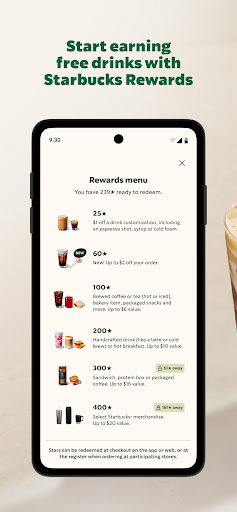
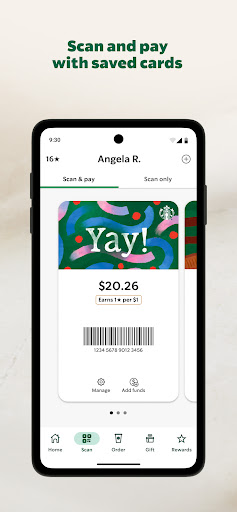
The Starbucks app is a mobile ordering, payment, and loyalty hub built for anyone who regularly buys coffee from the chain. It lets you browse the menu, customize drinks, pay with a stored balance or card, reload gift cards, send eGifts to friends, and track Stars toward free food and drinks through the Rewards program. It also shows nearby stores with hours and amenities like drive-thru and Wi-Fi. For casual visitors it’s optional, but for regulars chasing free drinks and birthday rewards, it’s essentially required.
Where It Works Well
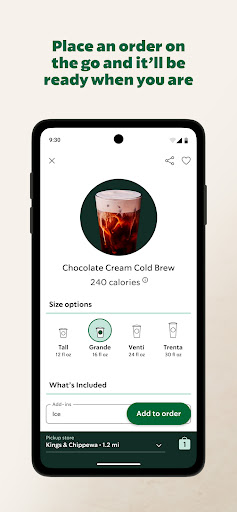
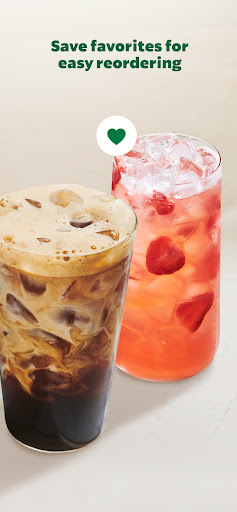
When it functions as intended, the core loop is genuinely convenient: you order ahead, walk in, and skip the line, or scan to pay at the register without pulling out a card. Saved favorite drinks and past orders make repeat purchases quick, and the eGifting feature with multiple card designs is a nice touch for sending someone a coffee without leaving the house. One reviewer noted the pick-up ordering side works fine even when other parts of the app don’t, suggesting the basic order-and-pay flow is solid on a good day.
The Reliability Problems Users Keep Reporting
The most damaging and recurring complaint is that core functions simply stop working. Multiple reviewers describe being unable to find nearby stores to place a mobile order, being locked out with vague login errors even after contacting customer service multiple times, and finding that reloading a Starbucks Card fails on the app while the website won’t display a barcode either — leaving no working way to pay at all. Freezing when trying to select a store, and app crashes during checkout, are also frequently mentioned, with users saying they’ve given up on mobile ordering entirely because there’s never enough time to wait around for the app to cooperate.
Payment and Promotion Friction
Beyond outright crashes, reviewers flag a clunky payment setup that forces you to preload funds onto a Starbucks Card balance rather than simply charging a card directly, which several found frustrating and unnecessary. Delivery orders come in for specific criticism too: one user reported being unable to adjust a delivery pin, forcing an address workaround, and then hitting repeated ‘try another payment method’ errors that never resolved. Promotional features like the pairings menu have also been reported as advertised but non-functional, with taps leading back to the regular menu regardless of cart contents.
Design Quibbles Worth Noting
Even users who rate the app positively point out smaller usability issues, like the toggle for ordering in-store versus drive-thru being small and easy to miss, unlike competing food ordering apps that make this a mandatory, obvious step. It’s a minor gripe compared to the reliability issues, but it adds friction to an already inconsistent ordering experience.
Who Should Download This
If you’re a frequent Starbucks customer who wants Rewards points, birthday drinks, and Mod Monday perks, the app is functionally mandatory despite its flaws, since that’s the only way to access the loyalty program. If you just want an occasional coffee, you can skip it and order at the counter to avoid the login errors, payment failures, and store-locator freezes that show up often enough in user feedback to be a real pattern rather than isolated bad luck.