Spectrum TV

by Charter/Spectrum

4.7 ★ 361K+ reviews
22M+ Installs
11/29/2011 Released
Spectrum TV icon
Spectrum TV icon
Entertainment

Spectrum TV

by Charter/Spectrum

4.7 ★ 361K+ reviews
22M+ Installs
11/29/2011 Released
Advertisements
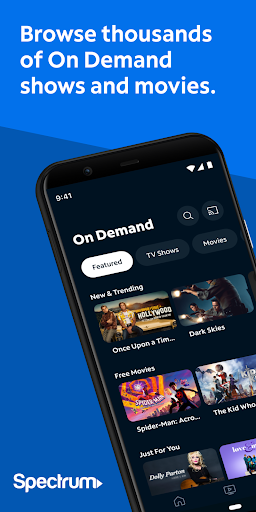
Spectrum TV screenshot 1
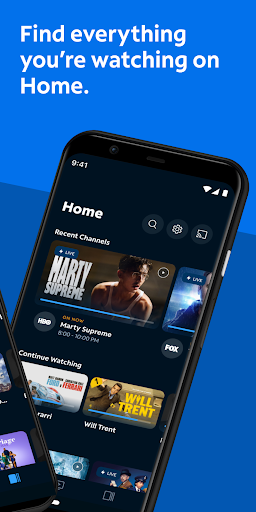
Spectrum TV screenshot 2
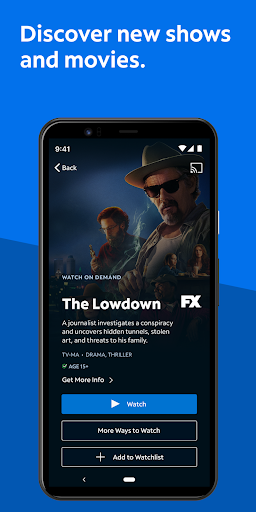
Spectrum TV screenshot 3
Spectrum TV screenshot 4
Spectrum TV screenshot 5
Spectrum TV screenshot 6

Ratings Breakdown

4.7 ★★★★★ 361K+ ratings
5 ★ 81%
4 ★ 13%
3 ★ 3%
2 ★ 1%
1 ★ 2%

Data from Google Play at the time of writing.

What This App Actually Does

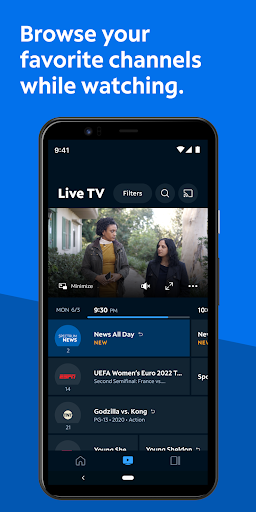
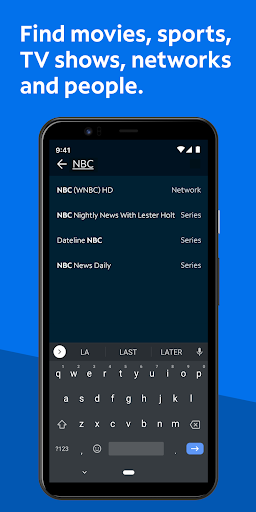
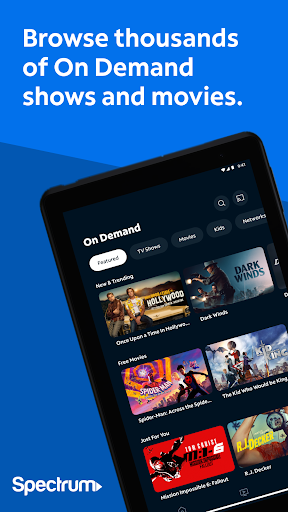
Spectrum TV is the companion streaming app for Spectrum cable subscribers, letting you watch live TV and On Demand content on a phone, tablet, or cast to a smart TV via Chromecast. It also lets you manage a personalized channel guide, search by title or actor, control a Spectrum DVR remotely, and set parental controls tied to a PIN. You need an active Spectrum TV subscription and login to use any of it, and some content only works over your home Spectrum WiFi. It’s built for existing Spectrum customers who want to watch cable content away from the living room TV, or use their phone as a second screen and remote.

Where It Works Reasonably Well

When it functions, users report the phone app itself is fairly straightforward for basic tasks like setting up DVR recordings and browsing a personalized guide. Setting your favorite channels and searching by title or actor does what it promises on mobile. For people just trying to check what’s on or schedule a recording from their phone, that part of the experience holds up.

Buffering, Freezing, and Broken Playback

The complaints piling up around actual playback are hard to ignore. Multiple users describe the app hanging repeatedly on the exact same frame of commercials, sometimes ironically during Spectrum’s own ads. Others report constant error messages telling them to ‘come back later,’ with the app failing to load at all on phones and tablets for days at a time, even after uninstalling, reinstalling, and clearing data. One user said calling customer service for a bill adjustment mysteriously fixed the app for two days before it broke again, which says a lot about how reliability is handled.

Fast Forward, Rewind, and the On Demand Ad Loop

The most consistent and specific complaint is the lack of a visual preview when fast-forwarding or rewinding, whether on live TV, recordings, or the TV app itself. Users say they have no idea where they’ll land when they stop skipping, making it nearly impossible to navigate back to a missed moment. On top of that, On Demand playback has been reported as essentially broken for some users, with ad breaks looping the same commercial over and over after a buffering stall at the end of each break, effectively blocking anyone from finishing a show.

Casting and Living Room Use

Streaming to a Roku or smart TV comes with its own separate frustrations. Reviewers say navigating live channels while casting is clunky, and that recordings set up easily on the phone become a chore to actually watch on the big screen because of the same missing preview-while-scrubbing issue. This undercuts one of the app’s headline features, since ‘turn any screen into a TV’ is a much rougher experience in practice than on the phone alone.

Who Should Actually Download This

If you’re already paying for Spectrum cable and just want a basic remote, guide, and occasional On Demand browsing on your phone, this app covers the essentials. But if you’re relying on it to replace a cable box entirely, or expecting smooth fast-forward and rewind control while casting to your TV, the review pattern suggests you should expect regular buffering, error messages, and a frustrating scrubbing experience. It’s a utility app tied to a subscription you likely already have, not a polished standalone streaming product.


Pros

  • ✓Easy DVR recording setup from phone
  • ✓Personalized channel guide and search
  • ✓Search by title, actor, or team
  • ✓Chromecast support for casting to TV
  • ✓Parental controls apply across devices

Cons

  • ✕Frequent buffering and load errors
  • ✕No preview when fast-forwarding or rewinding
  • ✕On Demand ad breaks can loop endlessly

What Real Users Say

Sue M ★ 1/5

“We wanted to love streaming to our smart TV using Spectrum. But we hate it. Setting up recordings is easy on my phone app. But watching them on Roku TV is awful. When you try to ff or rewind, you can't see what you're skipping. It's nearly impossible to navigate to different live channels without going back to the home…”

👍 738 found this helpfulDeveloper responded
Bruce ★ 1/5

“"On Demand" is 100% unusable. Whenever I reach the end of an ad break, the app buffers for a moment before the adbreak timer resets, looping the same ad again, and again, and again....Forever. I've not been able to watch a single thing on this app. Outta be renamed to "Adware TV" as the ads seem to be the only…”

👍 404 found this helpfulDeveloper responded
Bart Elberg ★ 3/5

“I'm running this on Android phones and a tablet. Works OK most of the time. On the tablet, it hangs on Spectrum commercials several times an hour. It hangs in the exact same frame of the commercials. Ironically, they are usually Spectrum commercials for watching TV on the go! If I leave it, occasionally it will resume after a minute…”

👍 381 found this helpfulDeveloper responded

Reviews sourced from Google Play, selected by helpfulness at the time of writing.

App Info & Permissions

Developer Charter/Spectrum
Content rating Teen
Contains ads Yes
Installs 22M+
Released 11/29/2011
Price Free

Permissions this app requests

📱 Device ID & call information Read phone status and identity
📍 Location Approximate location (network-based); precise location (GPS and network-based)
📞 Phone Directly call phone numbers; read phone status and identity
📶 Wi-Fi connection information View Wi-Fi connections

Similar Apps

Frequently Asked Questions

1

What is Spectrum TV?

Spectrum TV is the official streaming app from Charter/Spectrum that lets cable subscribers watch live TV and On Demand content on phones, tablets, and casting devices. It also functions as a remote and guide for compatible Spectrum DVR boxes at home. Features include a personalized channel list, search by title or actor, and household-wide parental controls. It requires an existing Spectrum TV subscription to sign in and use.

2

Is Spectrum TV free to use?

The app itself is free to download, but it requires an active Spectrum TV subscription, username, and password to access any content. Some channels and features also depend on your specific Spectrum TV package. Without a paid subscription, the app won't let you stream live TV or On Demand titles.

3

Why does the Spectrum TV app keep buffering or showing errors?

Many users report the app frequently hangs during playback, especially during commercial breaks, or shows a generic error telling them to try again later. This appears to be a recurring reliability issue rather than an isolated problem, based on repeated complaints across reviews. Uninstalling and reinstalling has provided only temporary relief for some users.

4

Can I fast-forward or rewind recordings and live TV easily?

This is one of the most consistently reported weaknesses. Users say there's no visual preview shown while skipping forward or backward, making it hard to land on the right spot in a show or recording. This issue is reported both on mobile devices and when casting to a TV.

5

Does the Spectrum TV app work well for casting to a smart TV?

Casting works technically, but multiple reviewers describe it as a frustrating experience, particularly for navigating live channels and scrubbing through recordings on devices like Roku TV. The lack of a preview while fast-forwarding is a bigger problem on the TV screen since it's harder to correct a bad guess. If smooth big-screen playback is your main goal, expect some friction.

