
Sony | Sound Connect

by Sony Corporation

4.4 ★ 391K+ reviews
45M+ Installs
02/28/2017 Released
Sony | Sound Connect icon
Tools

Sony | Sound Connect

by Sony Corporation

4.4 ★ 391K+ reviews
45M+ Installs
02/28/2017 Released
Advertisements
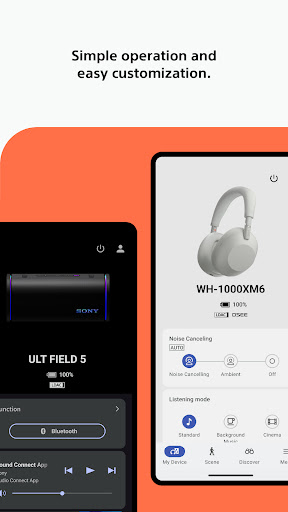
Sony | Sound Connect screenshot 1
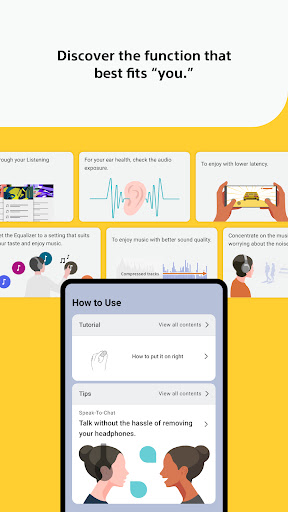
Sony | Sound Connect screenshot 2
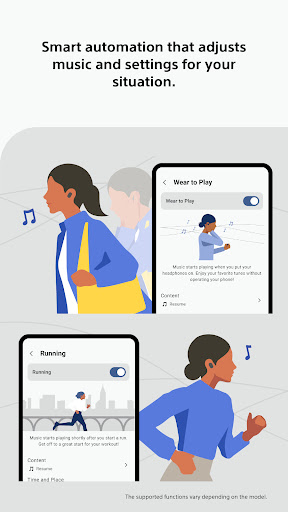
Sony | Sound Connect screenshot 3
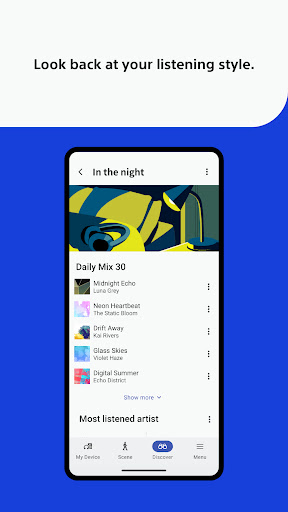
Sony | Sound Connect screenshot 4

Ratings Breakdown

4.4 ★★★★★ 391K+ ratings
5 ★ 74%
4 ★ 10%
3 ★ 4%
2 ★ 3%
1 ★ 10%

Data from Google Play at the time of writing.

What This App Is Actually For

Sony | Sound Connect is the companion app for Sony’s headphones, earbuds, and Bluetooth speakers, formerly known as Headphones Connect until the October 2024 rebrand. It handles equalizer tweaks, noise cancellation and ambient sound levels, firmware updates, and on newer speakers like the ULT Field 5, lighting effects. It’s built for anyone who owns Sony audio gear like the WH-1000XM4, WH-1000XM5, or WF-1000XM5 earbuds and wants to get past the factory default sound and control scheme.

Where the App Genuinely Delivers

When it works, the core promise holds up: the customizable equalizer lets you actually shape the sound to your taste, and switching between noise cancellation and ambient modes is straightforward. One ULT Field 5 owner called the app ‘good and easy to use’ for basic operation, and the listening log and usage history features add a nice bit of personalization that most competing headphone apps skip. The hearing health feature comparing your listening levels against WHO recommended limits is also a thoughtful addition that few other manufacturers bother to include.

The Settings That Won’t Stay Saved

The most repeated and damaging complaint is that the app simply doesn’t remember what you tell it. One reviewer with 305 helpful votes described it as ‘a solid app except it never saves my settings,’ specifically pointing to Speak-to-Chat repeatedly turning itself back on even after being disabled and signed in to sync. Multiple other reviews echo this exact frustration almost word for word, describing Speak-to-Chat activating on its own and cutting music playback whenever ambient noise is detected, something they say they never wanted enabled in the first place.

Connection and Multipoint Headaches

Beyond the settings issue, users running dual-device setups report real problems. One reviewer explained that locking the mic and speaker to one connected device gets overridden automatically the moment a notification arrives on the other device, effectively breaking the ‘lock’ feature. Another long-time XM5 user said the app now fails to connect to headphones that are already paired with the phone, and a third reported a mysterious battery drain issue in one earbud that only started after an app update, persisting even after a factory reset and reinstall.

Playback Controls Add Friction

Physical control response is another sore spot. One reviewer described pressing pause, then pressing again a moment later to resume, only to have the headphones skip to the next track or episode instead. Combined with the audio quality and battery life, which reviewers do praise, the inconsistent button behavior undercuts what should be a simple day-to-day experience.

Who Should Actually Download This

If you own compatible Sony headphones or a speaker like the ULT Field 5, you don’t really have a choice, since this app is the only way to access EQ customization, noise cancellation tuning, and firmware updates. Just go in expecting to re-check your Speak-to-Chat and multipoint settings periodically, since multiple reviewers report these silently reverting after updates. Users managing two paired devices at once, or anyone who relies on precise physical button controls, should be prepared for some real friction.


Pros

  • ✓Deep equalizer customization for supported headphones
  • ✓Useful listening history and usage logs
  • ✓WHO-based hearing health sound pressure tracking
  • ✓Simple noise cancellation and ambient mode switching
  • ✓Handles firmware updates in one place

Cons

  • ✕Settings like Speak-to-Chat frequently reset themselves
  • ✕Multipoint device locking often fails unexpectedly
  • ✕Physical button controls behave inconsistently

What Real Users Say

Matt ★ 1/5

“Update: still annoying about speech recognition. Does it all the time even though it's off. I've signed in to save and still doesnt. Almost makes headphones unusable. Honestly seems like a solid app except it never saves my settings. It constantly tries to enable the speech feature when I continually turn it off. Super frustrating when you're at the gym…”

👍 305 found this helpful
TJ Harmonay ★ 1/5

“I love my Sony headphones, but this app is quite buggy. I typically have two devices hooked up to the headphones at a time, and when I lock the mic/speakers to one of the devices, it will switch to the other one automatically if there is a notification and will not return to the one I "locked" the headphones to.…”

👍 203 found this helpful
Legit ★ 1/5

“I used to love my WH-1000xm5 and WF-1000xm5s, but now they give me nothing but trouble. Now I open the app and it doesn't even connect to the headphones when they're already paired with my phone! It will randomly turn on speak to chat, which I have never once wanted to use ever, but it makes it so if your…”

👍 50 found this helpful

Reviews sourced from Google Play, selected by helpfulness at the time of writing.

App Info & Permissions

Developer Sony Corporation
Content rating Everyone
Contains ads No
Installs 45M+
Released 02/28/2017
Price Free

Permissions this app requests

📷 Camera Take pictures and videos
📱 Device ID & call information Read phone status and identity
📍 Location Approximate location (network-based); precise location (GPS and network-based)
📞 Phone Read phone status and identity
🖼️ Photos/Media/Files Read the contents of your USB storage; modify or delete the contents of your USB storage
💾 Storage Read the contents of your USB storage; modify or delete the contents of your USB storage

Similar Apps

Frequently Asked Questions

1

What is Sony | Sound Connect?

It's Sony's official companion app for its headphones, earbuds, and Bluetooth speakers, previously named Headphones Connect before its October 2024 rebrand. It lets you adjust the equalizer, manage noise cancellation and ambient sound modes, view listening history, check hearing health against WHO sound pressure limits, and install firmware updates. It's built specifically for owners of Sony audio devices like the WH-1000XM series and ULT Field speakers.

2

Is Sony | Sound Connect free?

Yes, the app is free to download and use, and it's required to unlock advanced features on compatible Sony headphones and speakers. There are no in-app purchases mentioned in the app's feature set. You do need a compatible Sony device to access most of its functionality, though.

3

Why does Speak-to-Chat keep turning on by itself?

Multiple users report that Speak-to-Chat, a feature that pauses music when it detects you talking, re-enables itself even after being manually turned off, sometimes even while signed into an account meant to sync settings. This appears to be a persistent bug rather than an isolated issue, since it shows up across several independent reviews. There's no confirmed fix mentioned by users other than repeatedly disabling it after updates.

4

Does the app work well with two connected devices at once?

Not reliably, according to user reports. Reviewers describe the 'lock' feature meant to keep audio tied to one specific device failing when a notification arrives on the second paired device, causing an automatic and unwanted switch. If you regularly multipoint-connect your headphones to a phone and laptop or tablet, expect some inconsistency.

5

Which Sony devices work best with this app?

The app supports a wide range of Sony headphones, earbuds, and speakers, including the WH-1000XM4, WH-1000XM5, WF-1000XM5, and speakers like the ULT Field 5, though some features such as lighting modes or ambient sound detail are limited to compatible devices only. Software updates require Android 11.0 or later starting from version 12.5. Not every function is guaranteed to work identically across all supported models.

