

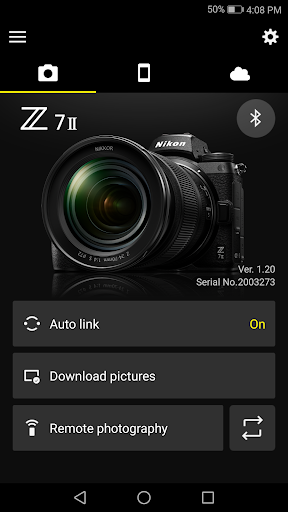
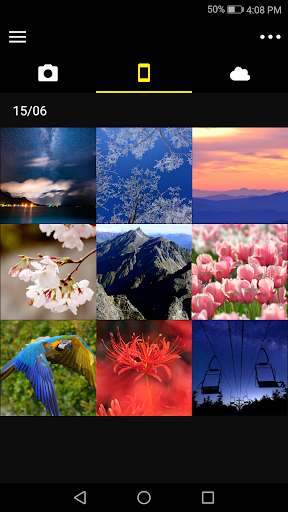
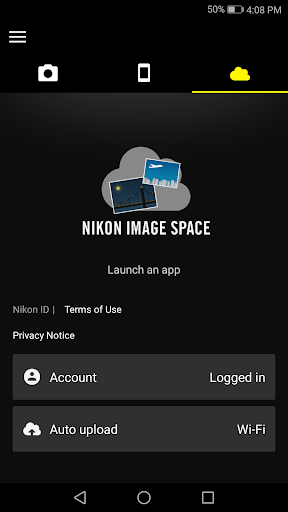
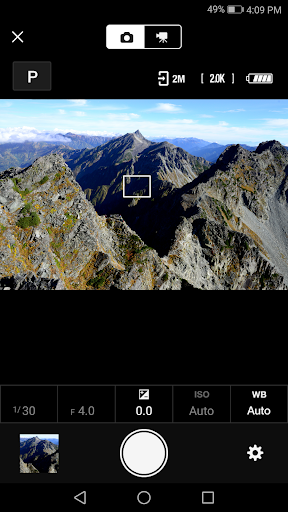
What SnapBridge Is Supposed To Do
SnapBridge is Nikon’s companion app for pairing compatible Nikon cameras, from the flagship Z9 down to older DSLRs like the D3400, with a smartphone over Bluetooth and Wi-Fi. The pitch is simple: pair once, then have new photos download automatically, adjust camera settings remotely, upload to NIKON IMAGE SPACE, and share images via email or social media without pulling out a memory card. It’s aimed squarely at Nikon owners who want to skip the SD card shuffle and get shots onto their phone quickly, and it supports up to five paired cameras plus firmware update notifications, so it’s meant to be a long-term hub for anyone invested in Nikon gear.
Where the App Actually Delivers
When it works, users confirm the core loop is genuinely useful: photos load, transfer, and can be downloaded without a cable, and one reviewer flatly called it ‘a good app’ where ‘everything works great.’ The idea of automatic background transfer to a phone is clearly valuable for casual shooters who just want images ready for Instagram or email without extra software, and pairing multiple cameras is a nice touch for anyone juggling an older DSLR and a newer Z-series body.
Connectivity Is the App’s Biggest Weak Point
The recurring theme across reviews is unreliable Bluetooth and Wi-Fi connections. Multiple users describe spending over an hour force-closing, uninstalling, reinstalling, and toggling settings just to get a connection, with one saying the app has ‘worked quite literally once or twice over the past few years.’ Another reviewer with a D850 reported it now freezes every time a Wi-Fi connection is attempted, forcing a full app restart just to view photos over Bluetooth. VPN use has also been flagged as a dealbreaker for Wi-Fi connectivity. This isn’t a minor annoyance for a $1,000+ camera ecosystem — several reviewers explicitly frame it as unacceptable given the price of Nikon hardware.
Photo Quality and Location Data Issues
Even when transfers succeed, quality takes a hit: one user reported downloads capped at 720p when requesting 1080p images. Location tagging is also inconsistent — a reviewer trying to use SnapBridge for iNaturalist logging found GPS data either missing entirely or defaulting to their current location instead of where the photo was actually taken, undermining one of the app’s advertised features (downloading location data to the camera).
Extra Hoops and Setup Quirks
Beyond connectivity, the app has some structural annoyances baked into how it works: Bluetooth is used to enable Wi-Fi rather than connecting directly, NFC must be enabled before launching the app for tap-to-connect, movies can’t be viewed inside the app at all, and AVI files can’t be downloaded. The workaround list Nikon provides — toggling the camera off and on, switching tabs, relaunching the app — reads like a tacit admission that stability issues are expected rather than exceptional.
Who Should Actually Download This
SnapBridge remains functionally necessary if you own a supported Nikon camera and want wireless transfer without paying for third-party tools, and some users do get smooth, reliable results. But go in with low expectations for consistency: budget time for reconnecting, don’t rely on it for accurate GPS tagging, and know that 1080p downloads aren’t guaranteed. If your workflow can tolerate occasional friction, it’s worth having installed; if you need dependable remote shooting for professional work, keep a cable or card reader as backup.



