
Slack

by SLACK TECHNOLOGIES L.L.C.

4.6 ★ 205K+ reviews
49M+ Installs
07/22/2013 Released
Slack icon
Slack icon
Business

Slack

by SLACK TECHNOLOGIES L.L.C.

4.6 ★ 205K+ reviews
49M+ Installs
07/22/2013 Released
Advertisements
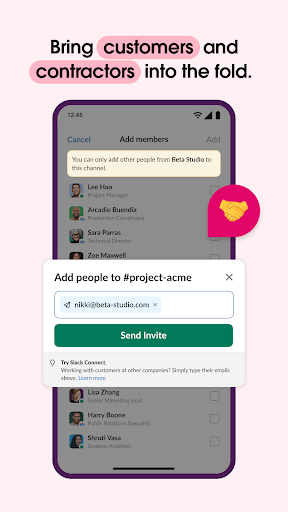
Slack screenshot 1
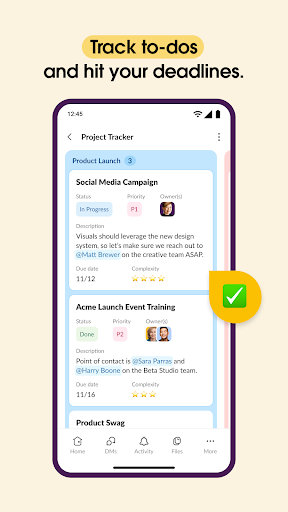
Slack screenshot 2
Slack screenshot 3
Slack screenshot 4
Slack screenshot 5
Slack screenshot 6

Ratings Breakdown

4.6 ★★★★★ 205K+ ratings
5 ★ 84%
4 ★ 8%
3 ★ 2%
2 ★ 1%
1 ★ 5%

Data from Google Play at the time of writing.

What Slack Does and Who It’s For

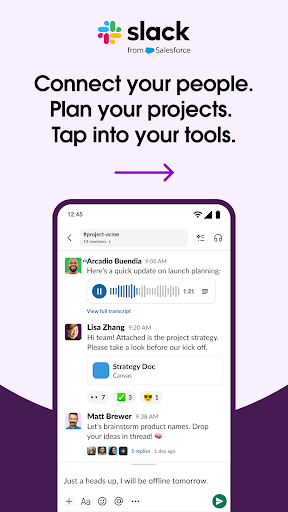
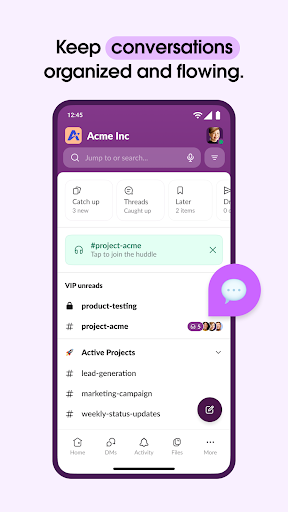
Slack is a workplace messaging app that organizes team communication into channels, direct messages, and threads, with video chat, file sharing, and integrations with over 2,600 third-party apps like Google Drive, Asana, and Figma layered on top. It’s built for businesses of any size that need a central hub for project chatter, and it now bakes in AI-powered search and meeting notes for teams willing to pay for the add-on. If your company already lives in Slack on desktop, the mobile app is meant to be the on-the-go extension of that same workspace.

Where It Actually Delivers

Reviewers consistently praise the core messaging experience: one user called team communication ‘quick and cleanly organized’ and specifically credits improved search and mostly reliable notifications in recent years. For straightforward chat, reminders, and staying in sync with a team, the basics clearly work for a lot of long-time users, and that reliability is likely why it has held onto such a large install base.

Notifications and Sync Problems That Won’t Go Away

Despite the praise for notifications improving ‘in recent years,’ plenty of users report the opposite in practice. One reviewer had to set a periodic alarm just to check for new posts because alerts frequently failed to appear, and complained that DMs are sorted alphabetically instead of chronologically unless you dig into a separate tab. Another described losing entire drafted posts with photos after switching away from the app, with content mysteriously reappearing in the wrong channel. These aren’t minor annoyances for a tool meant to be mission-critical for business workflows.

Device Compatibility Is a Real Dealbreaker for Some

The most ‘useful’ complaint on record is blunt: Slack locks out phones older than three years, even when the device runs 300 other apps without issue. Tablet support has also degraded, with one user saying it no longer works even in a mobile browser on their tablet, forcing them to carry a laptop to conferences instead. Another reviewer said the mobile workspace simply didn’t load at all while the desktop version worked fine, and described support as unable to diagnose the issue after wasting 25 minutes of their time.

Interface Changes Frustrate Longtime Teams

Multiple reviews point to redesigns that made things worse rather than better. One user described a new UI that flattens every workspace to the same layer, resulting in seven identically named ‘announcements’ channels with no way to distinguish them, which they say directly hurt team adoption. Another felt recent simplification stripped away control, singling out the account-linking process and ‘magic link’ email sign-ins as needlessly clunky compared to before.

Who Should Actually Download This

If your organization is already committed to Slack and you have a reasonably modern phone, the mobile app will cover the basics of chat, reminders, and search reliably enough for daily use. But if you’re on an older device, rely heavily on a tablet, or need dependable real-time notifications and chronological message order, expect friction. Teams evaluating a new tool should also budget time to manage workspace/channel clutter after any UI update, since that has tripped up experienced users too.


Pros

  • ✓Clean, organized team communication
  • ✓Strong search functionality
  • ✓Large library of app integrations
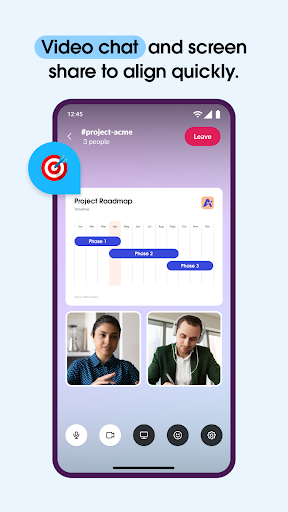
  • ✓Video chat and screen sharing built in
  • ✓Reliable for basic day-to-day messaging

Cons

  • ✕Locks out phones older than 3 years
  • ✕Notifications frequently fail to appear
  • ✕Tablet and browser support degraded

What Real Users Say

Dallin Smith ★ 1/5

“You must have a phone no older than 3 years old or they lock you out. I have over 300 popular apps on my phone and this is the ONLY one that doesn't work. My phone is still very nice. I'm not going to update it for one app. It's inexcusable for an app as integral to business workflows as…”

👍 563 found this helpful
Nick C. ★ 5/5

“Team or group communication is quick and cleanly organized when you use slack. The extended feature set is nice, such as reminders, but mostly I use this for the basics. Search has gotten pretty good and notifications have been mostly reliable in recent years, though there are still occasional hiccups when you are both in the app and have a…”

👍 476 found this helpful
Korinne M Jackman ★ 4/5

“Ok, but not "compatible" with all my devices. It will no longer work on my tablet, not even within a browser. I'm stuck using it in my phone or on my PCs/Chromebook. That's inconvenient when at conferences; I don't want to have to lug a laptop everywhere. Otherwise, the app (on my phone) is adequate. I can do what I…”

👍 237 found this helpfulDeveloper responded

Reviews sourced from Google Play, selected by helpfulness at the time of writing.

App Info & Permissions

Developer SLACK TECHNOLOGIES L.L.C.
Content rating Everyone
Contains ads No
Installs 49M+
Released 07/22/2013
Price Free

Permissions this app requests

📷 Camera Take pictures and videos
👥 Contacts Find accounts on the device; read your contacts
📱 Device ID & call information Read phone status and identity
🪪 Identity Find accounts on the device
🎙️ Microphone Record audio
📞 Phone Read phone status and identity
🖼️ Photos/Media/Files Read the contents of your USB storage; modify or delete the contents of your USB storage
💾 Storage Read the contents of your USB storage; modify or delete the contents of your USB storage

Similar Apps

Frequently Asked Questions

1

What is Slack?

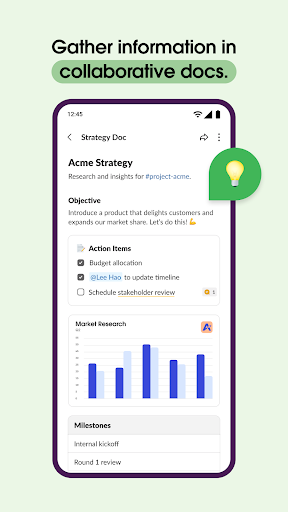
Slack is a business communication app that organizes team conversations into channels and direct messages, with support for video calls, file sharing, shared docs, and integrations with thousands of other work tools. It's designed to be a single hub for project collaboration, whether with coworkers, contractors, or external partners. The mobile app mirrors the desktop workspace so teams can stay connected away from their computers.

2

Is Slack free to use?

Slack offers a free tier with basic messaging and limited features, but project management tools, customizable templates, and the Slack AI add-on all require upgrading to Slack Pro, Business+, or Enterprise plans. Many of the more advanced productivity features advertised, like AI-powered meeting notes, are locked behind these paid tiers. Casual or small teams can get by on the free version, but growing businesses will likely need to pay.

3

Does Slack work on older phones?

According to user reports, Slack can lock out phones older than about three years, even when the device otherwise runs modern apps without any problem. This has been called out as one of the most frustrating issues by long-time users who don't want to replace a still-functional phone just for one app. If you're using an older device, it's worth checking compatibility before relying on Slack for work.

4

Why do Slack notifications sometimes not show up?

Multiple users report that notifications fail to appear reliably, forcing some to manually check the app on a schedule rather than trust push alerts. This appears to be an ongoing issue rather than a one-time bug, and it affects the app's usefulness for time-sensitive business communication. There's no confirmed fix mentioned by users, so this remains a known pain point.

5

Is Slack a good replacement for email or in-person meetings?

For text-based project discussion, file sharing, and quick video calls, Slack can effectively replace a lot of email traffic and reduce the need for some meetings. However, issues like inconsistent notifications, confusing channel organization after UI changes, and device compatibility problems mean it isn't a flawless substitute. Teams should weigh these practical annoyances against the convenience of centralized communication before fully committing.

