
SkyView® Lite

by Terminal Eleven LLC

4.3 ★ 57K+ reviews
25M+ Installs
10/19/2014 Released
SkyView® Lite icon
SkyView® Lite icon
Education

SkyView® Lite

by Terminal Eleven LLC

4.3 ★ 57K+ reviews
25M+ Installs
10/19/2014 Released
Advertisements
SkyView® Lite screenshot 1
SkyView® Lite screenshot 2
SkyView® Lite screenshot 3
SkyView® Lite screenshot 4
SkyView® Lite screenshot 5
SkyView® Lite screenshot 6

Ratings Breakdown

4.3 ★★★★★ 57K+ ratings
5 ★ 71%
4 ★ 11%
3 ★ 6%
2 ★ 3%
1 ★ 9%

Data from Google Play at the time of writing.

What SkyView Lite Actually Does

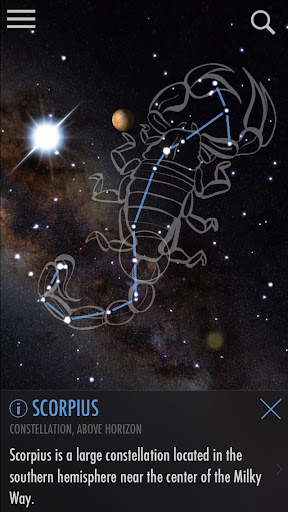
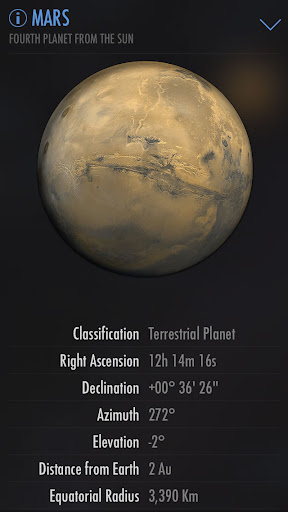
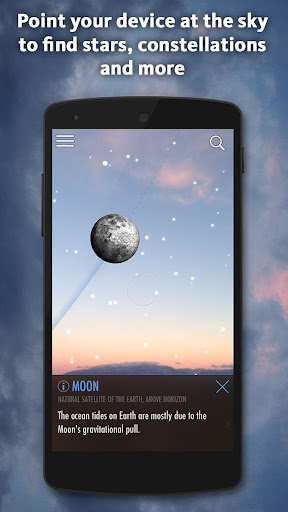
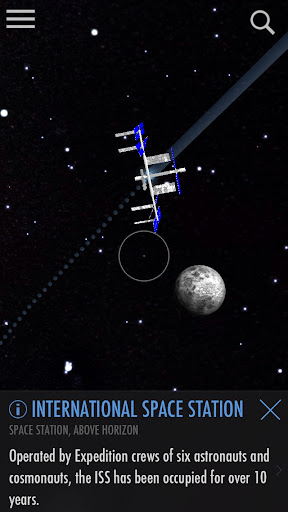
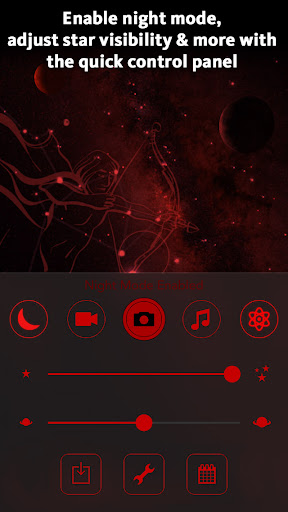
SkyView Lite from Terminal Eleven is an augmented reality stargazing app. Point your phone at the sky and it overlays the names and outlines of constellations, planets, satellites like the ISS and Hubble, and deeper sky objects on your camera view. It works day or night, doesn’t require a data connection or even GPS to function, which makes it genuinely usable while camping, boating, or on a plane. It’s aimed at casual sky-watchers, parents, teachers, and kids rather than serious amateur astronomers who want catalog-level star counts.

Where It Shines in Real Use

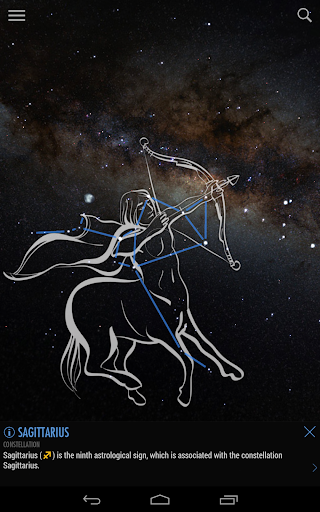
The strongest praise from real users centers on how approachable the app feels. Reviewers repeatedly mention that it doesn’t overwhelm you with an unrealistic number of stars, instead showing roughly what you’d actually see looking up, which makes constellation-hunting far less intimidating for beginners. The constellation artwork overlay, where mythological figures are drawn over the actual star patterns, is called out specifically as a great tool for teaching kids why constellations are named what they are. Users also highlight the Time Travel feature and the ability to track faster-moving objects, plus the calming background music that adds to the outdoor experience.

Accuracy Complaints Some Users Report

Not everyone gets a smooth experience. One long-time user with high review usefulness reported that the app used to line up perfectly but now misplaces visible planets entirely, despite recalibrating their phone as instructed. Another reviewer described the compass and sky view being off by roughly 90 degrees when they first opened the app, though it self-corrected days later. This kind of drift issue seems tied to device compass calibration rather than a single one-time bug, but it’s frustrating enough that multiple people bring it up unprompted.

Readability and Permission Concerns

A recurring complaint involves the app’s text and font choices. One user specifically asked for a way to change the ‘Shadow Style’ font to something more legible, noting it seems designed for younger eyes rather than older users who need larger or simpler text, and there’s apparently no built-in option to adjust this. Separately, a user questioned why the app requests ‘precise location’ when only GPS should be necessary for star-mapping purposes, pointing out that adding Bluetooth and WiFi requirements makes little sense when stargazing typically happens away from connectivity in the first place.

Who Should Download SkyView Lite

If you want a low-friction way to identify what’s overhead without needing an astronomy degree, this free tier delivers exactly that, and its offline functionality is a genuine practical advantage over apps that demand a constant signal. Families, teachers, and anyone who just wants to point their phone up and get quick answers will likely enjoy it, especially the constellation artwork feature. Just go in expecting occasional compass misalignment, no font customization for readability, and be aware there’s a paid version if you want more precision than the free tier can offer.


Pros

  • ✓Works offline, no GPS or WiFi needed
  • ✓Beginner-friendly, uncluttered star display
  • ✓Constellation artwork helps teach kids mythology
  • ✓Time Travel feature to view past or future skies
  • ✓Calming background music enhances outdoor use

Cons

  • ✕Compass alignment can drift or misfire
  • ✕No font size or style customization
  • ✕Requests precise location beyond basic GPS

What Real Users Say

A Google user ★ 5/5

“If you want an app where you can easily identify different constellations without any fuss, this app is for you!! It doesn't show you a stupidly large amount of stars like some of the other apps, but honestly, I like it better this way. It just shows what you would normally see in the sky if you're not away from…”

👍 654 found this helpful
A Google user ★ 3/5

“I need to be able to select a font that is easily read with my eyes. Looks like the software may have been adapted with a 20 or young 30-something person with perfect eyesight. The curse of Shadow Style just does not work for everybody. How about allowing a font change to something more simple and text for such as…”

👍 435 found this helpful
Christina G ★ 5/5

“Very beautiful as well as informative with regards to the purpose of orienting oneself in the night sky and locating cosmic "goodies". If you draw over stars within a constellation, it will produce an overlay of the image of that constellation (a setting option) and even tracks faster moving objects (such as comets and satellites) as they are moving through…”

👍 406 found this helpful

Reviews sourced from Google Play, selected by helpfulness at the time of writing.

App Info & Permissions

Developer Terminal Eleven LLC
Content rating Everyone
Contains ads No
Installs 25M+
Released 10/19/2014
Price Free

Permissions this app requests

📷 Camera Take pictures and videos
📍 Location Approximate location (network-based); precise location (GPS and network-based)
🖼️ Photos/Media/Files Read the contents of your USB storage; modify or delete the contents of your USB storage
💾 Storage Read the contents of your USB storage; modify or delete the contents of your USB storage
📶 Wi-Fi connection information View Wi-Fi connections

Similar Apps

Frequently Asked Questions

1

What is SkyView® Lite?

SkyView® Lite is an augmented reality stargazing app from Terminal Eleven that uses your phone's camera to identify constellations, planets, satellites, and other celestial objects in real time. You simply point your device at the sky, day or night, and it overlays names and information on what you're looking at. It's designed for casual users, families, and educators rather than professional astronomers. It also includes a Time Travel feature to view the sky on different dates and times.

2

Is SkyView® Lite free to use?

Yes, SkyView® Lite is the free version of the app and is available at no cost. There is also a paid version mentioned by users that reportedly offers improved precision, though the free tier covers all the core stargazing and identification features. Most reviewers seem satisfied using the free version alone.

3

Does SkyView® Lite need an internet connection to work?

No, one of its biggest advantages is that it does not require WiFi or a data signal to function, and it doesn't even need GPS to work. This makes it genuinely useful for camping, boating, flying, or any situation where you're off the grid. Many users specifically praise this offline capability.

4

Why does the sky view sometimes not line up correctly?

Several users reported that the compass and sky overlay can become misaligned, showing objects in the wrong part of the sky compared to where they actually appear. This seems related to device compass calibration, and while recalibrating sometimes fixes it, at least one long-time user said the issue persisted even after following the app's calibration instructions. It's a known frustration but doesn't affect everyone equally.

5

Can I change the app's text size or font for better readability?

Based on user feedback, there does not appear to be a built-in option to change the font style or size, and the default 'Shadow Style' text has been criticized as hard to read for users without perfect eyesight. If readability is a major concern for you, this is worth keeping in mind before relying heavily on the app's text labels.