
Screen Recorder Video Recorder

by Video Player & Cast to TV

4.3 ★ 766K+ reviews
101M+ Installs
06/07/2023 Released
Screen Recorder Video Recorder icon
Tools

Screen Recorder Video Recorder

by Video Player & Cast to TV

4.3 ★ 766K+ reviews
101M+ Installs
06/07/2023 Released
Advertisements
Screen Recorder Video Recorder screenshot 1
Screen Recorder Video Recorder screenshot 2
Screen Recorder Video Recorder screenshot 3
Screen Recorder Video Recorder screenshot 4
Screen Recorder Video Recorder screenshot 5
Screen Recorder Video Recorder screenshot 6

Ratings Breakdown

4.3 ★★★★★ 766K+ ratings
5 ★ 78%
4 ★ 5%
3 ★ 2%
2 ★ 2%
1 ★ 13%

Data from Google Play at the time of writing.

What Recordify Actually Does

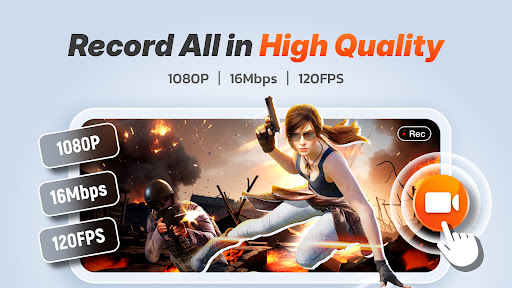
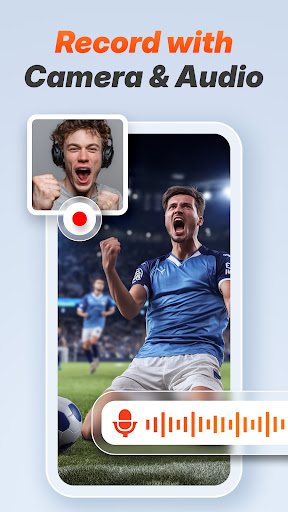
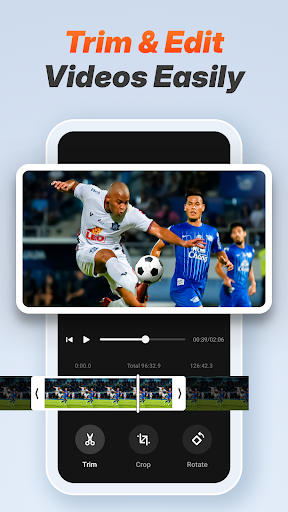
Screen Recorder Video Recorder, branded in-app as Recordify, is a straightforward tool for capturing your phone’s screen in up to 1080p at 120FPS, with internal and microphone audio, a facecam overlay, and basic editing like trim, crop, and rotate. It’s aimed at people making tutorials, saving gameplay clips, or archiving video calls without paying for a premium editing suite. With over 101 million installs, this is clearly one of the go-to free options in the category, and the sheer volume of reviews backs that up.

Where It Performs Well

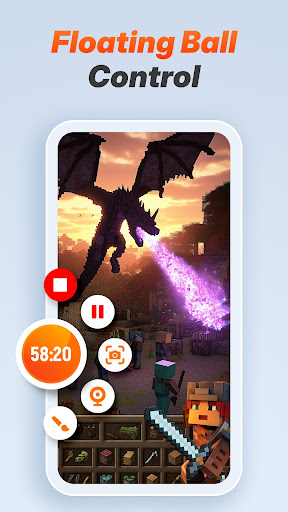
The core recording function works as advertised for most people. Long-time users report using it for years with minimal complaints, and several reviewers specifically praise how simple the interface is for a free tool. One user with three months of use called it ‘easy and super simple to use,’ and another long-term user said they didn’t have many complaints at all after years of use. The floating control ball for starting, pausing, and screenshotting is a genuinely useful touch, letting you manage recordings without jumping back to the app.

Audio Reliability Is Inconsistent

The most concerning pattern in user feedback is audio degradation over time. Multiple reviewers describe audio that started clear but became cracked or glitchy after months of use, with one noting recordings would stop capturing audio entirely partway through. Another user reported videos with only 30-60 seconds of working audio before going completely silent, unable to pinpoint the cause. If audio reliability is critical to your recordings, this is a real risk worth knowing about before you commit to the app long-term.

The Ad Experience Can Be Rough

Ads are the second major sticking point. While some reviewers say the ad load is moderate and barely noticeable on the free tier, others describe a much harsher experience, including having to bypass over ten ads during a single recording session, with some ads disguised as the ‘next’ button to trick users into tapping them. Another reviewer specifically mentioned hunting for hidden close buttons just to get back to using the app. Your mileage here seems to depend heavily on which ad rotation you’re served.

Other Friction Points to Know About

Screen shape compatibility is a minor but real issue — users with long or unusually shaped screens report the app struggling to adapt properly. More disruptive is that recording stops automatically when the screen turns off, forcing users to keep their phone active the entire time, which one reviewer called out as a genuine workflow annoyance since you can’t multitask during a long recording.

Who Should Download This

If you want a free, no-watermark, no-time-limit screen recorder for casual tutorials or gameplay clips and can tolerate ads, Recordify is a reasonable pick, especially given how many long-term users stick with it. But if flawless audio over months of use or an ad-light experience matters to you, go in with tempered expectations, since both are recurring complaints among real users.


Pros

  • ✓Simple, easy-to-use interface
  • ✓No watermark or time limit
  • ✓Useful one-tap floating control ball
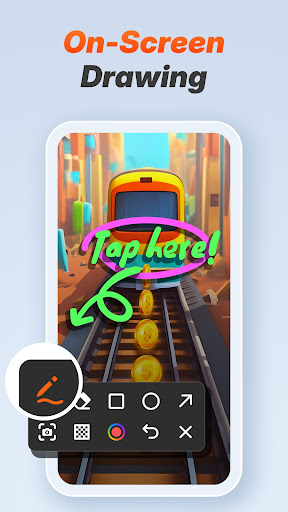
  • ✓Facecam and live drawing tools
  • ✓Works well for years for some users

Cons

  • ✕Audio can degrade or cut out
  • ✕Heavy, sometimes deceptive ads reported
  • ✕Stops recording when screen turns off

What Real Users Say

seo vaykay ★ 5/5

“I've been using screen recorder for a few years. I dont have many complaints or any if im thinking about it. In any case, it's simple to use, free. And they dont push trials on you heavily. Lastly, they have moderate ads, so it feels like they aren't even there on the free version. Get it; it's great for everyone.…”

👍 1,367 found this helpful
don holeto ★ 5/5

“I will say the issues I have with this first: the floating ball (both of them, actually) are like quick time events. Also, if you have long screens, the app will have a hard time with the shape of your screen, but other than that, good enough. Does what I need it to with little issue. A little slow, and…”

👍 1,011 found this helpfulDeveloper responded
Rudra! ★ 2/5

“For the first few months the audio was good. the screen recording audio was clear. But overtime, it became a bit cracked, like the audio glitches and it stops recording after a whole recording. If your going to use this app just for a few months, I recommend it. But if your going to use it forever or more than…”

👍 1,004 found this helpfulDeveloper responded

Reviews sourced from Google Play, selected by helpfulness at the time of writing.

App Info & Permissions

Developer Video Player & Cast to TV
Content rating Everyone
Contains ads Yes
In-app purchases $5.99 - $19.99 per item
Installs 101M+
Released 06/07/2023
Price Free

Permissions this app requests

📷 Camera Take pictures and videos
👥 Contacts Find accounts on the device
🕘 Device & app history Read sensitive log data
🪪 Identity Find accounts on the device
🎙️ Microphone Record audio
🖼️ Photos/Media/Files Read the contents of your USB storage; modify or delete the contents of your USB storage
💾 Storage Read the contents of your USB storage; modify or delete the contents of your USB storage

Similar Apps

Frequently Asked Questions

1

What is Screen Recorder Video Recorder?

It's a free Android app, branded Recordify, that lets you record your phone screen in up to 1080p at 120FPS with internal or microphone audio. It also includes basic editing tools like trim, crop, rotate, video-to-GIF conversion, a facecam overlay, and live drawing for tutorials. It's built for gameplay capture, tutorials, and saving video calls without needing a separate editing app.

2

Is Screen Recorder Video Recorder free to use?

Yes, the app is free with ads, and reviewers mention a paid option around $19 a year or $5 a month to remove them. Many users say the free version is fully usable with no watermark and no recording time limit. However, some reviewers report the ad load can be heavy, so your experience may vary.

3

Does the app have problems with audio recording?

Yes, this is one of the most common complaints. Several long-term users report audio that was initially clear became glitchy or cracked over months of use, and some recordings lose audio entirely partway through with no clear cause. If consistent audio quality is essential for your use case, test it thoroughly before relying on it for important recordings.

4

Are the ads in Recordify a big problem?

It depends on who you ask. Some users describe the ads as moderate and barely noticeable, while others report having to dismiss over ten ads during a single session, including ads disguised as navigation buttons. If you're sensitive to intrusive ads, this inconsistency is worth knowing about upfront.

5

Can I record for as long as I want without interruptions?

There's no built-in time limit or watermark, but recording automatically stops if your screen turns off, meaning you have to keep the display active the entire time. Users also note the app can struggle with unusually shaped or long screens. This makes hands-free, extended recording less convenient than it could be.

