




What Samsung Notes Actually Does
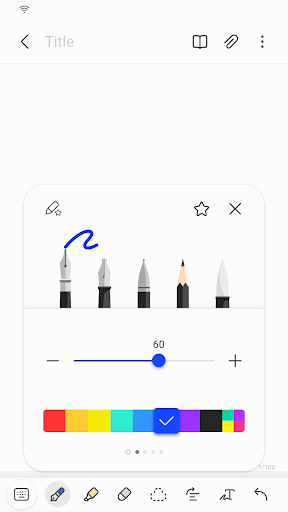
Samsung Notes is the default note-taking app baked into Galaxy phones and tablets, and it covers a lot of ground: typed notes, handwriting with the S Pen, photo and voice attachments, PDF annotation, and folder organization. With over 2 billion installs, it’s essentially the built-in equivalent of OneNote or Evernote for Samsung device owners, and it syncs across phone, tablet, and PC. It’s aimed squarely at anyone who already owns a Galaxy device and wants a no-download-required place to jot grocery lists, meeting notes, or sketch ideas with a stylus.
The scope is broad on purpose. You can import old S Note and Memo data through Smart Switch, lock individual notes with a password, and export or connect documents to Word, PowerPoint, and PDF formats. For most people this means they never have to install a third-party notes app at all.
Where It Genuinely Shines
The strongest praise in user reviews centers on simplicity for everyday list-making. One reviewer with over a thousand upvotes describes using it weekly for everything from long-term projects to grocery lists, comparing it to ‘having a notebook, except you don’t have to keep track of the notebook.’ Another long-time user details a grocery list workflow organized by store layout, with asterisks and symbols marking recurring items, and notes that the list ‘stays intact’ between uses rather than requiring retyping.
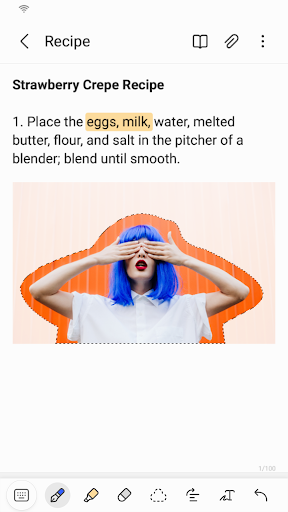
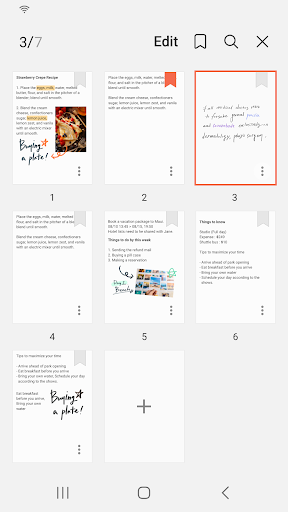
Folder organization also gets specific credit: users like being able to name and color-code folders, nest them, and mix numbered lists, colored text, and pasted images within a single note, comparing the experience favorably to Word. The screen-off memo feature, where you can jot something quickly without fully unlocking the device, is called out as a reason to keep using the app even by a reviewer who is otherwise frustrated with recent changes.
The Update Backlash Is Real
A recurring and heavily upvoted complaint is that Samsung keeps redesigning the app in ways that break familiar habits or lose data. One reviewer says notes can no longer be read on a non-Samsung Windows PC, calls the organization ‘cumbersome,’ and states that shape recognition was removed entirely, adding that ‘every few years Samsung updates the app without backwards compatibility, so you lose a lot of notes.’ That’s a serious concern for anyone treating this as a long-term archive.
More recent updates draw sharp criticism too. Multiple users dislike that the formatting toolbar was moved from the bottom to the top of the screen, forcing a change in muscle memory. Others report the new layout is harder to scan, with a grid view option that shrinks text ‘too small for easy reading’ and a search function some call unappealing. One user says the app now kicks them out of open notes when switching tabs, speculating about background internet connections being added for data collection.
Small Bugs That Undermine Trust
Beyond layout gripes, there are functional bugs mentioned directly by users: single spacing randomly shifting to double or 1.5 spacing, and font sizes changing on their own without user input. For a note-taking app, where consistency of formatting matters for anyone keeping structured lists or documents, these kinds of unpredictable shifts are more than cosmetic annoyances — they erode confidence that a note will look the same tomorrow as it does today.
Who Should Actually Download This
If you own a Galaxy phone or tablet, Samsung Notes is already on your device and handles quick lists, handwritten notes, and PDF markup well enough that most casual users won’t need anything else. It’s genuinely good for grocery lists, class notes, and S Pen sketching. But if you rely on cross-platform access from a non-Samsung PC, or you’ve been burned before by data loss during app updates, it’s worth keeping a backup elsewhere. Casual, single-device Samsung users will likely be happy; power users who’ve stuck around through multiple redesigns are clearly growing frustrated with the direction the app keeps taking.



