ReadEra – book reader pdf epub

by READERA LLC

4.9 ★ 1.5M+ reviews
54M+ Installs
03/31/2017 Released
ReadEra – book reader pdf epub icon
Books & Reference

ReadEra – book reader pdf epub

by READERA LLC

4.9 ★ 1.5M+ reviews
54M+ Installs
03/31/2017 Released
Advertisements
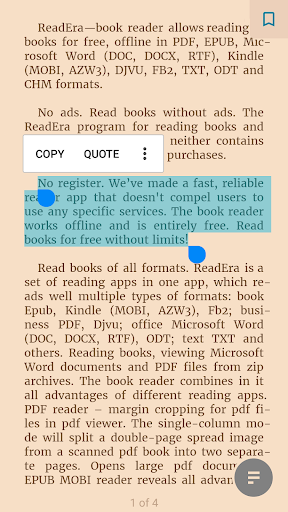
ReadEra – book reader pdf epub screenshot 1
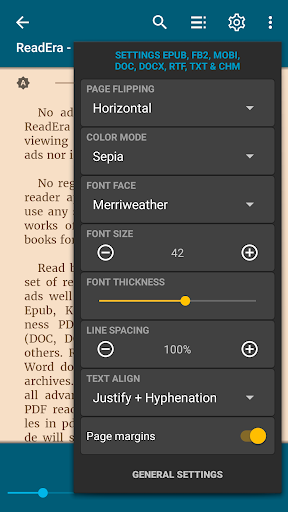
ReadEra – book reader pdf epub screenshot 2
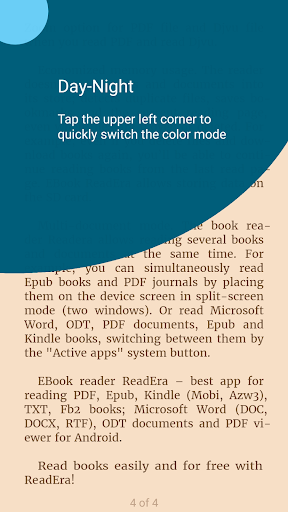
ReadEra – book reader pdf epub screenshot 3
ReadEra – book reader pdf epub screenshot 4
ReadEra – book reader pdf epub screenshot 5
ReadEra – book reader pdf epub screenshot 6

Ratings Breakdown

4.9 ★★★★★ 1.5M+ ratings
5 ★ 91%
4 ★ 6%
3 ★ 1%
2 ★ 0%
1 ★ 1%

Data from Google Play at the time of writing.

What This App Actually Does

ReadEra is a file-format reader for Android that opens PDF, EPUB, MOBI, AZW3, DOC, DOCX, RTF, DJVU, FB2, TXT, ODT and CHM files without needing separate apps for each type. It works offline, doesn’t require an account, and pulls in books you’ve already downloaded to your phone automatically. It’s aimed at people who read a mix of ebooks, scanned PDFs, and office documents on a phone or tablet and want one app instead of five.

No Ads and No Login Wall Is a Big Deal

The single most repeated praise in user reviews is the complete absence of ads and the lack of a forced account or subscription just to read a book. One reviewer called it ‘one of the least annoying apps on the store’ and noted the premium tier is easily ignorable if you don’t want it. This matters because so many reading apps now gate basic functionality behind logins or interrupt reading with banners, and ReadEra simply doesn’t do that.

Reading and Organization Features That Hold Up

Users consistently mention the customization options — font size, line spacing, day/night/sepia color modes, and page-turn styles. The app also auto-saves your last page even if you delete and redownload the same file, which one reviewer specifically praised. The quote-saving feature gets called out as genuinely useful, and the option to scroll continuously instead of flipping pages is a nice touch for people who don’t like traditional page turns. For managing a large library, folder navigation and grouping by author or series is functional, not flashy, but it works.

Text-to-Speech Is a Surprise Highlight

The AI text-to-speech feature, tied to the one-time premium purchase (under $15 per reviewer reports), gets some of the most enthusiastic feedback in the review set — people describe switching between reading and listening as a genuine Audible alternative for readers on a budget. That said, one reviewer noted a real quirk: when a paragraph spans two pages, the narration continues but the page doesn’t turn until the paragraph finishes, and figuring out how to start playback isn’t obvious at first.

Where It Falls Short

The complaints are narrower but specific. Highlight colors beyond the basics are locked behind payment, which annoys people who annotate heavily. More seriously, one long-time user flagged a note-saving bug significant enough to type it in all caps and beg for a fix, suggesting notes don’t always reliably persist or sync the way users expect. There’s also a minor request for more control over where the app stores files by default, which points to a slightly rigid file-handling setup for power users who like to manage storage manually.

Who Should Actually Download This

If you read PDFs, scanned documents, and ebooks in mixed formats and are tired of ad-supported readers or apps demanding accounts, ReadEra is a strong, low-friction choice with a real user base behind it (over 54 million installs). It’s especially worth it if you want text-to-speech as a cheap Audible substitute. Heavy annotators and note-takers should go in aware of the reported note-saving issue, and anyone who wants deep control over file storage locations may find it slightly limiting.


Pros

  • ✓Completely ad-free with no forced login
  • ✓Reads nearly every ebook and document format
  • ✓Auto-saves reading position even after redownload
  • ✓AI text-to-speech is a cheap Audible alternative
  • ✓Continuous scroll option instead of page flips

Cons

  • ✕Note-saving bug frustrates heavy annotators
  • ✕Extra highlight colors locked behind payment
  • ✕Limited control over default file storage location

What Real Users Say

Donna McGee-Mosley ★ 5/5

“I really enjoy this AI Audio reader. I like to read and listen to my books but I can't always afford the audible. This is an awesome Plan B. I immediately purchased the premium option without question. Premium is a one-time charge and it's under $15. You have lots of AI voices that you can choose from. Including Australian, United…”

👍 615 found this helpful
Irene “Soulpretty” Olusegun ★ 5/5

“I really enjoyed using this app and have moved to the premium version. I enjoy reading but whenever I wanted to get busy, I'd just switch to listening until I could go back to reading. I switched to premium because I wanted to be able to do other things with my phone while listening and though they're AI voices doing…”

👍 570 found this helpful
Kai Margaux ★ 4/5

“The best. I can read it offline, no ads, simple interface, and lots of good features. Though, the only thing I didn't like was that colors for highlights are restricted since you need to pay for it. AND PLEASE FIX THE NOTE SAVING 😭 I'm a massive annotator and when I want to go back to my notes, it's not…”

👍 38 found this helpful

Reviews sourced from Google Play, selected by helpfulness at the time of writing.

App Info & Permissions

Developer READERA LLC
Content rating Everyone
Contains ads No
Installs 54M+
Released 03/31/2017
Price Free

Permissions this app requests

🖼️ Photos/Media/Files Read the contents of your USB storage; modify or delete the contents of your USB storage
💾 Storage Read the contents of your USB storage; modify or delete the contents of your USB storage

Similar Apps

Frequently Asked Questions

1

What is ReadEra – book reader pdf epub?

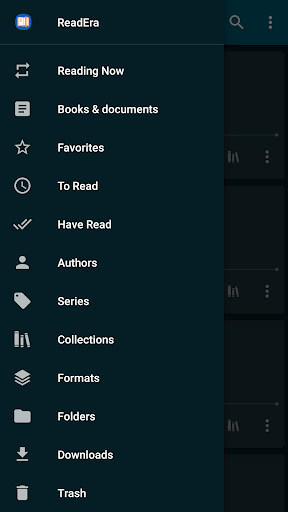
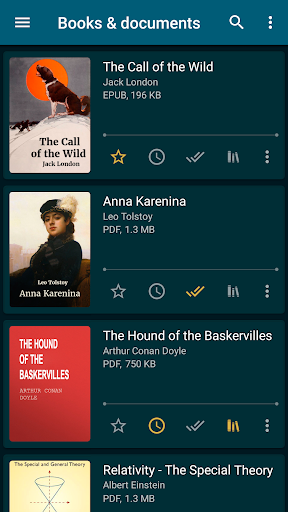
ReadEra is an Android app that reads and manages ebooks and documents in formats like PDF, EPUB, MOBI, AZW3, DOCX, DJVU, FB2, TXT, ODT and CHM. It works offline, auto-detects downloaded files, and organizes them into collections, authors, and reading lists like To Read and Favorites. It also includes bookmarks, highlights, notes, and a dictionary lookup while reading.

2

Is ReadEra free to use?

Yes, the core reading experience is completely free with no ads and no required account or subscription. There is an optional one-time premium purchase, reported by users as under $15, that unlocks extras like AI text-to-speech voices and additional highlight colors. Everything else, including reading all supported formats, works without paying.

3

Does ReadEra work without an internet connection?

Yes, ReadEra is built to work fully offline once your files are on the device. It doesn't copy files into internal storage, and it retains your bookmarks and last-read page even if you move or delete and redownload the file. It also supports storing your library on an SD card.

4

Does ReadEra have a text-to-speech feature?

Yes, and it's one of the most praised features among users, who describe it as a budget-friendly Audible alternative with multiple AI voice options. It's part of the paid premium tier. One noted quirk is that when a paragraph spans two pages, narration continues but the page doesn't advance until the paragraph ends.

5

What are the biggest complaints about ReadEra?

The most serious recurring complaint is a note-saving bug that frustrates users who rely heavily on annotations and want to revisit them later. Some users also dislike that additional highlight colors require the premium purchase, and one reviewer wanted more control over where the app saves files by default. Otherwise complaints are minor compared to the praise for its ad-free, offline design.