
QR Scanner

by P & L Studio

3.7 ★ 62K+ reviews
31M+ Installs
02/23/2023 Released
QR Scanner icon
QR Scanner icon
Tools

QR Scanner

by P & L Studio

3.7 ★ 62K+ reviews
31M+ Installs
02/23/2023 Released
Advertisements
QR Scanner screenshot 1
QR Scanner screenshot 2
QR Scanner screenshot 3
QR Scanner screenshot 4
QR Scanner screenshot 5
QR Scanner screenshot 6

Ratings Breakdown

3.7 ★★★★★ 62K+ ratings
5 ★ 55%
4 ★ 12%
3 ★ 6%
2 ★ 5%
1 ★ 22%

Data from Google Play at the time of writing.

What This App Is Supposed To Do

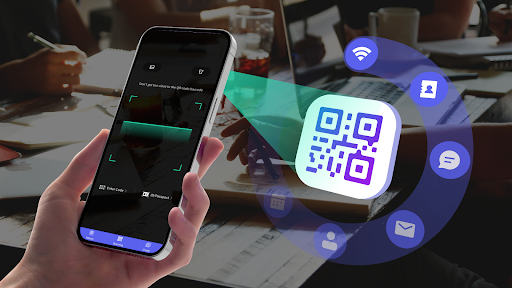
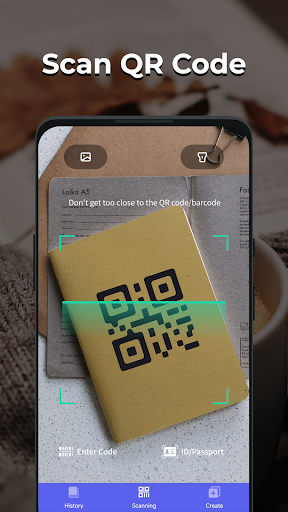
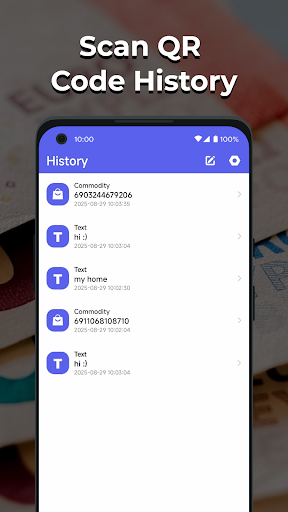
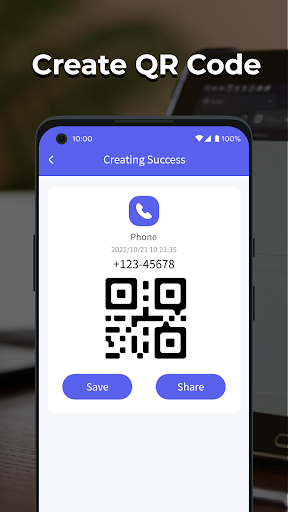
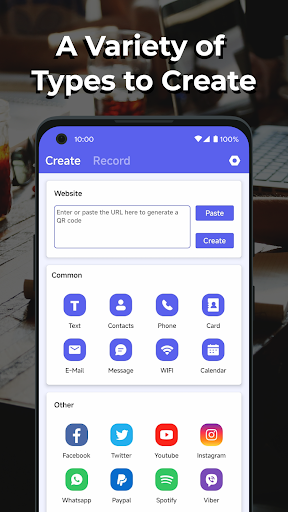
QR Scanner from P & L Studio is a free Android utility for reading QR codes, generating your own codes, scanning product barcodes, and even pulling data off the machine-readable zone of IDs and passports. It keeps a history log of everything you scan or create, so you don’t have to rescan the same code twice. On paper it targets anyone who needs a quick, no-fuss scanner rather than a bloated multi-tool, which is exactly the niche that made it popular enough to rack up over 31 million installs.

What Long-Time Users Say Worked Well

Several reviewers who stuck with the app for years describe it as fast and reliable in its earlier form: point the camera at a code and it scans instantly, no button presses or zoom adjustments needed, matching the store description. One user specifically said they had it installed for about a decade with no problems and never saw an ad, which suggests the core scanning engine itself has historically been solid and quick once it loads.

The Ad Problem That Dominates Recent Feedback

The most consistent and heavily upvoted complaints are about advertising. Multiple users report that a recent update buried the app in ads to the point where they can’t see scan results, can’t start the app, or the ads open instead of the scanned link. One reviewer scanned a barcode and never got results at all because ads blocked the screen. Another explicitly said they don’t mind ad-supported apps in principle, but here the ads have overtaken usability entirely. This is not a minor annoyance in the reviews — it’s the dominant theme among the most helpful ones.

System-Level Complaints Beyond Just Ads

Beyond intrusive ads, some reviewers describe more alarming behavior: the app allegedly changed home screen layouts, removed frequently used apps, and became difficult or impossible to uninstall. Others claim it’s being promoted through deceptive advertising that falsely tells users their existing QR scanner is outdated. One review went as far as calling it spyware and urging immediate deletion. These are serious accusations that go well beyond typical ad fatigue and point to real trust issues with how this app behaves post-update.

Who Should Actually Download This

If you just want a barebones scanner and are willing to grant camera permissions to something with a checkered recent reputation, the core scanning and barcode/passport features do sound genuinely useful based on the feature list and older reviews. But given the volume of recent complaints about aggressive ads, broken link handling, and alleged system interference, this is hard to recommend right now. Anyone considering it should watch for excessive permission requests, be ready to uninstall if ads become unmanageable, and consider that the version currently being distributed may not match the smooth experience longtime users originally praised. Users prioritizing a clean, ad-light experience should probably look elsewhere until these issues are addressed.


Pros

  • ✓Fast, button-free QR code scanning
  • ✓Supports barcodes, contacts, Wi-Fi data
  • ✓Built-in history log for past scans
  • ✓ID and passport data extraction feature
  • ✓Long-time users report solid core performance

Cons

  • ✕Overwhelming, intrusive ads recently
  • ✕Scanned links sometimes fail to open
  • ✕Alleged system and uninstall interference

What Real Users Say

Rik ★ 1/5

“ive had this installed for about 10 years. never had a problem. never saw an ad. it was really quick and worked perfectly. now another app forced this to update now its covered in ads and buggy as and takes a long time to load up. its a bad app.”

👍 35 found this helpfulDeveloper responded
John Kucharski ★ 1/5

“Ads are overwhelming and I can't even look at scanner results. I totally understand ad revinue, but as a customer, I do not want to sign up for an auto renew app even if it does have a cancellation clause if I cannot test the app. I scanned one barcode and never got results. Thanks to the ads, I do…”

👍 31 found this helpfulDeveloper responded
Suzanne Kenney ★ 1/5

“this app took over my phone and changed how everything looks and took off one of my frequently used apps. I can't find it anywhere. I don't like my home page, I don't seem to have control over anything. I can't even uninstall it. This is a 10 BOO app.”

👍 27 found this helpfulDeveloper responded

Reviews sourced from Google Play, selected by helpfulness at the time of writing.

App Info & Permissions

Developer P & L Studio
Content rating Everyone
Contains ads Yes
Installs 31M+
Released 02/23/2023
Price Free

Permissions this app requests

📷 Camera Take pictures and videos
👥 Contacts Read your contacts
🖼️ Photos/Media/Files Read the contents of your USB storage; modify or delete the contents of your USB storage
💾 Storage Read the contents of your USB storage; modify or delete the contents of your USB storage
📶 Wi-Fi connection information View Wi-Fi connections

Similar Apps

Frequently Asked Questions

1

What is QR Scanner?

QR Scanner is an Android app by P & L Studio that reads QR codes automatically, creates custom QR codes, scans product barcodes, and can extract data from ID or passport machine-readable zones. It also keeps a history log of everything you scan or generate. It's marketed as a simple, no-fuss alternative to bulkier scanning apps.

2

Is QR Scanner free to use?

Yes, the app is free to install and use, but it is supported by advertising. Multiple recent reviews report that the ads have become extremely intrusive, sometimes blocking scan results or preventing the app from opening properly. There does not appear to be a confirmed ad-free paid tier based on available user feedback.

3

Does QR Scanner work without an internet connection?

The core scanning function for reading QR codes and barcodes generally relies on the camera and can work offline for basic decoding, but showing certain results, like linked web content, requires an internet connection. Ad loading, which several users complain about, also requires connectivity. The store description doesn't specify offline limitations in detail.

4

Why are there so many complaints about ads in QR Scanner?

Recent reviews indicate an update significantly increased the volume and aggressiveness of ads, with users reporting they can't view scan results or even open the app without hitting ad screens first. Some also mention deceptive ads elsewhere promoting this app by falsely claiming users' current scanner is outdated. This has become the top complaint among recent, highly-rated user reviews.

5

Is QR Scanner safe to install on my phone?

This is a point of concern based on user feedback. While many long-term users report no issues for years, some recent reviewers claim the app altered their home screen, removed other apps, or was difficult to uninstall, and one review used the term spyware. Given these claims, cautious users should review requested permissions carefully before installing.

